Resonant Serpent
Max Output Level: -81 dBFS

- Total Posts : 463
- Joined: 2014/09/26 11:23:12
- Location: Austin, Texas
- Status: offline
Any chance we'll get different interface choices?
I'm asking because I really hate the shade of light grey that's used in the console and other areas. If I had my choice, I'd choose a much darker interface like Cubase. I can look at Cubase for hours without fatigue, but for some reason, the Sonar interface just wears my eyes out. Also, it would be cool to have a different color for the segmented meters. The green really doesn't go with the grey/blue interface. I know I can switch the segmented meters off and choose my own colors, but those meters quit working with some of my vst interfaces. The segmented meters work no matter what. Functionally, Sonar is at the top for me, I would just like more control over the colors.
post edited by Resonant Serpent - 2015/11/13 19:37:12
A deep chesty bawl echoes from rimrock to rimrock, rolls down the mountain, and fades into the far blackness of the night. It is an outburst of wild defiant sorrow, and of contempt for all the adversities of the world. - Aldo Leopold
|
John
Forum Host

- Total Posts : 30467
- Joined: 2003/11/06 11:53:17
- Status: offline

Re: Any chance we'll get different interface choices?
2015/11/13 19:52:55
(permalink)
I'm partial to Samplitude's Pro X2 GUI. The only problem is I like Sonar better.
|
Adq
Max Output Level: -82 dBFS

- Total Posts : 426
- Joined: 2015/01/21 20:05:25
- Status: offline
Re: Any chance we'll get different interface choices?
2015/11/13 20:17:17
(permalink)
☄ Helpfulby tlw 2015/11/15 11:08:38
It is a mystery. For some unknown reason Cakewalk think that Sonar's GUI is very good, and would suit everyone, so they don't touch it. They are very wrong. There is lack of usability and it is tiring for eyes.
|
kennywtelejazz
Max Output Level: -3.5 dBFS

- Total Posts : 7151
- Joined: 2005/10/22 06:27:02
- Location: The Planet Tele..X..
- Status: offline
Re: Any chance we'll get different interface choices?
2015/11/13 20:55:10
(permalink)
John
I'm partial to Samplitude's Pro X2 GUI. The only problem is I like Sonar better.
I'm totally with you on the first part of your post . Kenny
|
mudgel
Max Output Level: 0 dBFS

- Total Posts : 12010
- Joined: 2004/08/13 00:56:05
- Location: Linton Victoria (Near Ballarat)
- Status: offline
Re: Any chance we'll get different interface choices?
2015/11/14 01:47:59
(permalink)
Mike V. (MUDGEL) STUDIO: Win 10 Pro x64, SPlat & CbB x64, PC: ASUS Z370-A, INTEL i7 8700k, 32GIG DDR4 2400, OC 4.7Ghz. Storage: 7 TB SATA III, 750GiG SSD & Samsung 500 Gig 960 EVO NVMe M.2. Monitors: Adam A7X, JBL 10” Sub. Audio I/O & DSP Server: DIGIGRID IOS & IOX. Screen: Raven MTi + 43" HD 4K TV Monitor. Keyboard Controller: Native Instruments Komplete Kontrol S88.
|
TPayton
Max Output Level: -87 dBFS

- Total Posts : 178
- Joined: 2014/09/26 11:23:12
- Location: Indiana
- Status: offline
Re: Any chance we'll get different interface choices?
2015/11/14 19:47:40
(permalink)
Well.... here is an alternative viewpoint. I was using a different software that had a dark interface and I had a hard time seeing it well. The trend for a lot of software companies is a darker interface, and I don't care for this trend. I switched to Sonar primarily for the brighter interface, especially in the console view. Since then I've discovered the many other things Sonar offers, and I'm very glad I made the switch.
post edited by TPayton - 2015/11/14 19:59:15
|
DonM
Max Output Level: -34 dBFS

- Total Posts : 4129
- Joined: 2004/04/26 12:23:12
- Location: Pittsburgh
- Status: offline
Re: Any chance we'll get different interface choices?
2015/11/15 07:15:21
(permalink)
I totally agree. I have a tremendously difficult time visually parsing the data in this color scheme. I just attended a session on designing software interfaces for accessibility. Certainly an "eye opener" for me.
-D
|
Soundwise
Max Output Level: -62 dBFS

- Total Posts : 1419
- Joined: 2015/01/25 17:11:34
- Status: offline
Re: Any chance we'll get different interface choices?
2015/11/15 07:37:51
(permalink)
I find current Sonar interface clear and non distracting. Although having skinning options wouldn't hurt.
|
Adq
Max Output Level: -82 dBFS
- Total Posts : 426
- Joined: 2015/01/21 20:05:25
- Status: offline
Re: Any chance we'll get different interface choices?
2015/11/15 07:51:45
(permalink)
☄ Helpfulby tlw 2015/11/15 11:09:10
Soundwise
I find current Sonar interface clear and non distracting. Although having skinning options wouldn't hurt.
Nobody says that it is not clear or distracting. The problem is quite opposite, there is lack of contrast. The using of colors to differentiate zones and controls is very limited. Tracks and clips coloring is not functional enough. Non-changeable colors randomly placed here and there prevent customization of other colors, because they would work bad with this fixed colors. And so on. I like how it looks, it has some style, but functionally it is not good enough.
|
Atsuko
Max Output Level: -83 dBFS

- Total Posts : 365
- Joined: 2012/09/21 18:17:28
- Location: Rio de Janeiro, Brazil
- Status: offline
Re: Any chance we'll get different interface choices?
2015/11/15 08:05:26
(permalink)
Desktop Intel I7 12GB RAM Win 10 64bit - Focusrite Scarlett 18i8 2nd gen - Roland A-300 PRO - Yamaha HS50M speakers - Sonar Platinum/CbB - Samplitude Pro X3 - Studio One 4 - Melodyne 4 Studio - Ozone 8 Adv - Neutron 2 Adv - RX7 Adv - ARC2 // Notebook Dell I7 8GB RAM Win 10 64bit
|
Anderton
Max Output Level: 0 dBFS
- Total Posts : 14070
- Joined: 2003/11/06 14:02:03
- Status: offline
Re: Any chance we'll get different interface choices?
2015/11/15 12:05:51
(permalink)
With SONAR and quite a few other programs in this era of "gray is good," I bump up the monitor's brightness and contrast. It can make a huge difference (especially on the Mac, but that's a different world). On a lot of the screen shots I do to illustrate my posts and articles, I increase brightness and contrast in the graphics program. Also remember that at least the tracks can have very vibrant colors, see the tip for week #53 in "Friday's Tip of the Week."
|
Adq
Max Output Level: -82 dBFS
- Total Posts : 426
- Joined: 2015/01/21 20:05:25
- Status: offline
Re: Any chance we'll get different interface choices?
2015/11/15 12:22:56
(permalink)
Anderton
With SONAR and quite a few other programs in this era of "gray is good," I bump up the monitor's brightness and contrast. It can make a huge difference (especially on the Mac, but that's a different world). On a lot of the screen shots I do to illustrate my posts and articles, I increase brightness and contrast in the graphics program.
Maybe it could be a sort of workaround or enhancement, if one uses Sonar most amount of time. But it is a sign of huge problems.
|
FCCfirstclass
Max Output Level: -71 dBFS

- Total Posts : 969
- Joined: 2003/11/15 15:02:42
- Location: Las Vegas, Nevada
- Status: offline
Re: Any chance we'll get different interface choices?
2015/11/15 13:48:54
(permalink)
Another +1 for Sonar Mods listed above by Mudgel and done by Panup.
Win 10 Pro x64, 32Gb DDR3 ram, Sonar Platinum, Cubase 9.5, Mackie MCU Pro, Cakewalk VS 100, Roland Octa-Capture, A 800 Pro, Carver M-1.5t amp & C4000 pre amp, various mics, drums and brass instruments. And away we go!
|
Soundblend
Max Output Level: -76 dBFS

- Total Posts : 726
- Joined: 2011/08/15 14:01:14
- Location: Norway
- Status: offline
Re: Any chance we'll get different interface choices?
2015/11/15 14:01:35
(permalink)
uhh yeah, the channel strips / tracks... are quite boring with no texture and a very sad light grey color It is "not impossible" to make a nice colorful and textur'ish channel strip and track's in sonar.. [EDIT] Maybe some idea from all those colorful mixing desk's here, may help out ...
post edited by Soundblend - 2015/11/15 14:20:32
|
VariousArtist
Max Output Level: -63 dBFS

- Total Posts : 1397
- Joined: 2003/11/07 15:03:09
- Location: London, UK & California, USA
- Status: offline
Re: Any chance we'll get different interface choices?
2015/11/15 14:03:27
(permalink)
|
Soundblend
Max Output Level: -76 dBFS
- Total Posts : 726
- Joined: 2011/08/15 14:01:14
- Location: Norway
- Status: offline
Re: Any chance we'll get different interface choices?
2015/11/15 14:05:39
(permalink)
VariousArtist
Contrast pleeeeeeeez.
Yepp, and colors too XD ... + texture and design. Here's a nice one :  Maybe like this : 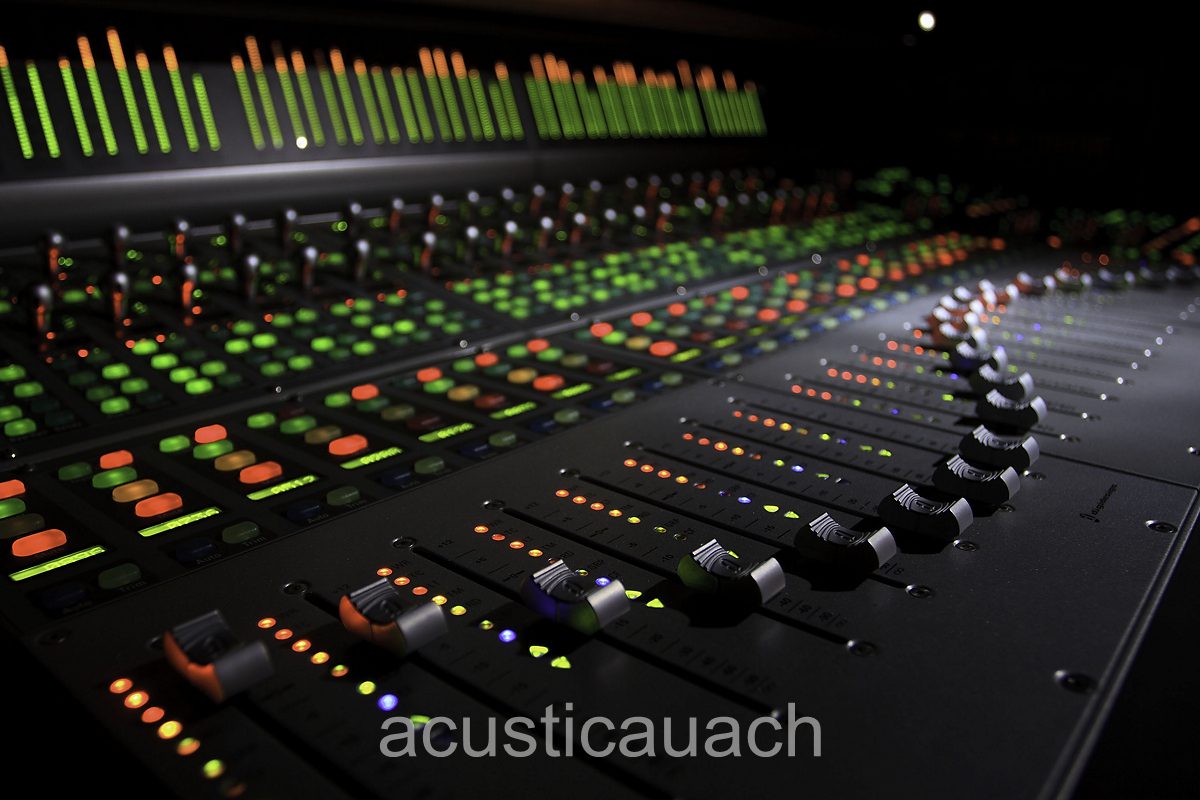
post edited by Soundblend - 2015/11/15 14:36:30
|
Anderton
Max Output Level: 0 dBFS
- Total Posts : 14070
- Joined: 2003/11/06 14:02:03
- Status: offline
Re: Any chance we'll get different interface choices?
2015/11/15 14:07:39
(permalink)
Adq
Anderton
With SONAR and quite a few other programs in this era of "gray is good," I bump up the monitor's brightness and contrast. It can make a huge difference (especially on the Mac, but that's a different world). On a lot of the screen shots I do to illustrate my posts and articles, I increase brightness and contrast in the graphics program.
Maybe it could be a sort of workaround or enhancement, if one uses Sonar most amount of time. But it is a sign of huge problems.
Please note I did not limit my response to SONAR; it's not the only "gray is good" program...check the Vegas skin designed for video editing suites. And the "huge problem" may also relate to whether most Windows-oriented musicians know how to actually calibrate a monitor. The Mac is light-years ahead of Windows in this respect, because there's a wizard that makes it super-simple to calibrate monitors. That, and the consistency of the built-in graphics cards which remove another variable, may contribute to why the Mac is the overwhelming choice of those working with page layout and art programs like Photoshop. When doing this kind of work, it's essential that what you see on screen are the true colors that will be represented accurately in print. My enjoyment of the Mac (and the programs I run on it) increased dramatically once the monitor was calibrated properly.
|
Anderton
Max Output Level: 0 dBFS
- Total Posts : 14070
- Joined: 2003/11/06 14:02:03
- Status: offline
Re: Any chance we'll get different interface choices?
2015/11/15 14:11:18
(permalink)
Soundblend
uhh yeah, the channel strips / tracks... are quite boring with no texture and a very sad light grey color
It is "not impossible" to make a nice colorful and textur'ish channel strip and track's in sonar...
You mean like this  ? 
|
Soundblend
Max Output Level: -76 dBFS
- Total Posts : 726
- Joined: 2011/08/15 14:01:14
- Location: Norway
- Status: offline
Re: Any chance we'll get different interface choices?
2015/11/15 14:25:12
(permalink)
☄ Helpfulby AntonyBanderos 2015/11/15 17:24:15
well there's color, but no special design or texture to it, also colorful buttons / knobs 3d fx's and depth. Now it is like a flat paper with color.... Cakewalk... hire some 3D designers, and let this software stand out from the crowd ;-) We need it as presets, so we can change it quick, with no hassle at least four to select from 2 Hi tech and 2 retro consoles... with nice faders, buttons and knobs..  Remember , look's always sell... Look at the pictures at my post above...
post edited by Soundblend - 2015/11/15 15:25:37
|
panup
Max Output Level: -50 dBFS

- Total Posts : 2538
- Joined: 2006/05/23 09:34:35
- Status: offline
Re: Any chance we'll get different interface choices?
2015/11/15 15:33:34
(permalink)
I have made unofficial 3rd party interface graphics for SONAR but making graphical textures in Console View is no more possible in SONAR2015. If anyone at Cakewalk graphics design HQ is reading this, please use textured backgrounds for strips so that we can customize them and let us adjust the gray color in strips to get more contrast.
I know that Cakewalk is not a big company and it has to think twice how to use limited resources. That said, lack of colors is an issue for _many_ users. I know that by looking at the mod download statistics. Remember when X1 came out and I made the first Skylight interface mods? Thread about mods had read count I have never seen in any other subject at SONAR forums ever. Gray may be the general interface color nowadays. All Adobe interfaces are very gray, too, but in Adobe programs there's enough contrast between foreground and background color. In SONAR I often have to GUESS if for example FX bin plugin is enabled or not - color difference is so marginal.
Good news is that in some parts of the interface there is now more contrast than in X3. For example Control Bar background is a little tiny bit darker than before. Also the redesigned Audiosnap window is a nice facelift.
|
Soundblend
Max Output Level: -76 dBFS
- Total Posts : 726
- Joined: 2011/08/15 14:01:14
- Location: Norway
- Status: offline
Re: Any chance we'll get different interface choices?
2015/11/15 15:43:50
(permalink)
Some videos : you can clearly see the difference from a flat image to this and this is what i mean by new design and 3D Fx 3D Scaleform
post edited by Soundblend - 2015/11/15 17:38:56
|
sharke
Max Output Level: 0 dBFS
- Total Posts : 13933
- Joined: 2012/08/03 00:13:00
- Location: NYC
- Status: offline
Re: Any chance we'll get different interface choices?
2015/11/15 19:15:43
(permalink)
I'd be happy enough if they allowed us to choose a default per-track background clip color, like we used to be able to I think X2 and earlier. It's ridiculous that you have to set clip background colors manually, and the foreground (data) colors aren't nearly prominent enough for me to be any kind of useful visual feedback. I'm way too lazy to set background colors on a per-clip basis and as a result all of my projects have that same dark grey background for every clip. It's kind of embarrassing when you look at the clips pane for every other DAW and they have these wonderfully color coded clips. I've yet to hear anyone at Cake justify or explain why they took this option away, it's just baffling and has severely eroded the visual look of Sonar.
JamesWindows 10, Sonar SPlat (64-bit), Intel i7-4930K, 32GB RAM, RME Babyface, AKAI MPK Mini, Roland A-800 Pro, Focusrite VRM Box, Komplete 10 Ultimate, 2012 American Telecaster!
|
Adq
Max Output Level: -82 dBFS
- Total Posts : 426
- Joined: 2015/01/21 20:05:25
- Status: offline
Re: Any chance we'll get different interface choices?
2015/11/15 20:05:23
(permalink)
Anderton
Maybe it looks not bad (did you enhance contrast of it? :)), but it doesn't work for me. Firstly it is pretty hard to do it like that. Also I don't need to color each track for its own color, I don't know why I should do it, especially if there are 200+ tracks. I want to color group of tracks, and I just can't. There is no way to change colors of several tracks at the same time. And even if change it one by one, it doesn't work because all clips and notes get track's colors, I can't differentiate them. Also look at the volume and pan numbers, they are very bad readable on the darker colors, and if you make lighter colors, there would be other problems in TV. Maybe somebody can use track colors, but for me they are useless in nowadays state.
post edited by Adq - 2015/11/15 20:16:53
|
maximumpower
Max Output Level: -76 dBFS
- Total Posts : 731
- Joined: 2011/05/13 19:14:34
- Location: Ohio
- Status: offline
Re: Any chance we'll get different interface choices?
2015/11/15 20:21:16
(permalink)
☄ Helpfulby Joey Adams [Cakewalk] 2015/11/16 10:25:07
Adq
Anderton
..
I want to color group of tracks, and I just can't. There is no way to change colors of several tracks at the same time.
...
I don't know about the rest of what you are asking but if I select multiple tracks, hold ctrl and then select track color, all selected tracks change. I understand ultimately track colors is not what you are looking for but I did want to comment on this one aspect.
Win 10 (64 bit), i7-2600k 3.4GHz , 8 GB RAM, SATA III (500GB SSD - System, 2TB WD Black - Data), Sonar Platinum x64, m-audio Profire 610
|
Anderton
Max Output Level: 0 dBFS
- Total Posts : 14070
- Joined: 2003/11/06 14:02:03
- Status: offline
Re: Any chance we'll get different interface choices?
2015/11/15 21:06:43
(permalink)
Adq
Maybe it looks not bad (did you enhance contrast of it?) Actually no, this was from my "more vibrant colors" tip of the week. Firstly it is pretty hard to do it like that. Not really, the color picker allows for 16 preset colors, which are set to a spectrum so I have all the basic colors. I want to color group of tracks, and I just can't. There is no way to change colors of several tracks at the same time. See the post prior to mine.
|
ricoskyl
Max Output Level: -84 dBFS

- Total Posts : 327
- Joined: 2015/03/15 13:19:05
- Location: Clarkston, MI USofA
- Status: offline
Re: Any chance we'll get different interface choices?
2015/11/15 21:08:59
(permalink)
Another thumb up for Panu and Sonarmods.
If you want to make enemies, try to change something. -Woodrow T. WilsonTurbulence is a life force. It is opportunity. Let’s love turbulence and use it for change. -Ramsay Clark ----------------------Sonar Platinum Win 10 x64 on HP Pavilion i7 5500 12Gb RAM, Tascam US-16x08, NVidia 840 8Gb vram, Multi-Screen, Multi-Touch
|
Resonant Serpent
Max Output Level: -81 dBFS
- Total Posts : 463
- Joined: 2014/09/26 11:23:12
- Location: Austin, Texas
- Status: offline
Re: Any chance we'll get different interface choices?
2015/11/15 21:22:45
(permalink)
Only problem with sonarmods is that you have to uninstall them if you want help from tech support. My method right now is to set the main bus to black, and select "follow bus" in the color panel. Still, would like a segmented meter color other than green.
A deep chesty bawl echoes from rimrock to rimrock, rolls down the mountain, and fades into the far blackness of the night. It is an outburst of wild defiant sorrow, and of contempt for all the adversities of the world. - Aldo Leopold
|
Adq
Max Output Level: -82 dBFS
- Total Posts : 426
- Joined: 2015/01/21 20:05:25
- Status: offline
Re: Any chance we'll get different interface choices?
2015/11/16 09:22:12
(permalink)
maximumpower
I don't know about the rest of what you are asking but if I select multiple tracks, hold ctrl and then select track color, all selected tracks change.
Thank you, it helps! But why it doesn't work for folders? There is bug obviously. And it is also interface issue that if you don't know exactly, you have to guess would some feature work for all selected items, or you should hold Ctrl, or Ctrl+Shift, or something else, or it would not work in any case. Anyway don't know how to use track colors without clip auto-colors.
|
Soundblend
Max Output Level: -76 dBFS
- Total Posts : 726
- Joined: 2011/08/15 14:01:14
- Location: Norway
- Status: offline
Re: Any chance we'll get different interface choices?
2015/11/20 21:34:21
(permalink)
To me both Garage-band And Magix Music maker, has a uncluttered clean and nice interface ( GUI ) I would love to have sonar in a similar looking way. Remember the glossy look of vindows 7.... Look at the nice and simple control bar of Garageband the awesome blue in the tempo meter and the nice tracks colors in Magix Music Maker and the dark grey that makes the track's stand out and look nice to the eye's, wont be tired to looking at that for hours. You do not need to loose the power of editing capabilities under the " Hood ", you can have that by right clicking an audio track or midi track to edit your tracks. We need to think simplicity , and powerful editing capabilities bringing the DAW to the next level... I am way more interested in GUI overhaul , rather than " new features ", that's for sure. It will be a great interest for beginners as well for advanced users, me think's I , (we)... want to create music, not spending hours and days how to figure out stuff... IMHO. That said... i have given my opinion. Magix Music Maker Garageband
post edited by Soundblend - 2015/11/20 22:36:47
|
Ibanez Laney
Max Output Level: -89 dBFS

- Total Posts : 79
- Joined: 2014/12/28 03:38:07
- Location: Sydney
- Status: offline
Re: Any chance we'll get different interface choices?
2015/11/20 22:52:57
(permalink)
A few people have mentioned their eyes get fatigued.
I used to have problems with 'tired eyes' when using the PC (Not just Sonar - everything caused sore eyes after a while).
One day my graphics card died and I ended up buying a different brand of card cause it was on special at the time.
It was a nice surprise to discover I could use the PC all day now without getting fatigued eyes.
Same displays and work space/lighting etc - Something about the new card made all the difference.
i7 2600k, 1 x Nvidia 970 + 1 x 560ti, 16GB RAM, 5TB of Spinning Thingys, Focusrite Liquid Sapphire 56 + lots and lots of cables. Sooo many cables.. I think they are breeding.
|