jshep0102
Max Output Level: -71 dBFS

- Total Posts : 984
- Joined: 2006/02/21 22:44:35
- Status: offline
Console view SOLVED w/ caveat...
I have never been able to get Sonar to 'look' just like I want it to in Track/Console view. I can set everything the way I want it, unlock/relock the screenset (see Pic1). But, if I load any other screenset and reload #1, it looks like (see Pic 2). is it possible? I have tried enable/disable float to no avail. Yeah, it's a little thing, but i have to move it every time to fully see it. Thanks, Shep  
post edited by jshep0102 - 2013/01/15 11:45:17
SHEP-ASRock Z97 Pro4 - i7 4790K 4.0ghz - 16 GB DDR3 - Windows 10 Home - Apollo Twin USB Duo - UAD2 Duo - Digimax FS - Focal CMS50 - Raven MTi2 - Slate VMS 1 - Bluebird - Yamaha MOXF8 - Axe Fx Ultra - SPLAT 2017.2
|
Chappel
Max Output Level: -52.5 dBFS

- Total Posts : 2300
- Joined: 2009/07/11 14:55:32
- Location: California
- Status: offline

Re:Console view
2013/01/14 11:29:28
(permalink)
I haven't used screensets yet, but don't you have to save a modified screenset if you want it to stay that way?
|
John
Forum Host

- Total Posts : 30467
- Joined: 2003/11/06 11:53:17
- Status: offline
Re:Console view
2013/01/14 11:46:40
(permalink)
I can't see any difference.
Screensets can not be saved. They are project dependent and are saved with the project. You can copy a screenset from one project to another though.
|
jshep0102
Max Output Level: -71 dBFS
- Total Posts : 984
- Joined: 2006/02/21 22:44:35
- Status: offline
Re:Console view
2013/01/14 11:57:58
(permalink)
Yes, John that's correct. But this is in the same project. I saved it by unlocking/relocking it. I then copied it to # 0 as well. If I change to any other preset, even the copy of this one, the console top drops, partially covering the trim control. Maybe FBB can shed some light. he's pretty screenset saavy. The other side of this is that I can save the project with the console height correct. When I re-open it, the top has dropped. Kinda weird and annoying.
SHEP-ASRock Z97 Pro4 - i7 4790K 4.0ghz - 16 GB DDR3 - Windows 10 Home - Apollo Twin USB Duo - UAD2 Duo - Digimax FS - Focal CMS50 - Raven MTi2 - Slate VMS 1 - Bluebird - Yamaha MOXF8 - Axe Fx Ultra - SPLAT 2017.2
|
John
Forum Host
- Total Posts : 30467
- Joined: 2003/11/06 11:53:17
- Status: offline
Re:Console view
2013/01/14 12:04:18
(permalink)
Now I see it. Yes I can understand your frustration.
|
karma1959
Max Output Level: -80 dBFS

- Total Posts : 515
- Joined: 2008/10/31 10:56:29
- Location: Brooklyn, NY
- Status: offline
Re:Console view
2013/01/14 12:31:33
(permalink)
Same thing happens to me - it's been happening for years, for several versions. I contacted Cakewalk support about it years ago - they couldn't figure it out, so I just dropped it.
Sonar Platinum x64 on Win10 64, Dell T7400 w/ 8 Xeon cores, 8 Gbyte RAM, 3 hard drives, RME Fireface UFX, UAD-1, Mackie Control, Adam A7X
|
Chappel
Max Output Level: -52.5 dBFS
- Total Posts : 2300
- Joined: 2009/07/11 14:55:32
- Location: California
- Status: offline
Re:Console view
2013/01/14 12:54:38
(permalink)
John
...Screensets can not be saved. They are project dependent and are saved with the project. You can copy a screenset from one project to another though.
Thanks, I'll keep that in mind if I ever try to use them. So far I've been doing okay without them. Of course, I have trouble learning new things so the older methods I'm already used to are probably going to work best for me.
|
FastBikerBoy
Forum Host
- Total Posts : 11326
- Joined: 2008/01/25 16:15:36
- Location: Watton, Norfolk, UK
- Status: offline
Re:Console view
2013/01/14 15:28:35
(permalink)
When you say you unlocking and locking are you making the changes when it's locked? If so the changes won't stick, they only stick when unlocked.
That looks to me like you have the CV undocked from the multidock, is that the case? I rarely use it that way but I do see that behaviour as well if I do, in the multidock I don't.
|
jshep0102
Max Output Level: -71 dBFS
- Total Posts : 984
- Joined: 2006/02/21 22:44:35
- Status: offline
Re:Console view
2013/01/14 21:48:58
(permalink)
Thanks much, FBB. I guess I'll deal with it then. I hate the multidock, I never use it. I change screensets exclusively. I guess it won't function like the 8.5.3 era because of the multidock. Damn.
SHEP-ASRock Z97 Pro4 - i7 4790K 4.0ghz - 16 GB DDR3 - Windows 10 Home - Apollo Twin USB Duo - UAD2 Duo - Digimax FS - Focal CMS50 - Raven MTi2 - Slate VMS 1 - Bluebird - Yamaha MOXF8 - Axe Fx Ultra - SPLAT 2017.2
|
FastBikerBoy
Forum Host
- Total Posts : 11326
- Joined: 2008/01/25 16:15:36
- Location: Watton, Norfolk, UK
- Status: offline
Re:Console view
2013/01/15 03:15:50
(permalink)
Sounds like that might be the issue. Any particular reason that you don't use the multidock? There's not much difference between the CV in a full screen multidock and it in a fullscreen floating window. Except the D and shift D shortcuts don't work on the floating version and it's just the one view as opposed to mulitiple views in the same space. Here is the CV docked on my system * 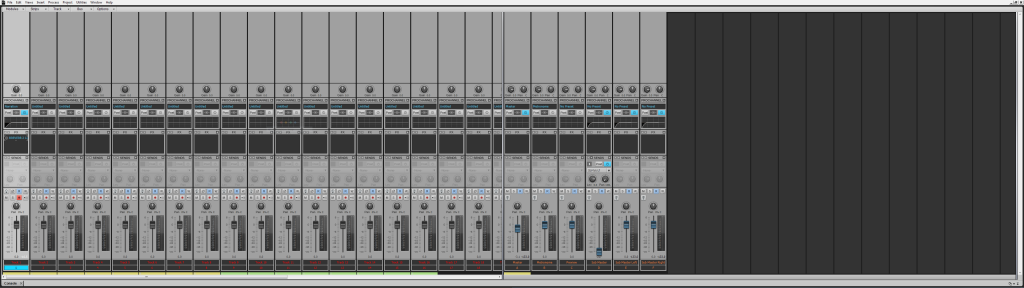 and the same CV floating * ............. 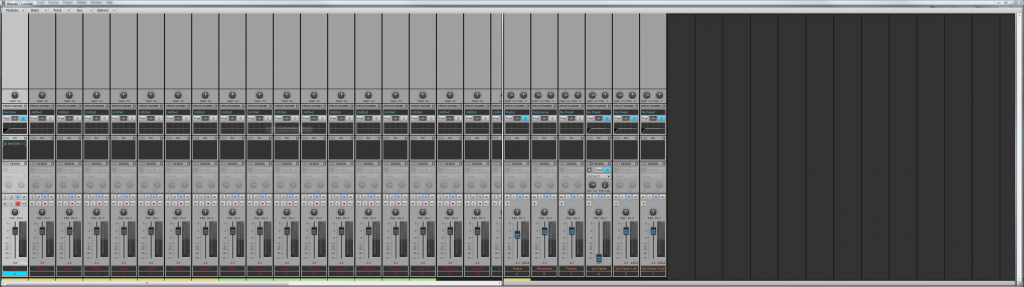 * For conspiracy theorists - note that the screenshots have not been doctored, resized, or altered in any way. 
|
Bristol_Jonesey
Max Output Level: 0 dBFS

- Total Posts : 16775
- Joined: 2007/10/08 15:41:17
- Location: Bristol, UK
- Status: offline
Re:Console view
2013/01/15 03:55:54
(permalink)
CbB, Platinum, 64 bit throughoutCustom built i7 3930, 32Gb RAM, 2 x 1Tb Internal HDD, 1 x 1TB system SSD (Win 7), 1 x 500Gb system SSD (Win 10), 2 x 1Tb External HDD's, Dual boot Win 7 & Win 10 64 Bit, Saffire Pro 26, ISA One, Adam P11A,
|
jshep0102
Max Output Level: -71 dBFS
- Total Posts : 984
- Joined: 2006/02/21 22:44:35
- Status: offline
Re:Console view
2013/01/15 10:25:24
(permalink)
I work a fair bit from the view I have in the pics for certain things. I pretty much only use track, console, busses, markers, and tempo views - all full height. That's pretty much it. So screen sets are perfect. When I'm going through them often, I have a AlphaTrack setup I load, as I work from it alot. So, I really don't need the multidock at all. For me, it's just an irritation. Say, if I move a plug and it grabs it. I'll get by this way, as it is minor. Thanks for looking into it, Karl - you're waaay sonar smart and always helpful.
SHEP-ASRock Z97 Pro4 - i7 4790K 4.0ghz - 16 GB DDR3 - Windows 10 Home - Apollo Twin USB Duo - UAD2 Duo - Digimax FS - Focal CMS50 - Raven MTi2 - Slate VMS 1 - Bluebird - Yamaha MOXF8 - Axe Fx Ultra - SPLAT 2017.2
|
FastBikerBoy
Forum Host
- Total Posts : 11326
- Joined: 2008/01/25 16:15:36
- Location: Watton, Norfolk, UK
- Status: offline
Re:Console view
2013/01/15 10:39:01
(permalink)
Thanks for the props.....
If the multidock tries to "grab" any window hold down the ctrl key, that'll sort that out.
|
jshep0102
Max Output Level: -71 dBFS
- Total Posts : 984
- Joined: 2006/02/21 22:44:35
- Status: offline
Re:Console view
2013/01/15 11:49:47
(permalink)
I found out why the top of console was moving. For me, if i have the bottom of the console all the way down, i can save it and the top moves. if i lift it just a touch off the bottom and save it, it stays. Caveat - I have the #1 and #0(10) set identically (duplicated to be sure). If I toggle between these two, the top of console drops down and partially covers the trim knobs. If i toggle betwwen another screenset and #1 or #0(10), it works flawlessly. I.E. - when 'lock' isn't 'lock'... I'm pretty happy with what I have now. Thanks much for the asist(s)!
SHEP-ASRock Z97 Pro4 - i7 4790K 4.0ghz - 16 GB DDR3 - Windows 10 Home - Apollo Twin USB Duo - UAD2 Duo - Digimax FS - Focal CMS50 - Raven MTi2 - Slate VMS 1 - Bluebird - Yamaha MOXF8 - Axe Fx Ultra - SPLAT 2017.2
|
dxp
Max Output Level: -85 dBFS

- Total Posts : 252
- Joined: 2007/06/04 12:56:34
- Location: Indiana
- Status: offline
Re:Console view
2013/01/15 14:15:24
(permalink)
jshep - excellent topic. I have been experiencing this same thing forever and it drives me CRAZY! Assuming you mean you have the scroll bar just a bit up off the bottom? Not exactly sure by what you meant when you said 'i lift it just a touch off the bottom'.
|
jshep0102
Max Output Level: -71 dBFS
- Total Posts : 984
- Joined: 2006/02/21 22:44:35
- Status: offline
Re:Console view
2013/01/16 21:59:10
(permalink)
That's not what I meant, dxp. You have to grab the console and pull it up just off the bottom of the X2 window. Not even enough that it draws my eye to it, but it makes this view work for me now.
post edited by jshep0102 - 2013/01/17 06:31:56
SHEP-ASRock Z97 Pro4 - i7 4790K 4.0ghz - 16 GB DDR3 - Windows 10 Home - Apollo Twin USB Duo - UAD2 Duo - Digimax FS - Focal CMS50 - Raven MTi2 - Slate VMS 1 - Bluebird - Yamaha MOXF8 - Axe Fx Ultra - SPLAT 2017.2
|