soundchaser59
Max Output Level: -79 dBFS

- Total Posts : 558
- Joined: 2008/02/18 21:02:52
- Status: offline
Windows 7 32 Bit Can See More Than 2GB!
A simple google search found a utility called "Readyfor4gb" that basically (I think, no kernel experts in my house) addds an extra kernel to Windows and lets you add a boot option for selecting either the original Windows 7 boot or the new kernel128 boot.
This utility seems to work ok, it has made my Win 7 "see" all 6GB of ram I have installed, and the ram shows up in the task manager Performance - Physical Memory window as total and available. In other words, it apparently really did make all 6GB of ram available to Windows.
So if some amateur hack (my words, not his) can do this and make it seem so simple, why on earth hasn't Microsoft already built this 8GB ability into Windows 7? What the f'in h3ll are they holding back for? Surely it is not just a rouse to nudge everybody toward 64 bit apps? Come on, Bill.....why hold out on such a simple fix that makes such an obvious improvement in performance?
|
slartabartfast
Max Output Level: -22.5 dBFS

- Total Posts : 5289
- Joined: 2005/10/30 01:38:34
- Status: offline

Re:Windows 7 32 Bit Can See More Than 2GB!
2010/02/28 23:00:51
(permalink)
This app seems to have a pretty murky background. Lots of foreign language sites and little explanation in any language. Are you sure it is not just a kludge to exploit this not-so-well-known fact that intel processors (and windows OS's) have been able to address more than 4 GB under a 32 bit OS for some time. Just as the old 16-bit dos could do an offset:address trick, the 32 bit systems were designed to address more than 4GB, but except for server edition, never unlocked to do so. http://www.geoffchappell.com/viewer.htm?doc=notes/windows/license/memory.htm
|
jcschild
Max Output Level: -41 dBFS

- Total Posts : 3409
- Joined: 2003/11/08 00:20:10
- Location: Kentucky y'all
- Status: offline
Re:Windows 7 32 Bit Can See More Than 2GB!
2010/03/01 08:50:45
(permalink)
when task manager actually show you using more than 4 gig let us know
Scott ADK Home of the Kentucky Fried DAW!
|
soundchaser59
Max Output Level: -79 dBFS
- Total Posts : 558
- Joined: 2008/02/18 21:02:52
- Status: offline
Re:Windows 7 32 Bit Can See More Than 2GB!
2010/03/02 01:24:22
(permalink)
jcschild
when task manager actually show you using more than 4 gig let us know
see attached image.......is that what isbeing shown?
Attached Image(s)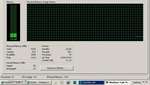
|
soundchaser59
Max Output Level: -79 dBFS
- Total Posts : 558
- Joined: 2008/02/18 21:02:52
- Status: offline
Re:Windows 7 32 Bit Can See More Than 2GB!
2010/03/02 02:18:49
(permalink)
Unfortunately, it doesn't do me any good.
The ONLY program that will not run under this mode is Sonar. Everything else works fine.
Some times it crashes during the VST scan, other times it lets me choose a project to open then it crashes before the project loads. It always displays the dreaded "c0000005" error code.
If I change nothing, and reboot back into the normal 2GB mode, then Sonar runs fine.
|
slartabartfast
Max Output Level: -22.5 dBFS
- Total Posts : 5289
- Joined: 2005/10/30 01:38:34
- Status: offline
Re:Windows 7 32 Bit Can See More Than 2GB!
2010/03/02 03:31:20
(permalink)
the normal 2GB mode You should be able to use more than 3 GB of physical memory on most un-modified Win7 32 systems.
|
soundchaser59
Max Output Level: -79 dBFS
- Total Posts : 558
- Joined: 2008/02/18 21:02:52
- Status: offline
Re:Windows 7 32 Bit Can See More Than 2GB!
2010/03/02 10:17:07
(permalink)
In the "2GB mode" it does actually register slightly over 3GB. In the modified mode it registers 6GB.
But is there any clue why Sonar is the only one that won't run under the modified kernel
mode? I tried changing every setting I could find, tried to sift out anything that might be pertinent from the dmp file created by the BSOD, sometimes the last reference is one of the VST plugs, other times it references some sys file or some driver I've never heard of. If I disable to many pieces of hardware or driver then nothing will run. I even made the mistake of disabling ACPI and had to do a system restore to recover from that, then had to reinstall Superior Drummer, but got back to where I was before the mistake. But still Sonar crashes in the modified mode and runs fine in the normal mode.
I can run Reaper in the modified mode. So if I want to use all 6GB of ram, I will have to export my projects from Sonar. If I want to run Sonar then I'll have to always remember to use the normal mode. Everything else runs fine either way. But if there is some elusive fix to make Sonar work ok in the modified mode, I'd be more than willing to try it.
|
soundchaser59
Max Output Level: -79 dBFS
- Total Posts : 558
- Joined: 2008/02/18 21:02:52
- Status: offline
Re:Windows 7 32 Bit Can See More Than 2GB!
2010/03/03 11:04:39
(permalink)
After reading a lot of fluff on the web, I bet there is a license limitation that prevents Cakewalk from enabling Sonar to use more than 2gb memory. I dont understand why any vendor or Microsoft would give a flying hoot how much memory my machine can use, other than the fact that Microsoft needs to have some artificial way to protect its business model by distinguishing between consumer/home OS and commercial/server OS. So they add a set of flags or configuration settings that artificially prevent the consumer versions of Windows from utilizing more than 2gb (or 4gb) ram. Apparently server versions of Windows have been able to utilize more than 4gb ram for quite some time. Unfortunately, I do not have access to an affordable version of Windows server to use at home. I have no clue if my little "CSI" endeavour is on the right track, but it sure would explain why Sonar won't run when I supposedly have more than 4gb enabled.
|
TomcatToo
Max Output Level: -90 dBFS

- Total Posts : 9
- Joined: 2009/08/05 11:09:04
- Status: offline
Re:Windows 7 32 Bit Can See More Than 2GB!
2010/03/03 11:29:46
(permalink)
Yes, it's called Market Manipulation.
It's how they force you into buying the new stuff in order to get new functionality. I just had to buy a new all in one printer, scanner, copier because my perfectly good HP 5470 scanner doesn't have a 64 bit driver and HP even says on their website that they will not be writing a 64 bit driver for it even though it works perfectly and there is no good reason other than they want to force me to buy new stuff.
Progress marches on!
Tom
|
soundchaser59
Max Output Level: -79 dBFS
- Total Posts : 558
- Joined: 2008/02/18 21:02:52
- Status: offline
Re:Windows 7 32 Bit Can See More Than 2GB!
2010/03/03 12:02:24
(permalink)
I may be in luck. Apparently there is something Microsoft has made available where discounted versions of some software can be downloaded for personal use. There is a download for Server Professional 2008, which is an x86 OS, and should be able to see and utilize more than 4gb or 8gb of ram. If I find that to be true (I'll research the specs for it) then that will be tempting to try. If it works I'll even spring for more DDR2. I cannot find anything that details the difference between Server "Professional" and Server "Enterprise." Apparently only some versions of server x86 support more than 4gb ram, and standard is not one of them. I can download Professional, but can find nothign that tells if it supports the same specs as Enterprise. All the stuff I'm reading says only Enterprise will support more than 4gb ram.
post edited by soundchaser59 - 2010/03/03 12:37:01
|
haydn12
Max Output Level: -84 dBFS

- Total Posts : 322
- Joined: 2007/01/29 17:12:04
- Status: offline
Re:Windows 7 32 Bit Can See More Than 2GB!
2010/03/03 16:06:34
(permalink)
The versions of Server Enterprise x86 I have only support 4GB of RAM. Only the x64 versions support more.
Jim
|
soundchaser59
Max Output Level: -79 dBFS
- Total Posts : 558
- Joined: 2008/02/18 21:02:52
- Status: offline
Re:Windows 7 32 Bit Can See More Than 2GB!
2010/03/03 16:34:29
(permalink)
http://msdn.microsoft.com/en-us/windowsserver/cc196364.aspx From the horse's mouth, note under Component - Memory, the third bullet point: Maximum (32-bit systems): 4GB (Standard) or 64GB (Enterprise and Datacenter) Apparently they only make standard server versions available on their academic alliance/dreamspark sites.
post edited by soundchaser59 - 2010/03/03 16:36:07
|