Guitarhacker
Max Output Level: 0 dBFS

- Total Posts : 24398
- Joined: 2007/12/07 12:51:18
- Location: NC
- Status: offline

computer question
My hard drive is getting full... less than 8% remaining.... this is causing blue screens at a frequent rate..... 3 this morning already. Yet, looking at the drive..... the applications and data bases are nowhere close to being that large. I have moved pictures and music to D drive and gained a few GB by doing that. What is causing the drive to fill up so quickly and is there a way to get rid of the garbage to lower the used space? I'm running malware bytes thinking I may have something in the drive..... so far I've not been able to complete a scan.... it freezes (MWB) and then a BSOD pops up on me after 20 minutes or so later.... This just started happening in the past 3 days, but the drive has been getting near full for some time...... similar situation on a 10G really old lappy. Tried to clean up the wasted space by removing programs back to the bare essentials I need, and still the drive is full on the lappy..... Any ideas are appreciated. BTW: neither are my DAW's. AND.... in the BSOD, it does mention hard drive space.
post edited by Guitarhacker - 2012/08/15 09:14:44
My website & music: www.herbhartley.com MC4/5/6/X1e.c, on a Custom DAW Focusrite Firewire Saffire Interface BMI/NSAI "Just as the blade chooses the warrior, so too, the song chooses the writer "
|
Beagle
Max Output Level: 0 dBFS
- Total Posts : 50621
- Joined: 2006/03/29 11:03:12
- Location: Fort Worth, TX
- Status: offline
Re:computer question
2012/08/15 09:27:14
(permalink)
paging file full and not getting refreshed maybe?
what exactly does the error in BSOD say? (you said it mentiones hard drive space, but what is the exact message?).
have you done a full checkdisk (the type to be scheduled on next bootup)?
|
Bristol_Jonesey
Max Output Level: 0 dBFS
- Total Posts : 16775
- Joined: 2007/10/08 15:41:17
- Location: Bristol, UK
- Status: offline
Re:computer question
2012/08/15 09:29:20
(permalink)
This is your system drive yes?
What about Temporary Internet files? They can consume VAST amounts of space if not cleared out regularly
Start by emptying your recycle bin, otherwise anything on there (which you've deleted) is still actually on your hard drive.
CbB, Platinum, 64 bit throughoutCustom built i7 3930, 32Gb RAM, 2 x 1Tb Internal HDD, 1 x 1TB system SSD (Win 7), 1 x 500Gb system SSD (Win 10), 2 x 1Tb External HDD's, Dual boot Win 7 & Win 10 64 Bit, Saffire Pro 26, ISA One, Adam P11A,
|
The Maillard Reaction
Max Output Level: 0 dBFS
- Total Posts : 31918
- Joined: 2004/07/09 20:02:20
- Status: offline
Re:computer question
2012/08/15 09:32:05
(permalink)
My first guess is that your paging file size is "adaptive" rather than static.
The paging files appear empty when you look at them in Explorer but they fill up with stuff when working... if they are set up to adapt in size and the extra area isn't available when it needs it... stuff can happen.
That's a first guess.
I still like to set the minimum and maximum at the same thing so that the page file area remains reserved and safe.
best regards,
mike
|
Starise
Max Output Level: -0.3 dBFS

- Total Posts : 7563
- Joined: 2007/04/07 17:23:02
- Status: offline
Re:computer question
2012/08/15 09:40:04
(permalink)
Just this morning I cleared the cache in temporary internet files on a computer at work. It had consumed a large portion of the drive. I used an outboard erase program that basically shreds all the files.
Maybe this is the problem but maybe not.
Intel 5820K O.C. 4.4ghz, ASRock Extreme 4 LGA 2011-v3, 16 gig DDR4, , 3 x Samsung SATA III 500gb SSD, 2X 1 Samsung 1tb 7200rpm outboard, Win 10 64bit, Laptop HP Omen i7 16gb 2/sdd with Focusrite interface. CbB, Studio One 4 Pro, Mixcraft 8, Ableton Live 10 www.soundcloud.com/starise Twitter @Rodein
|
jamesg1213
Max Output Level: 0 dBFS
- Total Posts : 21760
- Joined: 2006/04/18 14:42:48
- Location: SW Scotland
- Status: offline
Re:computer question
2012/08/15 09:40:15
(permalink)
Have you got CCleaner Herb? That will root out tons of rubbish for you. Ran it this morning myself and it deleted 2,537MB of junk.
post edited by jamesg1213 - 2012/08/15 09:46:02
Jyemz Thrombold's Patented Brisk Weather Pantaloonettes with Inclementometer
|
jbow
Max Output Level: -0.2 dBFS

- Total Posts : 7601
- Joined: 2003/11/26 19:14:18
- Status: offline
Re:computer question
2012/08/15 09:45:37
(permalink)
+1 on CCleaner. Free too! ATF Cleaner is free and easy to use too and faster (select all). J
post edited by jbow - 2012/08/15 09:47:06
Sonar Platinum Studiocat Pro 16G RAM (some bells and whistles) HP Pavilion dm4 1165-dx (i5)-8G RAM Octa-Capture KRK Rokit-8s MIDI keyboards... Control Pad mics. I HATE THIS CMPUTER KEYBARD!
|
spacealf
Max Output Level: -54 dBFS

- Total Posts : 2133
- Joined: 2010/11/18 17:44:34
- Status: offline
Re:computer question
2012/08/15 09:58:02
(permalink)
Pageing file size of min and max being the same helps. You be surprised how much Microsoft OS's store everything on your computer whether you wanted it or not. You have to clean it all out all the time. I delete any files by a browser added or cookies everytime I close out any browser. It it in the menu. All those temp files stay on if you do not clean out your computer. (and any computer program added to your computer over time). All I have is XP but there it is C:\ drive -> Documents and Settings -> (user name - in which case mine when bought was already named - Owner) -> Local Settings -> Temp folder. Not where you think it would be in Windows/Temp anymore but still there is stuff there also that the OS may add as to log files or files that may build up there also. Each file takes space and although may not look that big, all add up according to disk drive size of the sector size used. I just cleaned mine out again as about any program you use may add something there.
|
Guitarhacker
Max Output Level: 0 dBFS
- Total Posts : 24398
- Joined: 2007/12/07 12:51:18
- Location: NC
- Status: offline
Re:computer question
2012/08/15 10:07:04
(permalink)
I opened and ran in safe mode to run security essentials and malware bytes.... both ran perfectly and I also ran my registry cleaner..... if found a fixed a few problems.
I deleted some of the files in the recycling bin that I believe to be duplicates. I need to confirm that I have and need the files copied to my D drive, then I can delete more or all of them.
I ran the my computer and it now shows my C drive as "green" as opposed to red..... I think it goes red at 10% remaining. So I will look into the temporary folders and clear them and dig deeper into some of the other aspects ....and look at CCleaner to free up more drive space from the unneeded garbage.
Thanks for the suggestions and ideas...
Oh yeah... rebooted back to normal mode and so far so good.
My website & music: www.herbhartley.com MC4/5/6/X1e.c, on a Custom DAW Focusrite Firewire Saffire Interface BMI/NSAI "Just as the blade chooses the warrior, so too, the song chooses the writer "
|
Starise
Max Output Level: -0.3 dBFS
- Total Posts : 7563
- Joined: 2007/04/07 17:23:02
- Status: offline
Re:computer question
2012/08/15 10:19:14
(permalink)
Herb,
You can right click on any file in your programs folder and go to properties to see how large the file is. This will indicate which folders are using the most memory.
Intel 5820K O.C. 4.4ghz, ASRock Extreme 4 LGA 2011-v3, 16 gig DDR4, , 3 x Samsung SATA III 500gb SSD, 2X 1 Samsung 1tb 7200rpm outboard, Win 10 64bit, Laptop HP Omen i7 16gb 2/sdd with Focusrite interface. CbB, Studio One 4 Pro, Mixcraft 8, Ableton Live 10 www.soundcloud.com/starise Twitter @Rodein
|
Mesh
Max Output Level: 0 dBFS
- Total Posts : 27360
- Joined: 2009/11/27 14:08:08
- Location: Online right here!
- Status: offline
Re:computer question
2012/08/15 10:36:57
(permalink)
Glad to see it's getting resolved Herb. If you'd like a utility tool that keeps your system clean, I recommend Advanced System Care (the newest version I think is 5.4). It's very simple to use and I've used this for quite a few years on my DAW as well as other computers at home(it's also Free).
The only issue I've had with this is that the Registry Cleaner that comes with this is a bit "too efficient" as it cleaned out my registry for X1. I just disabled that option before letting ASC scan & clean out the rest of the PC and it has worked out very well.
Some of the things it does:
"Diagnose System includes optimizing and repairing the system configuration, preventing spyware, defragmenting the disk and a security analyzer, which scans the computer to find hijacked settings."
Platinum Gaming DAW: AsRock Z77 Overclock FormulaI7 3770k @ 4.5GHz : 16GB RAM G.Skill Ripjaws X 250GB OS SSD : 3TB HDD : 1TB Sample HDDWin 10 Pro x 64 : NH-D14 CPU Cooler HIS IceQ 2GB HD 7870Focusrite Scarlett 2i4The_Forum_Monkeys
|
bapu
Max Output Level: 0 dBFS

- Total Posts : 86000
- Joined: 2006/11/25 21:23:28
- Location: Thousand Oaks, CA
- Status: offline
Re:computer question
2012/08/15 11:47:08
(permalink)
PORN. Not that I think you have any Herb.  Just wanted to say that I've "heard" PORN can consume lots and lots and lots of disk ( I hope I spelled that right) space. Get one of these: 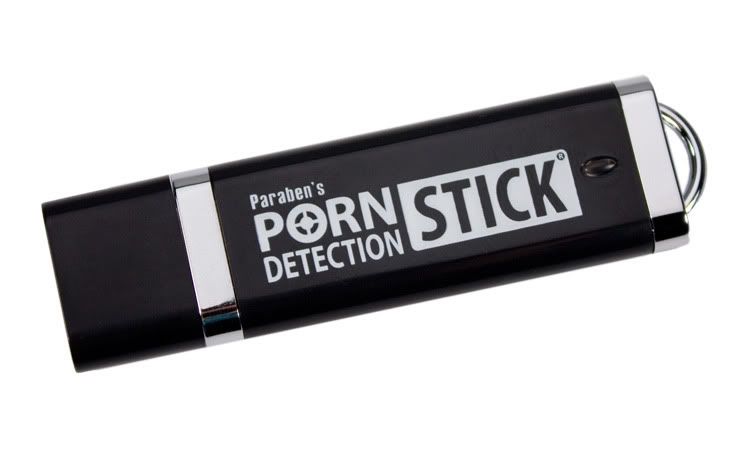
|
Guitarhacker
Max Output Level: 0 dBFS
- Total Posts : 24398
- Joined: 2007/12/07 12:51:18
- Location: NC
- Status: offline
Re:computer question
2012/08/15 11:53:18
(permalink)
I had to do a restore to get it stable. So far... the restore is working fine. I've been back up and running on this for almost an hour now..... having to reinstall a few things but so far it looks good.
probably got something corrupted somehow....
Thanks for the advice and Mesh... I'm trying that ASC to see how that helps.
My website & music: www.herbhartley.com MC4/5/6/X1e.c, on a Custom DAW Focusrite Firewire Saffire Interface BMI/NSAI "Just as the blade chooses the warrior, so too, the song chooses the writer "
|
Guitarhacker
Max Output Level: 0 dBFS
- Total Posts : 24398
- Joined: 2007/12/07 12:51:18
- Location: NC
- Status: offline
Re:computer question
2012/08/15 12:30:38
(permalink)
whatever I did.... I now have 60gb of unused C drive space....and everything appears to be working correctly.....
Bapu... nope... not even a possibility .... nice to know you're thinking of me though....
My website & music: www.herbhartley.com MC4/5/6/X1e.c, on a Custom DAW Focusrite Firewire Saffire Interface BMI/NSAI "Just as the blade chooses the warrior, so too, the song chooses the writer "
|