Yeah.. Unfortunately the "old" FX-Chains and the new ProChannel FX Chains uses the same background images..
I've made a bunch of FX Chains for ProChannel and have designed the backgrounds to look it's best in there, since this is where I'm going to use them. If I open them in an ordiinary FX bin they look stupid (as shown in the picture below)...
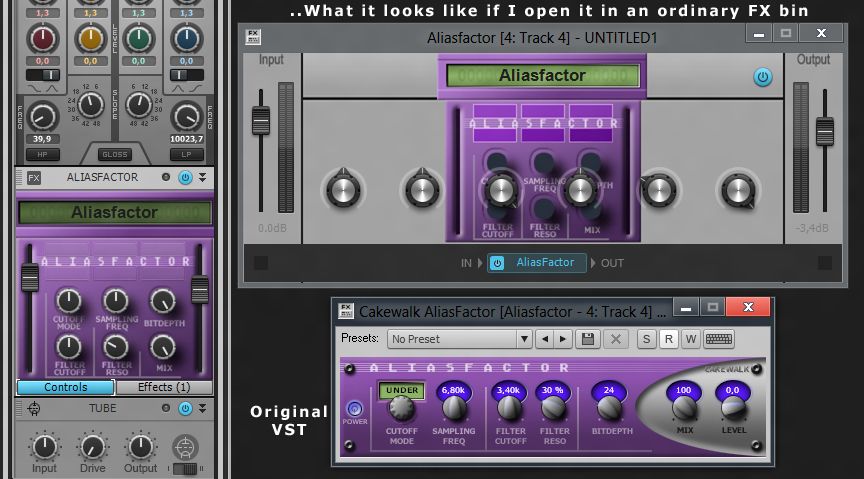
I made the backgrounds for my PC FX-chains from scratch in photoshop. To get the same feel to the lables under the knobs as the original VST, I included these in the bitmap and just named the knobs " " (space) in the "edit control panel" in order to hide the default text.
I think it's a shame that we can't have individual background-, button- and fader-images for the different types of FX-chains, since Sonar obviously can tell if we put them in the PC or in an FX bin. Wouldn't it be as simple as just adding a separate "custom PC gui" in the settings dialog?.. (maybe make this an option that is deactivated as default and when deactivated it uses the "standard" FX-chain background)
It would be really cool if they could upgrade the GUI design features for the PC FXC, cuz to me it's inspiering to work with things that look good. :)
post edited by Loptec - 2012/09/25 04:27:40