mauryw
Max Output Level: -82 dBFS

- Total Posts : 445
- Joined: 2004/12/18 12:55:55
- Location: Santa Barbara, CA
- Status: offline
How do you post a Screen shot?
I serached but could not find the instructions on how to post a screen shot. Help?
Larry Williams A process can not be understood by stopping it. One must flow with it and become one. SONAR Platinum x64, WIN 7 Pro x64, i5-2500K, z68 mobo, 8 Gb RAM, Roland Quad-Capture, 2 SSds, 3 SATA HDDs
|
Guitarmech111
Max Output Level: -24.5 dBFS

- Total Posts : 5085
- Joined: 2003/11/06 10:18:53
- Location: Bayou City, TX
- Status: offline

Re: How do you post a Screen shot?
2013/12/31 08:22:29
(permalink)
You have to upload your screenshot to a hosting site and reference that site/filename in your post as a URL.
Peace, Conley Shepherd Joyful Noise Productions PC config: (Win performance base score = 7.7) ASUS Sabertooth 990 FX -amd fx-8150 - core processor am3+ - 32G Corsair 1066 DDR3 - PNY GTX670 2g gddr5 - Corsair Force SSD 120G - Samsung 750G SATA drives - WD 1tb Black (Audio files) - WD 2TB for storage - RME UFX - USB ASIO 2/2016 drivers Win8  Without a mess, there is no message
|
mauryw
Max Output Level: -82 dBFS
- Total Posts : 445
- Joined: 2004/12/18 12:55:55
- Location: Santa Barbara, CA
- Status: offline
Re: How do you post a Screen shot?
2013/12/31 09:09:35
(permalink)
Huh? I have seen scrren shots as part the post here. How do I do that?
Larry Williams A process can not be understood by stopping it. One must flow with it and become one. SONAR Platinum x64, WIN 7 Pro x64, i5-2500K, z68 mobo, 8 Gb RAM, Roland Quad-Capture, 2 SSds, 3 SATA HDDs
|
brconflict
Max Output Level: -56.5 dBFS

- Total Posts : 1891
- Joined: 2012/10/05 21:28:30
- Status: offline
Re: How do you post a Screen shot?
2013/12/31 09:14:06
(permalink)
In Windows, Go to Start, and search for "Snipping Tool" (Sometimes "Snip" is enough to show the tool). That opens the capture tool. Then, once you've captured and save your screenshot, in the forum here, simply click the little picture icon above your text window and Insert the saved screenshot. I will advise, if you have Photoshop, or some other editing tool, reduce the size of the screenshot. Hope this helps!
Brian Sonar Platinum, Steinberg Wavelab Pro 9, MOTU 24CoreIO w/ low-slew OP-AMP mods and BLA external clock, True P8, Audient ASP008, API 512c, Chandler Germ500, Summit 2ba-221, GAP Pre-73, Peluso 22251, Peluso 2247LE, Mackie HR824, Polk Audio SRS-SDA 2.3tl w/upgraded Soniccraft crossovers and Goertz cables, powered by Pass-X350. All wiring Star-Quad XLR or Monster Cable. Power by Monster Power Signature AVS2000 voltage stabilizer and Signature Pro Power 5100 PowerCenter on a 20A isolation shielded circuit.
|
DeeringAmps
Max Output Level: -49 dBFS

- Total Posts : 2614
- Joined: 2005/10/03 10:29:25
- Location: Seattle area
- Status: offline
Re: How do you post a Screen shot?
2013/12/31 09:19:56
(permalink)
Larry, Just as Conley. FIRST you have to upload the jpg to the net. I have the luxury of my own site, but there are numerous "free" services. Then you hit the "inset image" button in the forum software. Then enter the url of the photo. In this case  HTH, Tom
Tom Deering Tascam FW-1884 User Resources Page Firewire "Legacy" Tutorial, Service Manual, Schematic, and Service Bulletins Win10x64 StudioCat Pro Studio Coffee Lake 8086k 32gb RAM  RME UFX (Audio) Tascam FW-1884 (Control) in Win 10x64 Pro
|
Guitarmech111
Max Output Level: -24.5 dBFS
- Total Posts : 5085
- Joined: 2003/11/06 10:18:53
- Location: Bayou City, TX
- Status: offline
Re: How do you post a Screen shot?
2013/12/31 09:23:23
(permalink)
Also, for those who do not know, in order to get a screen shot, or an active window shot, you must use the print screen button. If you want to catch only the active dialog window, you use ALT-Print Screen buttons. That will put a copy of your desired screenshot in the clipboard. At that point, you can go to your favorite picture editor, paste the clipboard, save and then upload to your host. In Win7 I use the paint utility and it works fine for pasting and saving screen shots.
You may be able to post your picture on FB and then reference the photo here with the URL of the photo.
Peace, Conley Shepherd Joyful Noise Productions PC config: (Win performance base score = 7.7) ASUS Sabertooth 990 FX -amd fx-8150 - core processor am3+ - 32G Corsair 1066 DDR3 - PNY GTX670 2g gddr5 - Corsair Force SSD 120G - Samsung 750G SATA drives - WD 1tb Black (Audio files) - WD 2TB for storage - RME UFX - USB ASIO 2/2016 drivers Win8 Without a mess, there is no message
|
Blades
Max Output Level: -43 dBFS

- Total Posts : 3246
- Joined: 2003/11/06 08:22:52
- Location: Georgia
- Status: offline
Re: How do you post a Screen shot?
2013/12/31 11:59:58
(permalink)
As Brian indicated above, the snipping tool works great for this. It's actually better than the print-screen or alt-print-screen options because it allows you to select just apportion of the screen.
As also mentioned, the image needs to be saved online somewhere. You can't just copy paste it into the forum, nor can you link to it on your local computer. It has to be stored online someplace. If you have a website, you could store it in a special folder there. If you have a Skydrive account (free) or similar, you could store them there as well. Each of these services will have their own way of allowing you to link to the stored images - usually via an embed code of some sort.
I'd prefer to keep them on my own website hosting location, as you can simple link over to the saved jpg and it just works. It's a little more techy complicated for some since you need to have the web hosting and understand FTP - not that it's difficult, but it seems to be a barrier for a lot of not-so-tech-savvy folks for some reason.
If you want to use Skydrive, you just save your image to the Skydrive location either via upload or by saving to the special location on your local computer that auto-uploads it. I have a Cakewalk folder there for mine. Then go to your skydrive account online, select the pic you want to link to and click Embed at the top of the screen, which will give you a line of code starting with <iframe. In order to paste this into the forum, you need to click the HTML button in the editor (only in the full version of the editor) and paste the iframe code there. Then you image will show up.
Does that help?
|
Doumdoum
Max Output Level: -90 dBFS

- Total Posts : 16
- Joined: 2010/11/15 17:44:39
- Status: offline
Re: How do you post a Screen shot?
2014/01/01 15:15:01
(permalink)
Guitarmech111
You have to upload your screenshot to a hosting site and reference that site/filename in your post as a URL.
I guess you mean: use the URL with the "Insert image" button because if you put the URL directly in your post it will be removed. That's my experience with URL on this forum.
|
soens
Max Output Level: -23.5 dBFS

- Total Posts : 5154
- Joined: 2005/09/16 03:19:55
- Location: Location: Location
- Status: offline
Re: How do you post a Screen shot?
2014/01/01 16:30:06
(permalink)
brconflict
In Windows, Go to Start, and search for "Snipping Tool" (Sometimes "Snip" is enough to show the tool). That opens the capture tool. Then, once you've captured and save your screenshot, in the forum here, simply click the little picture icon above your text window and Insert the saved screenshot. I will advise, if you have Photoshop, or some other editing tool, reduce the size of the screenshot. Hope this helps!
Hey br, That's a cool tool I didn't know about. THANKS! As for entering the pic in your post tho, there's no way to insert it like that in this forum. The "From Gallery / Upload" tab only works in the Coffee House forum.... So you could insert it in a post there as a "host" site and then use its URL to insert it here. Steve
|
Pastacrow
Max Output Level: -88 dBFS

- Total Posts : 105
- Joined: 2010/12/10 17:34:29
- Location: Brisbane, QLD, Australia
- Status: offline
Re: How do you post a Screen shot?
2014/01/01 16:56:33
(permalink)
As one who has tried to unsuccessfully post in the past, I believe there may also be a minimum number of posts needed before one can post pictures. Please correct me if I am mistaken.
Sonar Platinum (Lifetime!) + Samplitude Pro X3 Suite + Presonus Studio One 3(previously Cakewalk & Pro Audio 3,5,6,8,9 | Sonar 2,3,5,6,8,8.5 | Sonar Producer X1,X2,X3E )Intel Core i7-4790 / 3.6 / 16 GB RAM240 GB SSD / 2.0 TB HD / 2GB Nvidia GTX750ti / Windows 8.1 x 64bit UAD Apollo Twin USB / Roland Octacapture
|
fireberd
Max Output Level: -38 dBFS

- Total Posts : 3704
- Joined: 2008/02/25 14:14:28
- Location: Inverness, FL
- Status: offline
Re: How do you post a Screen shot?
2014/01/01 17:32:07
(permalink)
At one time we could post pictures/screen shots. I remember doing that a couple of years ago. The forum should be modified so it can do it again, like most forums, rather than the current message of having it hosted on a web site.
"GCSG Productions" Franklin D-10 Pedal Steel Guitar (primary instrument). Nashville Telecaster, Bass, etc. ASUS ROG Maximus VIII Hero M/B, i7 6700K CPU, 16GB Ram, SSD and conventional hard drives, Win 10 Pro and Win 10 Pro Insider Pre-Release Sonar Platinum/CbB. MOTU 896MK3 Hybrid, Tranzport, X-Touch, JBL LSR308 Monitors, Ozone 5, Studio One 4.1 ISRC Registered Member of Nashville based R.O.P.E. Assn.
|
John
Forum Host

- Total Posts : 30467
- Joined: 2003/11/06 11:53:17
- Status: offline
Re: How do you post a Screen shot?
2014/01/01 17:49:07
(permalink)
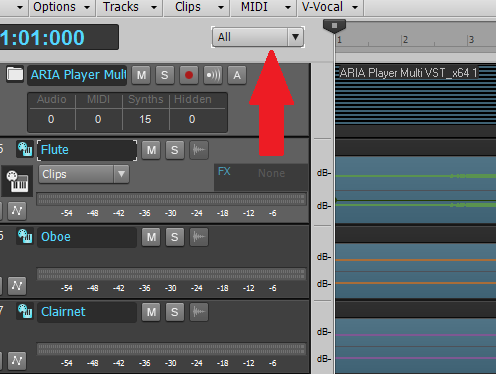 The above is from a screen shot I made some time ago. All I did was insert it via the picture button.
|
Splat 
Max Output Level: 0 dBFS

- Total Posts : 8672
- Joined: 2010/12/29 15:28:29
- Location: Mars.
- Status: offline
Re: How do you post a Screen shot?
2014/01/02 00:41:36
(permalink)
I had asked Cake if we could get the image upload facility back, and the response appeared reasonably positive (from memory) as long as the forums remained stable and good with performance... Well so far so good, here is to hoping... Cake if you are listening this would be good... happy new year... Cheers...
Sell by date at 9000 posts. Do not feed. @48/24 & 128 buffers latency is 367 with offset of 38. Sonar Platinum(64 bit),Win 8.1(64 bit),Saffire Pro 40(Firewire),Mix Control = 3.4,Firewire=VIA,Dell Studio XPS 8100(Intel Core i7 CPU 2.93 Ghz/16 Gb),4 x Seagate ST31500341AS (mirrored),GeForce GTX 460,Yamaha DGX-505 keyboard,Roland A-300PRO,Roland SPD-30 V2,FD-8,Triggera Krigg,Shure SM7B,Yamaha HS5.Maschine Studio+Komplete 9 Ultimate+Kontrol Z1.Addictive Keys,Izotope Nectar elements,Overloud Bundle,Geist.Acronis True Image 2014.
|
mudgel
Max Output Level: 0 dBFS
- Total Posts : 12010
- Joined: 2004/08/13 00:56:05
- Location: Linton Victoria (Near Ballarat)
- Status: offline
Re: How do you post a Screen shot?
2014/01/02 07:14:44
(permalink)
For new forum members there's a 25 post minimum before you can insert a pic. On the 26th post you can include a pic URL.
Mike V. (MUDGEL) STUDIO: Win 10 Pro x64, SPlat & CbB x64, PC: ASUS Z370-A, INTEL i7 8700k, 32GIG DDR4 2400, OC 4.7Ghz. Storage: 7 TB SATA III, 750GiG SSD & Samsung 500 Gig 960 EVO NVMe M.2. Monitors: Adam A7X, JBL 10” Sub. Audio I/O & DSP Server: DIGIGRID IOS & IOX. Screen: Raven MTi + 43" HD 4K TV Monitor. Keyboard Controller: Native Instruments Komplete Kontrol S88.
|
brconflict
Max Output Level: -56.5 dBFS
- Total Posts : 1891
- Joined: 2012/10/05 21:28:30
- Status: offline
Re: How do you post a Screen shot?
2014/01/02 10:13:57
(permalink)
Good point, mudgel. I didn't realize that, since I had already busted 25 posts before the forum was updated, and I've probably only posted a few pics.
Brian Sonar Platinum, Steinberg Wavelab Pro 9, MOTU 24CoreIO w/ low-slew OP-AMP mods and BLA external clock, True P8, Audient ASP008, API 512c, Chandler Germ500, Summit 2ba-221, GAP Pre-73, Peluso 22251, Peluso 2247LE, Mackie HR824, Polk Audio SRS-SDA 2.3tl w/upgraded Soniccraft crossovers and Goertz cables, powered by Pass-X350. All wiring Star-Quad XLR or Monster Cable. Power by Monster Power Signature AVS2000 voltage stabilizer and Signature Pro Power 5100 PowerCenter on a 20A isolation shielded circuit.
|