jamesg1213
Max Output Level: 0 dBFS

- Total Posts : 21760
- Joined: 2006/04/18 14:42:48
- Location: SW Scotland
- Status: offline
Strange internet behaviour
Here's an odd one..lost internet connection last night, phoned my ISP (oh, deep joy..) They eventually traced a fault to the local network.
Powered up the router this morning however, and the green internet light came on. Tried Firefox, but still said 'no internet connection'
ISP texted me to say they had done checks and now no fault on the local network.
Tried Internet Explorer, and got online.
Tried Firefox again, got online this time.
Here's the weird thing though, if I go to certain bookmarked sites, I still get the 'no internet connection' message coming up.
Should I do a reset or reinstall Firefox maybe?
Jyemz Thrombold's Patented Brisk Weather Pantaloonettes with Inclementometer
|
spacey
Max Output Level: 0 dBFS
- Total Posts : 8769
- Joined: 2004/05/03 18:53:44
- Status: offline

Re: Strange internet behaviour
2014/02/12 07:29:00
(permalink)
I don't know James but we've been having strange connection issues too.
I've had to reset the router many times because one computer/laptop out of 5 couldn't
connect. Only once none could connect due to provider problems.
Been going on for a couple of weeks- never happened before.
|
Mesh
Max Output Level: 0 dBFS
- Total Posts : 27360
- Joined: 2009/11/27 14:08:08
- Location: Online right here!
- Status: offline
Re: Strange internet behaviour
2014/02/12 09:18:51
(permalink)
jamesg1213
Here's an odd one..lost internet connection last night, phoned my ISP (oh, deep joy..) They eventually traced a fault to the local network.
Powered up the router this morning however, and the green internet light came on. Tried Firefox, but still said 'no internet connection'
ISP texted me to say they had done checks and now no fault on the local network.
Tried Internet Explorer, and got online.
Tried Firefox again, got online this time.
Here's the weird thing though, if I go to certain bookmarked sites, I still get the 'no internet connection' message coming up.
Should I do a reset or reinstall Firefox maybe?
That is strange. Usually, a "no internet connection" error is due to the obvious and not when the rest of the net works. Of course, at work, I get this message (possibly because some sites may have been blocked by the AV proramme) whereas the rest of the net works fine. I've never experienced this at home though. If you haven't tried this already, try googling those bookmarked sites that are blocked and see if you can access them that way. Maybe the bookmark links are broken? (just guessing here).....
Platinum Gaming DAW: AsRock Z77 Overclock FormulaI7 3770k @ 4.5GHz : 16GB RAM G.Skill Ripjaws X 250GB OS SSD : 3TB HDD : 1TB Sample HDDWin 10 Pro x 64 : NH-D14 CPU Cooler HIS IceQ 2GB HD 7870Focusrite Scarlett 2i4The_Forum_Monkeys
|
michaelhanson
Max Output Level: -40 dBFS

- Total Posts : 3529
- Joined: 2008/10/31 15:19:56
- Location: Mesquite, Texas
- Status: offline
Re: Strange internet behaviour
2014/02/12 09:21:36
(permalink)
I have been having to reboot our router a lot, as of late. The last time that happened, the provider said that the router was probably wearing out and they provided a new one. A month later I got the bill.
|
jamesg1213
Max Output Level: 0 dBFS
- Total Posts : 21760
- Joined: 2006/04/18 14:42:48
- Location: SW Scotland
- Status: offline
Re: Strange internet behaviour
2014/02/12 09:24:16
(permalink)
I had two sites open when the 'net connection went down, one was the BBC iPlayer, the other was BBC weather forecast for the area I live in. If I try and get to either of those, I get the 'no internet connection' error, but any other part of the websites work fine, as does any other site I visit.
I can access any other show on the BBC iPlayer except the one I was watching when the connection broke..and I can get to any other area on the weather map except this one..it's almost like the broken connection left a 'scratch' on those sites.
Jyemz Thrombold's Patented Brisk Weather Pantaloonettes with Inclementometer
|
Mesh
Max Output Level: 0 dBFS
- Total Posts : 27360
- Joined: 2009/11/27 14:08:08
- Location: Online right here!
- Status: offline
Re: Strange internet behaviour
2014/02/12 09:29:02
(permalink)
Yeah, that is really strange...... Mebee, the BBC is trying to tell you not to listen to their music sation as bad weather is on it's way? 
Platinum Gaming DAW: AsRock Z77 Overclock FormulaI7 3770k @ 4.5GHz : 16GB RAM G.Skill Ripjaws X 250GB OS SSD : 3TB HDD : 1TB Sample HDDWin 10 Pro x 64 : NH-D14 CPU Cooler HIS IceQ 2GB HD 7870Focusrite Scarlett 2i4The_Forum_Monkeys
|
jamesg1213
Max Output Level: 0 dBFS
- Total Posts : 21760
- Joined: 2006/04/18 14:42:48
- Location: SW Scotland
- Status: offline
Re: Strange internet behaviour
2014/02/12 09:32:40
(permalink)
Mesh
Yeah, that is really strange......
Mebee, the BBC is trying to tell you not to listen to their music sation as bad weather is on it's way?

Jyemz Thrombold's Patented Brisk Weather Pantaloonettes with Inclementometer
|
Old55
Max Output Level: 0 dBFS
- Total Posts : 19791
- Joined: 2008/09/19 20:10:05
- Location: Californiashire
- Status: offline
Re: Strange internet behaviour
2014/02/12 09:33:07
(permalink)
Don't do anything drastic just yet. It may turn out to be something innocent--like one of the internet "back-bone" servers crashed. It could also be a denial-of-service attack. I'm just saying not to rush out and spend money or reload stuff until you're reasonably sure that it is your system. Good luck. One way to find that stuff out is to look here. Everything seems to be pretty normal at the moment. http://www.internettrafficreport.com/
Should auld acquaintance be forgot--hey, who the hell are you guys? X2(X3 pending hardware upgrade), Emulator X2, E-mu 1212M, Virtual String Machine
|
Mesh
Max Output Level: 0 dBFS
- Total Posts : 27360
- Joined: 2009/11/27 14:08:08
- Location: Online right here!
- Status: offline
Re: Strange internet behaviour
2014/02/12 09:37:39
(permalink)
But, even if the servers crashed, James can still get into other parts of that site (if I understood that correctly). Generally, won't the whole website be down if the server had crashed?
Platinum Gaming DAW: AsRock Z77 Overclock FormulaI7 3770k @ 4.5GHz : 16GB RAM G.Skill Ripjaws X 250GB OS SSD : 3TB HDD : 1TB Sample HDDWin 10 Pro x 64 : NH-D14 CPU Cooler HIS IceQ 2GB HD 7870Focusrite Scarlett 2i4The_Forum_Monkeys
|
Old55
Max Output Level: 0 dBFS
- Total Posts : 19791
- Joined: 2008/09/19 20:10:05
- Location: Californiashire
- Status: offline
Re: Strange internet behaviour
2014/02/12 09:39:16
(permalink)
T Mesh
But, even if the servers crashed, James can still get into other parts of that site (if I understood that correctly). Generally, won't the whole website be down if the server had crashed?
True. That was just an example. I was reminded of the time when everything slowed down and it turned out to be a cable that got cut in the Mediterranean Ocean.
Should auld acquaintance be forgot--hey, who the hell are you guys? X2(X3 pending hardware upgrade), Emulator X2, E-mu 1212M, Virtual String Machine
|
jamesg1213
Max Output Level: 0 dBFS
- Total Posts : 21760
- Joined: 2006/04/18 14:42:48
- Location: SW Scotland
- Status: offline
Re: Strange internet behaviour
2014/02/12 10:17:59
(permalink)
Just to demonstrate.. I go on the BBC Weather site and type in an area just south of me; 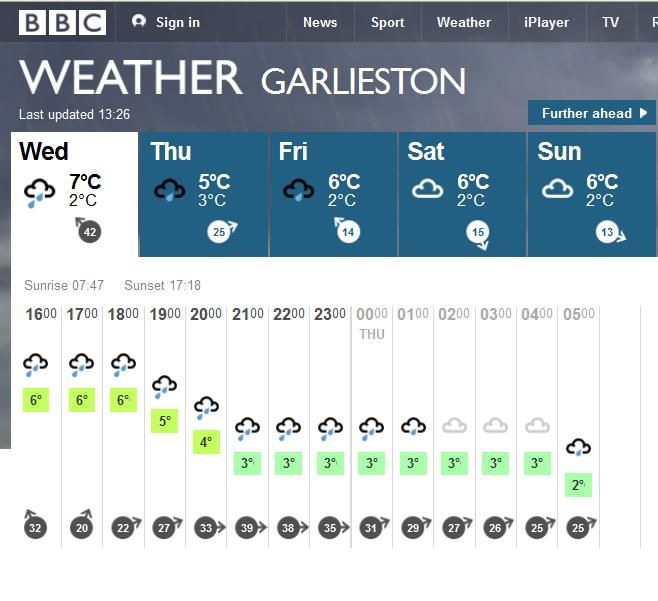 No problem. Then I change the location to the one I had open last night; 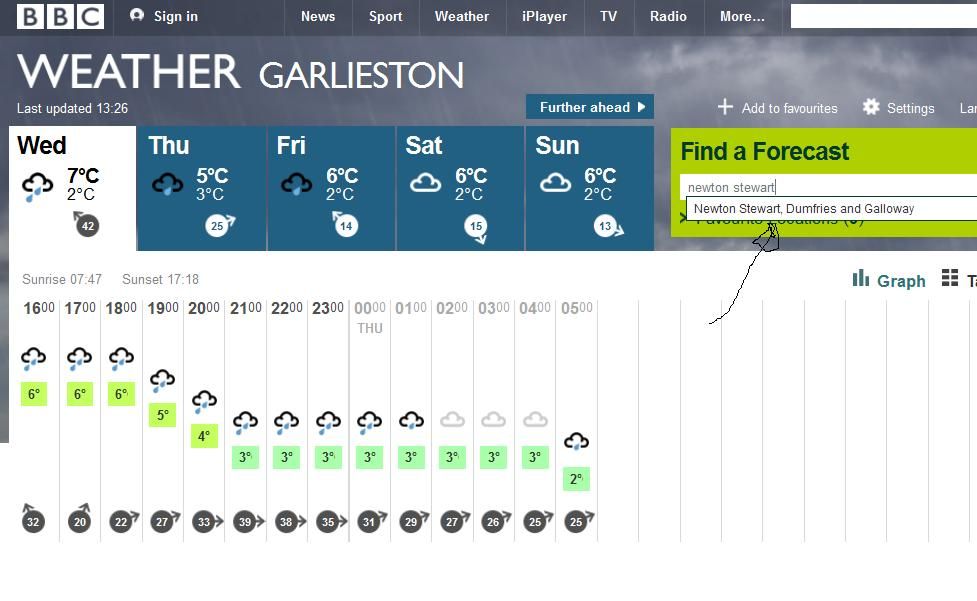 ..and get this; 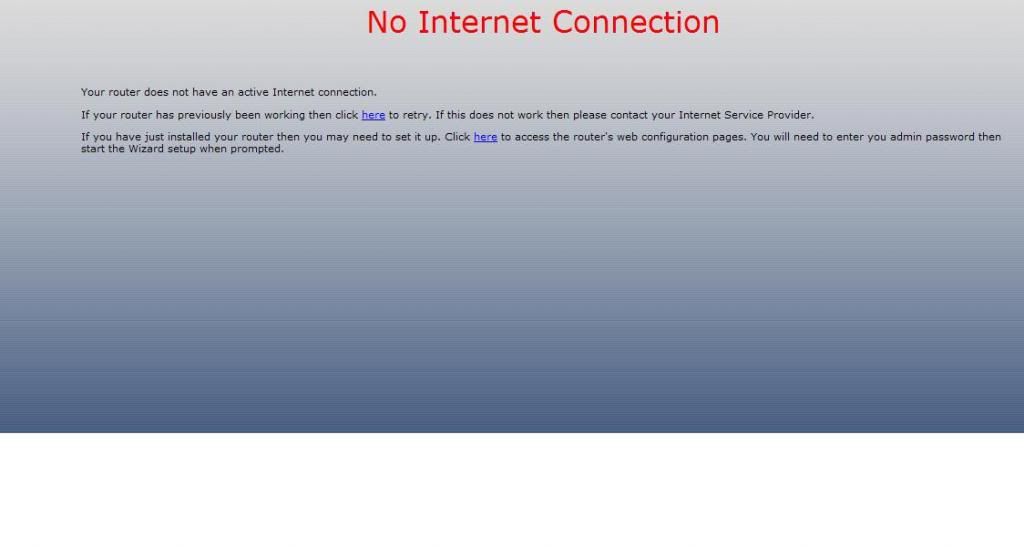
Jyemz Thrombold's Patented Brisk Weather Pantaloonettes with Inclementometer
|
craigb
Max Output Level: 0 dBFS
- Total Posts : 41704
- Joined: 2009/01/28 23:13:04
- Location: The Pacific Northwestshire
- Status: offline
Re: Strange internet behaviour
2014/02/12 10:36:25
(permalink)
Sorry, I'm still chuckling at the redundancy of the term "Strange internet behaviour."
Time for all of you to head over to Beyond My DAW!
|
spacealf
Max Output Level: -54 dBFS

- Total Posts : 2133
- Joined: 2010/11/18 17:44:34
- Status: offline
Re: Strange internet behaviour
2014/02/12 11:39:17
(permalink)
☄ Helpfulby jamesg1213 2014/02/12 13:31:52
Might just try and unplug the router and plug it back in to restart it.
(or perhaps the link went bad because you were hooked up to it when it went out and you have not cleared your history and the same page is coming up although now it is fixed - delete your browser history - because to make sites come up faster if it has not changed (especially in IE although Firefox may be the same) it will load the old page instead of loading up the new page now - check your browser to see how it is set).
|
jamesg1213
Max Output Level: 0 dBFS
- Total Posts : 21760
- Joined: 2006/04/18 14:42:48
- Location: SW Scotland
- Status: offline
Re: Strange internet behaviour
2014/02/12 13:32:49
(permalink)
spacealf
- delete your browser history -
That sorted it, thanks Alf!
Jyemz Thrombold's Patented Brisk Weather Pantaloonettes with Inclementometer
|
bapu
Max Output Level: 0 dBFS

- Total Posts : 86000
- Joined: 2006/11/25 21:23:28
- Location: Thousand Oaks, CA
- Status: offline
Re: Strange internet behaviour
2014/02/12 13:34:23
(permalink)
|
Wookiee
Rrrrugh arah-ah-woof?

- Total Posts : 13306
- Joined: 2007/01/16 06:19:43
- Location: Akahaocwora - Village Yoh Kay
- Status: offline
Re: Strange internet behaviour
2014/02/12 13:41:03
(permalink)
Sounds like a DNS table got its knickers in a twist
Life is not about waiting for the storm to pass, it's about learning to dance in the rain.
Karma has a way of finding its own way home.
Primary, i7 8700K 16Gigs Ram, 3x500gb SSD's 2TB Backup HHD Saffire Pro 40. Win 10 64Bit Secondary i7 4790K, 32GB Ram, 500Gb SSD OS/Prog's, 1TB Audio, 1TB Samples HHD AudioBox USB, Win 10 64Bit CbB, Adam's A7x's - Event 20/20's, Arturia V6, Korg Digital Legacy, Softube Modular, Arturia Keylab-88, USB-MidiSport 8x8
|
spacealf
Max Output Level: -54 dBFS
- Total Posts : 2133
- Joined: 2010/11/18 17:44:34
- Status: offline
Re: Strange internet behaviour
2014/02/12 19:13:10
(permalink)
Ya, Thanks. Here is another thing to do though (sometimes not so bad, sometimes I wonder where it all came from). Right click on Computer and "Open" it on the menu items. Right click on your "C:\" drive and and select "Properties". When the "General" tab screen comes up, click on "Disk Cleanup"! The other day I had to re-install IE so when going to Windows Update it wanted to upgrade it to IE 10 instead of having IE9. (if it wasn't needed for some Fender Amp program I would have left it un-installed!) But anyway, I had downloaded something like 52mB, or not all that much, later I went back and thought I do the "Disk Cleanup" and for some reason (I really have not figured this out yet) I had 326mB of Window Update Temp files like that are not needed on the hard disk. Just delete the main checkboxes it has checked there and you may find a lot of files not needed anymore on your C:\ partition of your harddisk! (might give it a day or so before you do it after a Windows Update or any Temp files left by browsers or something like that) I have no idea where all those files came from. ?? I scratch my head at Windows 7 as I find out more about it. It is like a pack rat and stores stuff and don't delete it until you find out about it. Revo Installer 2.5 9 free version does not even find all that stuff, yet it finds other stuff left on the computer from Windows 7 *.dmp files (dump files) or whatever browsers are keeping on the computer. I just delete History in any browser every day anymore. ?? Of course what anyone does is up to them. More like strange computer behavior! (and also programs may not completely un-install theirselves, which Revo may find perhaps). They leave all this crap and stuff on your computer sometimes. Bad programs, bad computer, bad, bad, bad (in my opinion).
post edited by spacealf - 2014/02/12 19:17:44
|
rontarrant
Max Output Level: -78 dBFS

- Total Posts : 643
- Joined: 2010/06/21 06:26:09
- Location: Ottawa, Ontario
- Status: offline
Re: Strange internet behaviour
2014/02/12 19:25:57
(permalink)
jamesg1213
Tried Firefox, but still said 'no internet connection'
ISP texted me to say they had done checks and now no fault on the local network.
Tried Internet Explorer, and got online.
Tried Firefox again, got online this time.
Whenever you get a message like that under these circumstances, hit F5. Likely, what's going on is Firefox believes it's supposed to be in offline mode and is pulling up cached pages rather than live ones. Two ways you can deal with it (if this actually is what's going on): 1) clear your cache and check your offline/online status (File menu, Work Offline should be visible) 2) reboot Never overestimate how much a reboot can fix. 
-Ron T. ---------------------------------------------------------- MSI GE72 2QF-247US, 12 gb, Focusrite 6i6, AT-2020 ---------------------------------------------------------- Windows 10 x64, Sonar Platinum
|
drewfx1
Max Output Level: -9.5 dBFS

- Total Posts : 6585
- Joined: 2008/08/04 16:19:11
- Status: offline
Re: Strange internet behaviour
2014/02/12 19:38:01
(permalink)
For most browsers, Ctrl+F5 (or Shift+F5) forces a page to reload without checking its cache.
 In order, then, to discover the limit of deepest tones, it is necessary not only to produce very violent agitations in the air but to give these the form of simple pendular vibrations. - Hermann von Helmholtz, predicting the role of the electric bassist in 1877.
|
sharke
Max Output Level: 0 dBFS
- Total Posts : 13933
- Joined: 2012/08/03 00:13:00
- Location: NYC
- Status: offline
Re: Strange internet behaviour
2014/02/13 00:41:06
(permalink)
The same thing happened to me about a year ago. Some sites would load perfectly, others not at all. I called Time Warner Cable and got nowhere until I demanded to speak to a REAL technician. So they actually put me through to one. Turned out it was DNS related, and the problem was completely solved by going into my internet options and changing my network settings to use Google Public DNS. You can read how to do it here: https://developers.google.../public-dns/docs/using
JamesWindows 10, Sonar SPlat (64-bit), Intel i7-4930K, 32GB RAM, RME Babyface, AKAI MPK Mini, Roland A-800 Pro, Focusrite VRM Box, Komplete 10 Ultimate, 2012 American Telecaster!
|