Sanderxpander
Max Output Level: -36.5 dBFS

- Total Posts : 3873
- Joined: 2013/09/30 10:08:24
- Status: offline

Step sequencer workflow/FruityLoops
Hey all,
I don't know if anyone on here uses FruityLoops but I recently had a collaboration with a guy who did and for building electronic beats it's incredibly fast. I was looking for some tips on how to approximate the workflow.
Basically you open a step sequencer and it's linked to a basic sampler. In Sonar you get a note per line, in FruityLoops you can drag a sample (like a kick) on that line. If there is no equivalent in Sonar I can live with my Maschine track template.
But mainly what interested me was that in FL you can easily paint separate parts across different tracks. For example if you have a hihat, a kick and a snare, you can paint them individually across three separate tracks. While I can easily paint the entire pattern with Sonar, I haven't been able to do it part by part. The reason I'd like this is because it makes it super easy to (for instance) drop the hihat, kick or snare out of separate parts of your arrangement.
I'd appreciate any insights, especially from someone who has used FL and knows what I'm looking for.
|
Kylotan
Max Output Level: -71 dBFS

- Total Posts : 995
- Joined: 2007/09/10 17:27:35
- Location: Nottingham, UK
- Status: offline
Re: Step sequencer workflow/FruityLoops
2016/03/01 08:13:07
(permalink)
With FL Studio each sequence captures all the tracks - and thereby being able to exclude tracks is quite valuable, as an alternative to duplicating variations on sequences. But in Sonar the sequence is just a clip on a single track. The equivalent would be to drop certain notes from certain instances of a clip, and I don't think there is any simple workflow for that. I imagine the quickest workaround is to copy the clip and edit out the notes you don't want. I don't remember the 'paint separate parts' feature in FL Studio, so in the past I had to do this much the same way as I would in Sonar - duplicate the sequence, edit out the bits I didn't want.
post edited by Kylotan - 2016/03/01 11:48:12
Sonar Platinum (Newburyport) / Win 8.1 64bit / Focusrite Scarlett 6i6 / Absynth / Kontakt / Play / Superior Drummer 2 / ESP LTD guitar / etc Twilight's Embrace - gothic/death metal | Other works - instrumental/soundtracks
|
Anderton
Max Output Level: 0 dBFS

- Total Posts : 14070
- Joined: 2003/11/06 14:02:03
- Status: offline
Re: Step sequencer workflow/FruityLoops
2016/03/01 09:34:23
(permalink)
☄ Helpfulby terrybritton 2016/03/01 16:20:54
Sanderxpander
Basically you open a step sequencer and it's linked to a basic sampler. In Sonar you get a note per line, in FruityLoops you can drag a sample (like a kick) on that line. If there is no equivalent in Sonar I can live with my Maschine track template.
The closest you can come is treating Session Drummer like a basic sampler. Load the samples you want into the various drums, then use notes to trigger those samples.
|
Kylotan
Max Output Level: -71 dBFS
- Total Posts : 995
- Joined: 2007/09/10 17:27:35
- Location: Nottingham, UK
- Status: offline
Re: Step sequencer workflow/FruityLoops
2016/03/01 11:37:14
(permalink)
Or you could use a Drum Map to trigger a bunch of different synths from one MIDI track. Unfortunately that doesn't solve the original problem of being able to selectively have different instruments dropping in and out when the sequence is repeated, short of editing the copies.
Although I'm sure there's some tricky workaround using MIDI FX to drop selective notes, or using automation to silence individual instruments, or <insert your idea here>.
Sonar Platinum (Newburyport) / Win 8.1 64bit / Focusrite Scarlett 6i6 / Absynth / Kontakt / Play / Superior Drummer 2 / ESP LTD guitar / etc Twilight's Embrace - gothic/death metal | Other works - instrumental/soundtracks
|
Anderton
Max Output Level: 0 dBFS
- Total Posts : 14070
- Joined: 2003/11/06 14:02:03
- Status: offline
Re: Step sequencer workflow/FruityLoops
2016/03/01 11:43:19
(permalink)
☄ Helpfulby terrybritton 2016/03/01 16:21:41
And while we're on the subject of step sequencing...don't forget about SONAR's unusual audio step sequencer capability, which I haven't see in any other DAW.
|
Jesse G
Max Output Level: -32.5 dBFS

- Total Posts : 4282
- Joined: 2004/04/14 01:43:43
- Status: offline
Re: Step sequencer workflow/FruityLoops
2016/03/01 12:29:37
(permalink)
Wasn't there something like that in Cakewalk's Project 5 v 2.5 years ago? MMmm, where O' where is Project 5 now?? 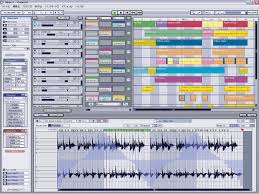
Peace,Jesse G.  A fisher of men <>< ==============================Cakewalk and I are going places together! A fisher of men <>< ==============================Cakewalk and I are going places together!
Cakewalk By Bandlab, Windows 10 Pro- 64 bit, Gigabyte GA-Z97X-SLI, Intel Core i5-4460 Haswell Processor, Crucial Ballistix 32 GB Ram, PNY GeForce GTX 750, Roland Octa-Capture, Mackie Big Knob, Mackie Universal Controller (MCU), KRK V4's, KRK Rockit 6, Korg TR-61 Workstation, M-Audio Code 49 MIDI keyboard controller.[/
|
Sanderxpander
Max Output Level: -36.5 dBFS
- Total Posts : 3873
- Joined: 2013/09/30 10:08:24
- Status: offline
Re: Step sequencer workflow/FruityLoops
2016/03/01 12:43:35
(permalink)
Yeah the main missing thing is that in FL you can quickly paste/paint just a hihat, or a snare, or whatever. They each go on their own track. I know I can edit the piano roll but that takes out the speed and breaks inspiration a bit.
|
Kylotan
Max Output Level: -71 dBFS
- Total Posts : 995
- Joined: 2007/09/10 17:27:35
- Location: Nottingham, UK
- Status: offline
Re: Step sequencer workflow/FruityLoops
2016/03/01 13:42:05
(permalink)
☄ Helpfulby terrybritton 2016/03/01 16:23:02
I've got FL Studio 11 open now and I can only find a way to paint whole patterns into the Playlist, not partial patterns. If I had 3 different patterns, one for each of hihat, kick and snare, then I could certainly paint those independently, and maybe that's what you mean, but that would be equivalent to having 3 separate clips in 3 tracks in Sonar, which can be done fairly easily. (They could all share the same drum map and therefore trigger the same sampler instance.)
Sonar Platinum (Newburyport) / Win 8.1 64bit / Focusrite Scarlett 6i6 / Absynth / Kontakt / Play / Superior Drummer 2 / ESP LTD guitar / etc Twilight's Embrace - gothic/death metal | Other works - instrumental/soundtracks
|
Zargg
Max Output Level: 0 dBFS
- Total Posts : 10666
- Joined: 2014/09/28 04:20:14
- Location: Norway
- Status: offline
Re: Step sequencer workflow/FruityLoops
2016/03/01 13:45:22
(permalink)
Hi, Is it not possible to use CAL script to separate notes to track, and then bind notes to tracks? I seem to remember having done this in the past.
All the best.
Ken Nilsen ZarggBBZWin 10 Pro X64, Cakewalk by Bandlab, SPlat X64, AMD AM3+ fx-8320, 16Gb RAM, RME Ucx (+ ARC), Tascam FW 1884, M-Audio Keystation 61es, *AKAI MPK Pro 25, *Softube Console1, Alesis DM6 USB, Maschine MkII Laptop setup: Win 10 X64, i5 2.4ghz, 8gb RAM, 320gb 7200 RPM HD, Focusrite Solo, + *
|
Kylotan
Max Output Level: -71 dBFS
- Total Posts : 995
- Joined: 2007/09/10 17:27:35
- Location: Nottingham, UK
- Status: offline
Re: Step sequencer workflow/FruityLoops
2016/03/01 13:58:11
(permalink)
Sounds like it would not be what the OP wants, namely a way to very quickly 'paint' out arrangements with some subset of instrumentation. Something that requires explicitly running a script to create new clips and then selectively removing some of them sounds quite cumbersome by comparison.
Sonar Platinum (Newburyport) / Win 8.1 64bit / Focusrite Scarlett 6i6 / Absynth / Kontakt / Play / Superior Drummer 2 / ESP LTD guitar / etc Twilight's Embrace - gothic/death metal | Other works - instrumental/soundtracks
|
mettelus
Max Output Level: -22 dBFS

- Total Posts : 5321
- Joined: 2005/08/05 03:19:25
- Location: Maryland, USA
- Status: offline
Re: Step sequencer workflow/FruityLoops
2016/03/01 14:05:15
(permalink)
+1 to Session Drummer, but it also comes with the downside that you cannot use loop record mode and overwrite cells with new data.
The best VST for this work that I know of is Geist, which seems to be a VST version of Maschine. Geist also has features very useful to on-the-fly work, such as simply copying a pattern from one trigger to another and modifying (up to 24 per engine) so you are not dealing with SS "clips" like in SONAR that you may never even fire off.
ASUS ROG Maximus X Hero (Wi-Fi AC), i7-8700k, 16GB RAM, GTX-1070Ti, Win 10 Pro, Saffire PRO 24 DSP, A-300 PRO, plus numerous gadgets and gizmos that make or manipulate sound in some way.
|
Royal Yaksman
Max Output Level: -83 dBFS

- Total Posts : 361
- Joined: 2013/06/06 00:52:02
- Status: offline
Re: Step sequencer workflow/FruityLoops
2016/03/01 15:26:03
(permalink)
☄ Helpfulby terrybritton 2016/03/01 16:24:58
Here's how you achieve the same workflow within Sonar:
Load FL Studio as a VST in Sonar!
Just make sure to create the corresponding output tracks to capture what you've done in the FL VST.
This way you still get to use FL's sequencer and flexible playlist, whilst utilising Sonar's superior audio tracking and mixing workflow.
Royal Yaksman HP Phoenix i7 3.9ghz 7600 - Roland Quad Capture - CbB - SD2 Metal Foundry/Roots Stix - NI Komplete 8 - Amplitube 3 & 4 - Addictive Drums 2 - Halion 6 - Izotope Musician Bundle - Waves Stuff - Melodyne Studio - AIR 3 - Revoice 3 - Sssshhhhh don't tell anyone but also Studio One 4 - Cubase 9.5 - Samplitude Pro X3 - FL Studio 20 - Mixbus 4 - Reaper 5 - And a big arsed pocket full of dreams (deceased or otherwise.)
|
rabeach
Max Output Level: -48 dBFS

- Total Posts : 2703
- Joined: 2004/01/26 14:56:13
- Status: offline
Re: Step sequencer workflow/FruityLoops
2016/03/01 15:49:51
(permalink)
Royal Yaksman
Here's how you achieve the same workflow within Sonar:
Load FL Studio as a VST in Sonar!
Just make sure to create the corresponding output tracks to capture what you've done in the FL VST.
This way you still get to use FL's sequencer and flexible playlist, whilst utilising Sonar's superior audio tracking and mixing workflow.
FL Studio I believe is $99 and doesn't it still come with lifetime updates. I bought it about 16 years ago and still get regular updates.
|
rabeach
Max Output Level: -48 dBFS
- Total Posts : 2703
- Joined: 2004/01/26 14:56:13
- Status: offline
Re: Step sequencer workflow/FruityLoops
2016/03/01 15:51:03
(permalink)
Jesse G
Wasn't there something like that in Cakewalk's Project 5 v 2.5 years ago? MMmm, where O' where is Project 5 now??
It was a sad day when it was dropped and still is.
|
kennywtelejazz
Max Output Level: -3.5 dBFS

- Total Posts : 7151
- Joined: 2005/10/22 06:27:02
- Location: The Planet Tele..X..
- Status: offline
Re: Step sequencer workflow/FruityLoops
2016/03/01 16:16:11
(permalink)
rabeach
Jesse G
Wasn't there something like that in Cakewalk's Project 5 v 2.5 years ago? MMmm, where O' where is Project 5 now??
It was a sad day when it was dropped and still is.
+ 1 Yes, up to a point .... it was truly a sad a day for me when P 5 was dropped  On the other hand , I have used it in Win 8 64 and now in Win 10 64 , It smokes the performance I used to get in XP 32 bit ...it is still usable in IMHO , Sure the lack of 64 bit memory access gains , not having access to multiple cores and the fact that a modern VST sample based multi synth will bring it to it's knees ... all that aside ...which are deal breakers for most people ,,, I still use it every so often , it will load up many of the instruments and plugs that came with SONAR , except for the non 3 rd party SONAR content that is locked to SONAR only . It still works very nice as a scratch pad , FWIW , I still prefer the simplicity and functionality of The P 5 matrix View over the SONAR Matrix View ... My apology to the OP for having gone here on an OT post . I have tried FL 12 , in my case I had a hard time understanding the workflow and the GUI ...still i liked it , may try again .... I guess even Aliens that like to think that they are pretty smart can feel pretty stupid when they get abducted by humans and human technology Kenny
post edited by kennywtelejazz - 2016/03/01 16:46:40
|
Sanderxpander
Max Output Level: -36.5 dBFS
- Total Posts : 3873
- Joined: 2013/09/30 10:08:24
- Status: offline
Re: Step sequencer workflow/FruityLoops
2016/03/01 17:16:14
(permalink)
Kylotan
I've got FL Studio 11 open now and I can only find a way to paint whole patterns into the Playlist, not partial patterns. If I had 3 different patterns, one for each of hihat, kick and snare, then I could certainly paint those independently, and maybe that's what you mean, but that would be equivalent to having 3 separate clips in 3 tracks in Sonar, which can be done fairly easily. (They could all share the same drum map and therefore trigger the same sampler instance.)
Hi, and thanks for checking this out for me. I haven't used FL myself, I just sat next to the guy, so I may be misunderstanding some of the process. He had some kind of step sequencer with basic sampler attached. It could be that they were three step sequencers but it was definitely one window where he built a kick/snare/hats pattern, and then he painted them individually across three tracks, each of which ended up with a single instrument and audio output (meaning he could EQ the snare individually etc.) If this means he had some way to work on three patterns within one step sequencer I don't know, but I also don't know a way of combinn
|
Sanderxpander
Max Output Level: -36.5 dBFS
- Total Posts : 3873
- Joined: 2013/09/30 10:08:24
- Status: offline
Re: Step sequencer workflow/FruityLoops
2016/03/01 17:20:05
(permalink)
Kylotan
I've got FL Studio 11 open now and I can only find a way to paint whole patterns into the Playlist, not partial patterns. If I had 3 different patterns, one for each of hihat, kick and snare, then I could certainly paint those independently, and maybe that's what you mean, but that would be equivalent to having 3 separate clips in 3 tracks in Sonar, which can be done fairly easily. (They could all share the same drum map and therefore trigger the same sampler instance.)
Hi, and thanks for checking this out for me. I haven't used FL myself, I just sat next to the guy, so I may be misunderstanding some of the process. He had some kind of step sequencer with basic sampler attached. It could be that they were three step sequencers but it was definitely one window where he built a kick/snare/hats pattern, and then he painted them individually across three tracks, each of which ended up with a single instrument and audio output (meaning he could EQ the snare individually etc.) If this means he had some way to work on three patterns within one step sequencer I don't know, but I also don't know a way of combining three step sequencers in a single view in Sonar. Perhaps he solo'd each one before painting it? I do remember him clicking something and saying he could paint just one or the whole thing. I looked into getting FL but while the basic version is 99 bucks it goes up quickly with some included fx and I'm not entirely sure which to get. It also wouldn't really solve my problem as I hate trying to sync up timelines between VSTs and host. I could use Maschine in a similar fashion but I much prefer doing all sequencing and song layout in a single host. The whole idea of this is to make something quick and easy, not more convoluted. Thanks for the suggestion though, I didn't even realize you could load FL as VST.
|
Sanderxpander
Max Output Level: -36.5 dBFS
- Total Posts : 3873
- Joined: 2013/09/30 10:08:24
- Status: offline
Re: Step sequencer workflow/FruityLoops
2016/03/01 17:25:51
(permalink)
By the way which sampler to use is less important to me than the general workflow. I already own Battery, Session Drummer and Maschine and I'm sure a bunch more VSTs which could act as sample host although the FL "view" with a single step sequencer where you'd just drag a sample to a pattern was appealing. Geist looks cool, but very similar to Maschine which incidentally also loads perfectly fine as VST (I always do).
|
Kylotan
Max Output Level: -71 dBFS
- Total Posts : 995
- Joined: 2007/09/10 17:27:35
- Location: Nottingham, UK
- Status: offline
Re: Step sequencer workflow/FruityLoops
2016/03/02 06:48:03
(permalink)
SanderxpanderHe had some kind of step sequencer with basic sampler attached. It could be that they were three step sequencers but it was definitely one window where he built a kick/snare/hats pattern, and then he painted them individually across three tracks, each of which ended up with a single instrument and audio output (meaning he could EQ the snare individually etc.)
If this means he had some way to work on three patterns within one step sequencer I don't know, but I also don't know a way of combining three step sequencers in a single view in Sonar. Okay, I've worked out how he did this, and it is quite neat and powerful. First, FL Studio has a mixer track that can be assigned to each instrument/channel. and that is independent of the patterns and how they're arranged in the playlist. So that aspect is not related. When you put a pattern into the Playlist, that's not like a single clip in Sonar, more like a group of clips stacked vertically across all your channels. So you might have one pattern for a verse, one for a chorus, etc. You paint them into the playlist to create your arrangement. You might also want more granularity, so you might have a pattern for verse percussion and a pattern for verse pads, and paint them above each other in the playlist when you want to hear the whole verse, and just paint the percussion part when you want the pads to drop out. What your friend did, was go one further than that - if you take a full pattern in FL Studio and choose 'Split by channel', it takes your original pattern and replaces it with multiple patterns, each one having just a single instrument/channel that was in the original. You can then paint those parts into the playlist separately, and at this point it looks a lot more like Sonar, with one pattern/clip for each song section for each instrument. But Sonar can't really give you that whole workflow because its step sequencer is limited to one instrument or drum map. But if you could get all your instruments into one step sequencer via a drum map or sampler, then possibly there is a CAL script that replicates the 'split by channel' functionality, but you'd have to duplicate the track and have the same drum map or sampler on each of them to get the same effect. This has inspired me to spend some time with FL Studio again!
post edited by Kylotan - 2016/03/02 14:30:03
Sonar Platinum (Newburyport) / Win 8.1 64bit / Focusrite Scarlett 6i6 / Absynth / Kontakt / Play / Superior Drummer 2 / ESP LTD guitar / etc Twilight's Embrace - gothic/death metal | Other works - instrumental/soundtracks
|
Sanderxpander
Max Output Level: -36.5 dBFS
- Total Posts : 3873
- Joined: 2013/09/30 10:08:24
- Status: offline
Re: Step sequencer workflow/FruityLoops
2016/03/02 13:53:27
(permalink)
Well, thanks for checking. Not entirely surprised but still a little disappointed there is no way to get close in Sonar. I'll experiment some more myself to see what I can come up with.
Glad to hear you got inspired though! :)
|
BiggEastwood
Max Output Level: -90 dBFS

- Total Posts : 5
- Joined: 2016/02/20 12:31:16
- Status: offline
Re: Step sequencer workflow/FruityLoops
2016/03/04 14:19:10
(permalink)
☄ Helpfulby bodhi65 2016/03/04 20:41:38
OK, this was my exact issue at first because that is one of the best features in FL Studio; the ability to lay down drum patterns and have them separated on different patterns. If I'm reading your post correctly. In Sonar, it can be done as well. You can use Session Drummer or if you have some other drum sampler. Load kit or samples into Session Drummer or Drum sampler of choice, activate step sequencer, draw out kick/snare pattern. Now here's the trick, in the top right corner of Session Drummer or Drum sampler of choice screen, there is an icon to activate step seq. each time you select the step seq icon it resets the pattern and you can add another sound; such as; hats, toms..etc. Now they will be on one track until you select the take lane icon and then all the different patterns will be displayed. I'm replying to this post at work, LOL, but when I can the chance, I will upload pics of the icons I am talking about in case you don't know where they are. The steps are really easy once you get the hang of it and could actually be more powerful and intuitive then Fl's step seq.
|
BiggEastwood
Max Output Level: -90 dBFS
- Total Posts : 5
- Joined: 2016/02/20 12:31:16
- Status: offline
Re: Step sequencer workflow/FruityLoops
2016/03/04 14:30:25
(permalink)
BTW, there are videos on you tube with Seth called Sonar: Master class - Drum Production, where he goes over some of the techniques I have describe. The only difference is in the video he mentions track layers but this has been changed to take lanes but it works pretty much the same.
|
Sanderxpander
Max Output Level: -36.5 dBFS
- Total Posts : 3873
- Joined: 2013/09/30 10:08:24
- Status: offline
Re: Step sequencer workflow/FruityLoops
2016/03/04 18:41:03
(permalink)
That's a great tip! Looking forward to experimenting with that the coming week. Not sure which icon you mean but I'm sure I can find it!
|
Paul P
Max Output Level: -48.5 dBFS

- Total Posts : 2685
- Joined: 2012/12/08 17:15:47
- Location: Montreal
- Status: offline
Re: Step sequencer workflow/FruityLoops
2016/03/04 22:40:34
(permalink)
BiggEastwood
BTW, there are videos on you tube with Seth called Sonar: Master class - Drum Production, where he goes over some of the techniques I have describe. The only difference is in the video he mentions track layers but this has been changed to take lanes but it works pretty much the same.
(Part 3) SONAR: Master Class - Drum Production Episode I secret weapon starts at 5:05. Thanks for the tip. I just followed along with the video in Platinum. The lastest sequence always goes into Lane T1 (as with layers) and the clip has to be move to another newly created lane to get it out of the way for the next sequence into T1. You (can) end up with a single instrument per lane which can then be collapsed down to the track. This merits further exploration.
Sonar Platinum [2017.10], Win7U x64 sp1, Xeon E5-1620 3.6 GHz, Asus P9X79WS, 16 GB ECC, 128gb SSD, HD7950, Mackie Blackjack
|