garfeild1234567890
Max Output Level: -90 dBFS

- Total Posts : 3
- Joined: 2011/01/10 23:34:12
- Status: offline
I can only see the left hand channels of my phonic helixboard sound card sound card
Hi I have updated my audio card driver Helix Board 18 MKII due to the old driver that came on the CD Craped out. Sadly when I view input settings in sonar or in the advanced audio settings pannel I can only see the left hand channels. 1,3,5,7,9,11,13,Main L. also in the playback timing master it displays 1:Phonic 1394 ASIO Phonic HB 18MKII Out L or None In the record timing master it displays all the Left hand channels of my audiocard or none. Can anyone suggest why I can only see the left hand channels.  all the channels are coming up on the soundcards GUI PC spec win xp quad core 2.8 4 gig ram 2 sound cards 1 the Phonic hb18 mkii and 2nd an m-audio 2496 2 in 2 out Im only using the phonic card. Thanks guys
|
Chappel
Max Output Level: -52.5 dBFS

- Total Posts : 2300
- Joined: 2009/07/11 14:55:32
- Location: California
- Status: offline

Re:I can only see the left hand channels of my phonic helixboard sound card sound card
2011/01/11 06:21:23
(permalink)
What I would try would be to disconnect the device then plug it back in. Then, in Sonar, I would run the wave profiler in Audio Options. If you're using the ASIO driver mode you'll have to switch to another one to use the wave profiler. Then check the driver tab in Audio Options to confirm your device is listed and all the other devices are disabled.
|
uncleswede
Max Output Level: -78 dBFS

- Total Posts : 638
- Joined: 2005/06/06 12:53:08
- Location: Essex, UK
- Status: offline
Re:I can only see the left hand channels of my phonic helixboard sound card sound card
2011/01/11 07:32:59
(permalink)
I use the Phonic Helix 12 MkII on XP (and Win7) and don't have this issue. If you can give me your XP driver version details and I'll check mine tonight when I get home.
Screenshots of your audio options might prove fruitful...
--------------------------------------------------------- How to fly - throw yourself at the ground and miss S8.5PE, i7-920 (XP), 6Gb RAM, Phonic Helix 12, Axiom 61 controller, JM VC3Q and mic, plus more...
|
uncleswede
Max Output Level: -78 dBFS
- Total Posts : 638
- Joined: 2005/06/06 12:53:08
- Location: Essex, UK
- Status: offline
Re:I can only see the left hand channels of my phonic helixboard sound card sound card
2011/01/11 15:50:11
(permalink)
Hi - I'm using the phonic helix 12 MkII driver version 5.14.0.0 and can see all inputs/outputs in Sonar, if that helps
--------------------------------------------------------- How to fly - throw yourself at the ground and miss S8.5PE, i7-920 (XP), 6Gb RAM, Phonic Helix 12, Axiom 61 controller, JM VC3Q and mic, plus more...
|
daveny5
Max Output Level: 0 dBFS

- Total Posts : 16934
- Joined: 2003/11/06 09:54:36
- Location: North Carolina
- Status: offline
Re:I can only see the left hand channels of my phonic helixboard sound card sound card
2011/01/11 16:42:37
(permalink)
Go to Options-Audio-Drivers and make sure you have all your drivers selected. Are you sure 1 doesn't mean 1/2? Did you select Output 1 and record? If so, did you get a mono or a stereo track?
post edited by daveny5 - 2011/01/11 16:44:17
Dave Computer: Intel i7, ASROCK H170M, 16GB/5TB+, Windows 10 Pro 64-bit, Sonar Platinum, TASCAM US-16x08, Cakewalk UM-3G MIDI I/F Instruments: SL-880 Keyboard controller, Korg 05R/W, Korg N1R, KORG Wavestation EX Axes: Fender Stratocaster, Line6 Variax 300, Ovation Acoustic, Takamine Nylon Acoustic, Behringer GX212 amp, Shure SM-58 mic, Rode NT1 condenser mic. Outboard: Mackie 1402-VLZ mixer, TC Helicon VoiceLive 2, Digitech Vocalist WS EX, PODXTLive, various stompboxes and stuff. Controllers: Korg nanoKONTROL, Wacom Bamboo Touchpad
|
johnnyV
Max Output Level: -48.5 dBFS

- Total Posts : 2677
- Joined: 2010/02/22 11:46:33
- Location: Here, in my chair
- Status: offline
Re:I can only see the left hand channels of my phonic helixboard sound card sound card
2011/01/11 17:04:28
(permalink)
Not sure if this is same thing , but my interface shows only odd numbers but all channels are present.
Input 1 left
input 1 Right = input 2
Input 1 stereo = will record a stereo track.
Input 3 left
input 3 right = 4
and so on.
Sonar X3e Studio - Waiting for Professional Scarlett 6i6Yamaha Gear= 01v - NSM 10 - DTX 400 - MG82cx Roland Gear= A 49- GR 50 - TR 505 - Boss pedalsTascam Gear= DR 40 - US1641 -Mackie Gear= Mix 8 - SRM 350's i5 Z97 3.2GHZ quad 16 Gig RAM W 8.1 home buildTaylor mini GS - G& L Tribute Tele - 72 Fender Princeton - TC BH 250 - Mooer and Outlaw Pedals Korg 05/RW
|
garfeild1234567890
Max Output Level: -90 dBFS
- Total Posts : 3
- Joined: 2011/01/10 23:34:12
- Status: offline
Re:I can only see the left hand channels of my phonic helixboard sound card sound card
2011/01/11 23:16:37
(permalink)
Thanks guys for the quick reply... this sure is a friendly place . ok I changed to wdm and re did the wave profile but its still the same. changed back to aiso and still the same. here are a few snaps of info windows for you to see whats going on. I think its a driver feck up or ive got the wrong one,,,,but who knows for sure . 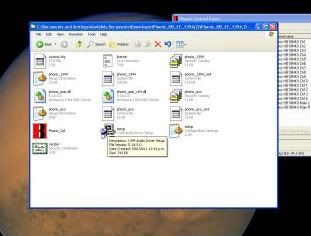 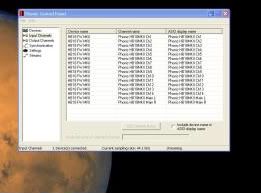 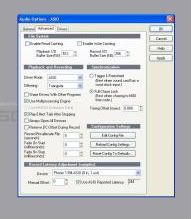 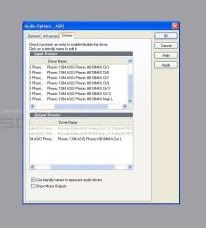  Ohhh dear them snaps are very out of focus lol I didnt realise heheh. I will try and up some better images 2morrow. Image 1 the driver version is Phonic_HB_FF_1394_Driver_V5_18_0 Image 2 showes all phonic chanells coming up in the phonic control window. the other pics show only the left hand chanells 1 3 5 7 9 11 13 and main left out. as showen the in audio options in sonar. cheers
post edited by garfeild1234567890 - 2011/01/11 23:29:31
|
johnnyV
Max Output Level: -48.5 dBFS
- Total Posts : 2677
- Joined: 2010/02/22 11:46:33
- Location: Here, in my chair
- Status: offline
Re:I can only see the left hand channels of my phonic helixboard sound card sound card
2011/01/12 00:59:41
(permalink)
Use screen shots, Alt /print screen open ms paint and paste, save and post to photo bucket or? I can't see anything on those shots sorry.
If your not sure you have the right driver, download it and install it?
Sonar X3e Studio - Waiting for Professional Scarlett 6i6Yamaha Gear= 01v - NSM 10 - DTX 400 - MG82cx Roland Gear= A 49- GR 50 - TR 505 - Boss pedalsTascam Gear= DR 40 - US1641 -Mackie Gear= Mix 8 - SRM 350's i5 Z97 3.2GHZ quad 16 Gig RAM W 8.1 home buildTaylor mini GS - G& L Tribute Tele - 72 Fender Princeton - TC BH 250 - Mooer and Outlaw Pedals Korg 05/RW
|
tweezer
Max Output Level: -90 dBFS
- Total Posts : 37
- Joined: 2007/01/01 03:59:59
- Location: new zealand
- Status: offline
Re:I can only see the left hand channels of my phonic helixboard sound card sound card
2011/01/14 18:43:13
(permalink)
Hi Ive been helping Dave/garfield with this issue. note re bad screen grabs...sorry for that i will re up some more clear images later 2day. I didnt want to post huge dule screen grabs but hey now we have snip with win7. this has been bothering us for about 2 months now. firstly the phonic drivers would just disappear from within sonar and also from the phonic control gui I have tried many different drivers now sigh but all seem to be trouble. the most common one is now that we only can see the left hand channels in sonar however they are all visible in the phonic audio driver window. ok. I have rebuilt the whole rig new os now 64 bit win 7 installed the latest phonic driver [64bit]. all seems ok all channels show up in the phonic control window. oh did I mention that due to not having any midi on the fire wire helixboard soundcard I have also installed another audio card. m-audio 196 2 in 2 out. we are just using this for midi. both driver installed ok with out any faults well so far. installed sonar 8.5 all seems sweet. all drivers show up in the sonar audio options. I then change to asio and we have trouble. only the left hand channels are showing up. change back to wdm but now I have lost all the right hand channels too. Maybe there is some conflict between the fire wire phonic card and the usb m-audio card we use for midi. this is very odd as we had both cards running for at least a year before this started happening. I dont think its hard ware as the phonic channels all show up in its control window. its a fresh OS only got the phonic and m-audio drivers on it and then sonar is the only soft we have installed. ohhh the pain of stupidity is a mighty weight to bear on the small shoulders of this frustrated audio geek. 
post edited by tweezer - 2011/01/14 18:45:55
|
CJaysMusic
Max Output Level: 0 dBFS
- Total Posts : 30423
- Joined: 2006/10/28 01:51:41
- Location: Miami - Fort Lauderdale - Davie
- Status: offline
Re:I can only see the left hand channels of my phonic helixboard sound card sound card
2011/01/14 18:46:51
(permalink)
1,3,5,7,9,11,13,Main L.
Thats normal,as its showing stereo channels. Its normal operation. 1 left = input 1 1 right = input 2 the wordign may be different for each card, but whta your seeing is correct and normal
|
tweezer
Max Output Level: -90 dBFS
- Total Posts : 37
- Joined: 2007/01/01 03:59:59
- Location: new zealand
- Status: offline
Re:I can only see the left hand channels of my phonic helixboard sound card sound card
2011/01/15 16:53:12
(permalink)
OK I can now confirm its a driver issue. It would appear that there is indeed inconsistent channel assignment in the phonic driver channels, as they appear inside sonar. One thing that did throw me off the right path...lol didnt i mention stupidity hahaha. I did get the feeling that i was missing something and that once I found it I would be too shy to let any one know...lol  yup I forgot to restart sonar after changing driver from wmd to asio etc oh dear. However this is nothing to do with the bad drivers from Phonic. I sure hope they resolve this soon. the channel names are all in the wrong order and after reading some other posts it would seem that this is happening to most of the helixboard systems. this is happening for the at least the last few driver releases 32bit and 64 bit. its always channel names in the worng order or simply named incorrectly. or in some cases only half the available channels showing up. after manual testing each channel it seems they are all there but in a jumbled up order. I could not find a particular order of mistakes in the naming protocol as they seemed to be different for each driver i tested. Oh well migration to win 7 was a dream. everything working and we have now go a fully functioning audio setup. cheers to the helpful posters.
|
garfeild1234567890
Max Output Level: -90 dBFS
- Total Posts : 3
- Joined: 2011/01/10 23:34:12
- Status: offline
Re:I can only see the left hand channels of my phonic helixboard sound card sound card
2011/01/15 21:57:28
(permalink)
NO Wrong.... this morning all the input channels have gone in the phonic control panel It worked last night.. try restarting my helixboard ...nope looked in device manager phonic driver is fine. start sonar error there are no audio devices for the current driver model connected to your system. Note the bottom right hand corner of the phonic control window it says connection failed...? 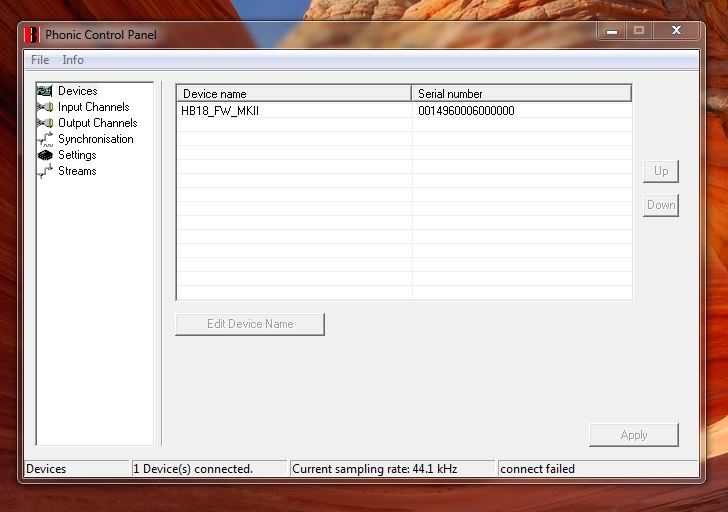 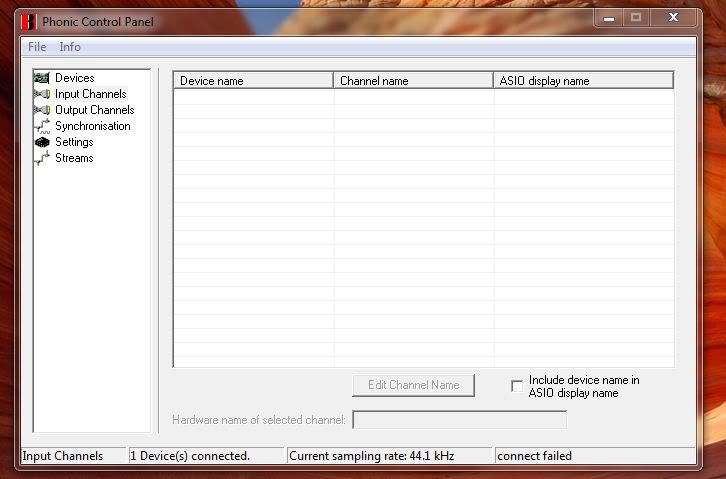 Do you think this may be a conflict with the M-audio 196 card we are using for midi. the phonic fire-wire card don't have midi I cant find anything that points to a priority situation over which card is used first.
|
tweezer
Max Output Level: -90 dBFS
- Total Posts : 37
- Joined: 2007/01/01 03:59:59
- Location: new zealand
- Status: offline

Re:I can only see the left hand channels of my phonic helixboard sound card sound card
2011/01/15 22:06:27
(permalink)
No Garfeild No [:@  ] Turn on the helixboard before you turn on your pc 
|
daveny5
Max Output Level: 0 dBFS
- Total Posts : 16934
- Joined: 2003/11/06 09:54:36
- Location: North Carolina
- Status: offline
Re:I can only see the left hand channels of my phonic helixboard sound card sound card
2011/01/15 22:20:38
(permalink)
You should just be using one audio interface.
Dave Computer: Intel i7, ASROCK H170M, 16GB/5TB+, Windows 10 Pro 64-bit, Sonar Platinum, TASCAM US-16x08, Cakewalk UM-3G MIDI I/F Instruments: SL-880 Keyboard controller, Korg 05R/W, Korg N1R, KORG Wavestation EX Axes: Fender Stratocaster, Line6 Variax 300, Ovation Acoustic, Takamine Nylon Acoustic, Behringer GX212 amp, Shure SM-58 mic, Rode NT1 condenser mic. Outboard: Mackie 1402-VLZ mixer, TC Helicon VoiceLive 2, Digitech Vocalist WS EX, PODXTLive, various stompboxes and stuff. Controllers: Korg nanoKONTROL, Wacom Bamboo Touchpad
|
tweezer
Max Output Level: -90 dBFS
- Total Posts : 37
- Joined: 2007/01/01 03:59:59
- Location: new zealand
- Status: offline
Re:I can only see the left hand channels of my phonic helixboard sound card sound card
2011/01/16 00:24:45
(permalink)
Garfeild was given a phonic helix-board 18 channel fire-wire desk/audio-card about a 1.5 years ago.
At the time he was using a m-audio 196 2 in 2 out.
it is unfortunate that this phonic desk/audiocard set up didnt seem to have a midi port.
Garfeild wanted to use the helix board as it had lots more audio channels he could record thru at one time this suited his home studio set up.
but he didnt want to have no midi input at all so he kept the m-audio card to us as a midi port.
Garfield cant afford to buy another all in one card just to get around this duel card/audio interface thing.
I cant see why this should be an issue as long as it is assigned correctly in the audio options and also this had been running quite sweetly for over a year before we had any trouble with the audio driver in the phonic.
I do understand this is not ideal.
|
Vashonlife
Max Output Level: -90 dBFS
- Total Posts : 1
- Joined: 2012/05/28 13:58:14
- Status: offline
Re:I can only see the left hand channels of my phonic helixboard sound card sound card
2012/05/28 14:06:00
(permalink)
I can only see half of my channels as well . I'm using Sonic x with a 16 channel Mackie board. Win 7 ASIO driver . I don't know how to fix it .
|
Cactus Music
Max Output Level: 0 dBFS
- Total Posts : 8424
- Joined: 2004/02/09 21:34:04
- Status: offline
Re:I can only see the left hand channels of my phonic helixboard sound card sound card
2012/05/29 11:26:50
(permalink)
As said in ASIO this is NORMAL. you will see 1 left and 1 right and 1 stereo. 1 right = Channel 2.
|