• SONAR
  • Auto crossfades across multiple tracks not working in Sonar Platinum 2016.07 (p.2)
2016/08/19 15:22:20
reginaldStjohn
Has anybody entered this into the problem reporter? If not I will do it.
2016/08/19 18:43:55
John T
I've had this problem recently, while editing multitrack drums. Still exists in the new early release too.
2016/08/20 02:24:59
brundlefly
This is fixed in the latest Early Access release:
 
http://forum.cakewalk.com...vailable-m3467714.aspx
2016/08/20 03:16:15
Grumbleweed_
brundlefly
This is fixed in the latest Early Access release:
 
http://forum.cakewalk.com...vailable-m3467714.aspx


Wow. They really messed things up and had to rework them with this one!
My biggest concern is reading that the fade indicators are being removed. How the heck is that supposed to work?

Grum.
2016/08/20 08:45:57
John T
brundlefly
This is fixed in the latest Early Access release:
 
http://forum.cakewalk.com...vailable-m3467714.aspx


It's not, I've got the early access installed and I'm still getting the bug.
2016/08/20 08:48:12
John T
Ah, sorry, there's an update. Ignore me.
2016/08/20 09:05:08
John T
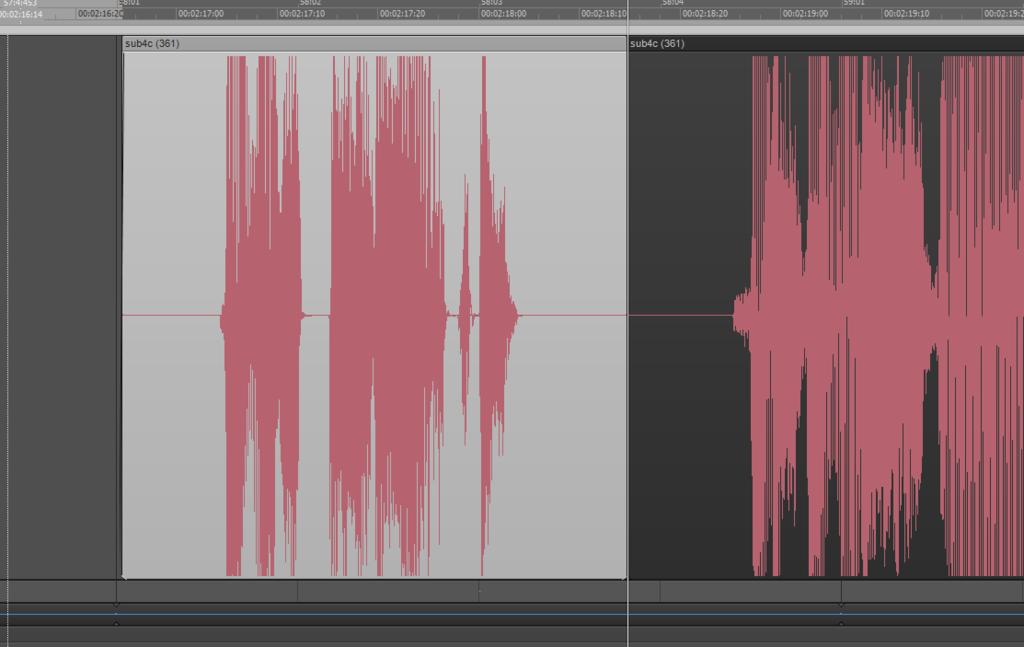
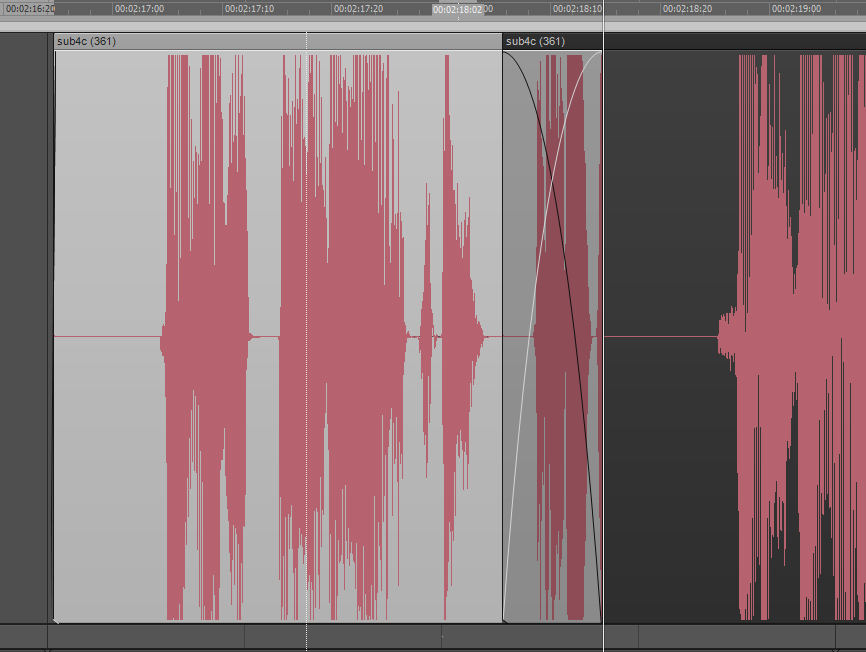
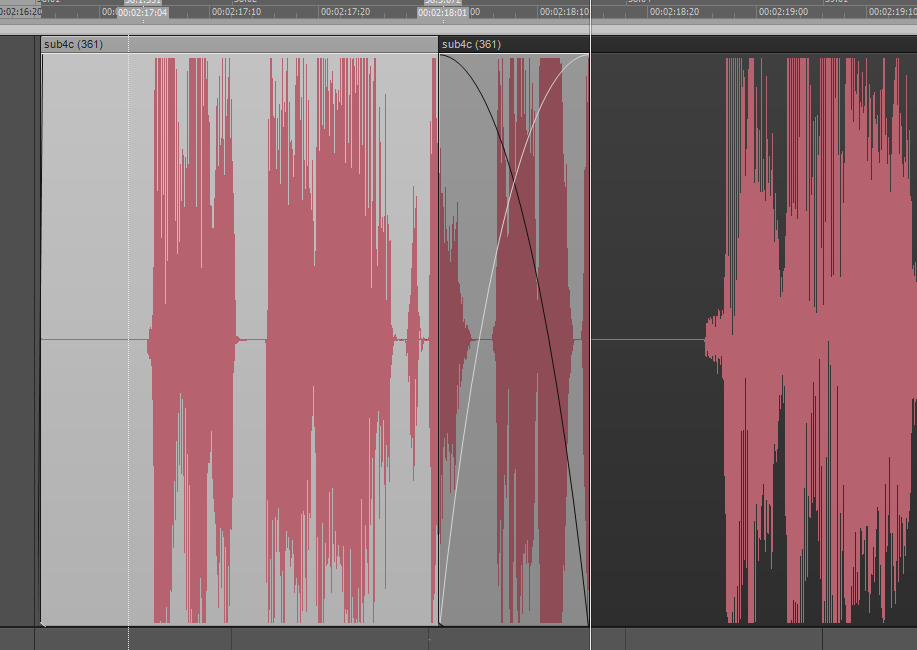
Hmm. It works ok now, but there's a new display bug on cross fades. I'm getting waveforms drawn in silent parts of the clip, and they stretch as if the clip is being time stretched. Also seems to depend on zoom level and scroll position in some way. Hard to describe.
2016/08/20 11:18:57
Anderton
This is IIRC the second time the Early Access revealed bugs that need to be fixed before the final release.
2016/08/20 18:44:41
Noel Borthwick [Cakewalk]
John T
Hmm. It works ok now, but there's a new display bug on cross fades. I'm getting waveforms drawn in silent parts of the clip, and they stretch as if the clip is being time stretched. Also seems to depend on zoom level and scroll position in some way. Hard to describe.


Can you elaborate and post a screenshot of what you are seeing? We did not see any obvious issues with drawing cross fades.
2016/08/20 20:07:43
John T
Yes, sorry, meant to do this earlier but was busy and forgot. 
 
So, in the first image, see how I've got a clip, split in the middle of some silence:
 
Now see how I've dragged the edge of the right hand clip to overlap with the left. This area is still silent, but it draws in a waveform. The area is still silent on playback:
 
 
In the last image, I've dragged the edge out further. Notice how the phantom waveform is now wider as if stretched. This area is still silent.
© 2026 APG vNext Commercial Version 5.1

Use My Existing Forum Account

Use My Social Media Account