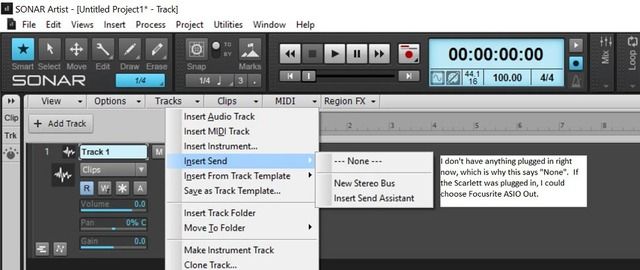
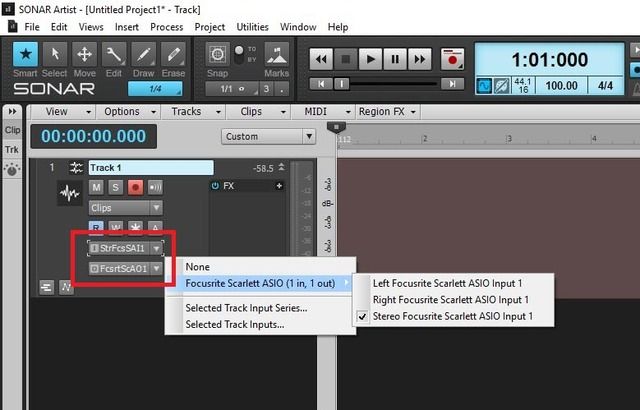
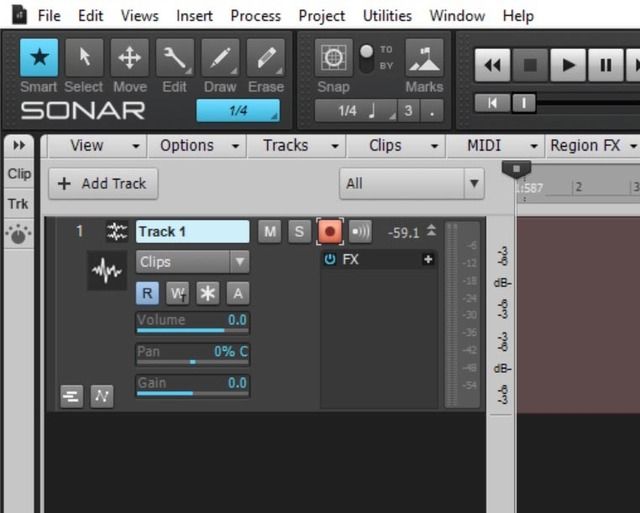
I recently bought a new computer (Alienware). I've installed the exact same software and hardware as on my old computer (HP). Unfortunately, there seems to be a setting that eludes me on the new computer. On the HP, when I would add a new audio track, there would be a drop-down menu that allowed me to choose between the left (microphone) and right (instrument) channels of the Scarlett Solo. That menu has disappeared completely on the Alienware. Instead there are sliders for Volume, Pan, and Gain. I'm confused. I didn't do anything special to get it to show up on the HP, so why isn't showing up on the Alienware? I know this is probably just a setting that I'm not seeing... Can someone help me out? It's driving me insane.
Edited include better pictures.
HP
Alienware
To make matters even more confusing, I can get a similar menu to show up on the Alienware if I right-click on the audio track and choose "Input Send" and then click on the Focusrite hardware. The problem with this workaround is that I have to do it every time I make a new audio track AND then I have to delete the "Send" in order to use the console sliders or mute options.
Insert Send