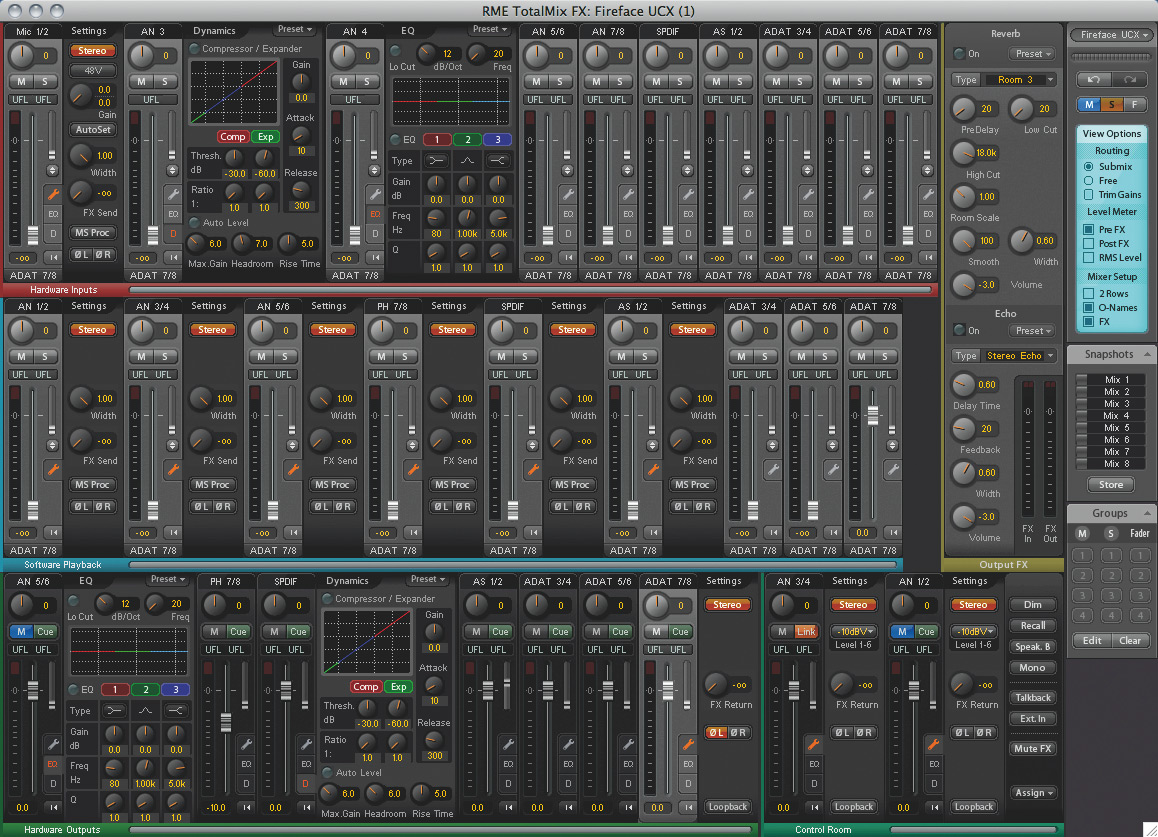
take a look at the pic below... the middle section, software playback is where i'd look first. click the little wrench on the output channels then the two knobs to the right are width and fx send. set with all the way up and send all the way down. the bottom section is hardware outs. same thing here set fx return negative infinity. then the control room panel bottom center-right you can click the mute fx button.
or, you could bring up the output fx window and turn off reverb and delay.
the interface has a ton of options! been checking out the rme stuff for a future upgrade.
how do you like the babyface?