• SONAR
  • Clean Install of Win10 & Sonar (p.2)
2015/09/21 17:49:47
TremoJem
I logged in/out.
 
I selected "Check Now".
 
Still no success...I am at Gloucester currently and CCC does not see any new updates.
 
Hmmm...that sucks.
 
Help please and thank you.
2015/09/21 17:53:45
scook
download and install the new C3 http://www.cakewalk.com/Command-Center over the existing C3
2015/09/21 18:19:24
TremoJem
O.K. so before I posted I had to download the new version of CCC.
 
It told me that I had two files to update..."Documentation".
 
So I said..."what the heck"...did it.
 
Came back 22 minutes later and now I am at Ipswich 21.8.0.2.
 
Makes no sense to me.
 
What did it download?
 
Oh, by the way, "SONAR Local Documentation" is still yellow.
 
I am confused...oh well.
 
Thanks
2015/09/21 18:22:02
scook
It sounds like you downloaded and updated the SONAR program (which is currently delivered in two files) and still have a pending SONAR documentation update. Usually when the program is updated, there is a change to the help files.
2015/09/21 18:54:20
TremoJem
Oh, thank you...very cool.
 
I will update the docs.
 
2015/09/21 23:05:32
Jesse G
Keep in mind that you don't have to install the full versions of Sonar X1, or X2 or eve X3, just install the plugins you want from them.  There will be no need to install any previous version of Sonar as you already have the latest version you want installed.  
 
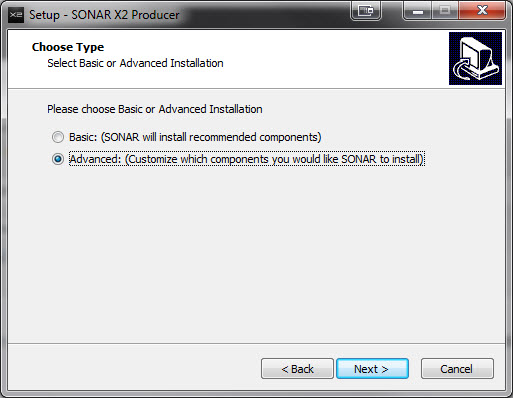
Start the installation of the previous versions and select advanced installation
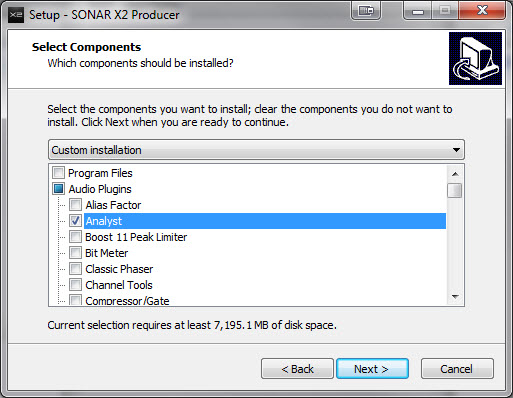
Select only the items you want installed and deselect everything else especially older version of Sonar itself.
Now you will only have the plugins you want from the earlier Sonar versions and not the previous versions of Sonar itself.


I hope this helps
12
© 2026 APG vNext Commercial Version 5.1

Use My Existing Forum Account

Use My Social Media Account