You can still edit the velocity one note, a group or the whole track
For one note highlight that note and use the smart tool in the A area to drag up and down.
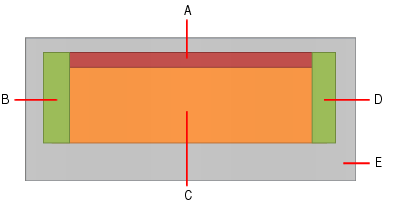
To do a group lasso the group and do the same
For a whole track select all and drag any note up or down.
To set the velocity the same for all note what I do is drag the mouse down the keyboard on the left to highlight all the notes, grab a note and drag the whole works to max. Let go, now drag the whole works down to where you want it. A dialog box will tell you stats.
I cover all this in detail in my tutorial ( see link below)