• SONAR
  • PRV: Editing controller event values has improved in SONAR 2015
2015/02/24 02:17:33
stickman393
I thought I'd share my notes with y'all. 
 
[Note: I apologize for the brief title captions on each gif. 1 second isn't quite long enough to be comfortable. I'll do better next time.]
 
Value editing controller events with the mouse is better in The New SONAR.
Instead of the small square "handles", we can now grab the line between two events:
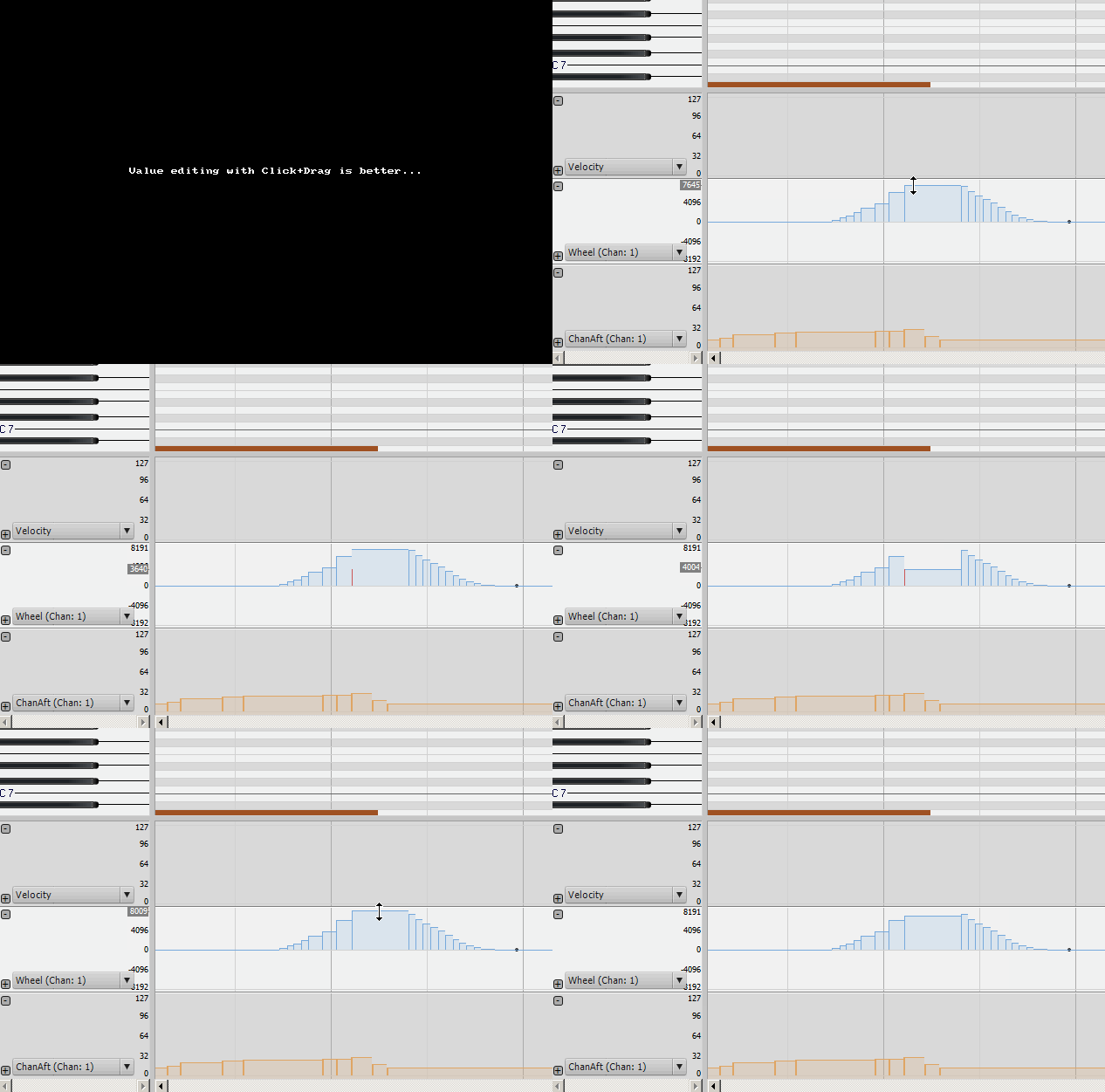


We can also use Right-Click selection marquee to select a group of events.
We can even select more than one group of events at the same time... I would have expected SHIFT to be required for that, but it just works:
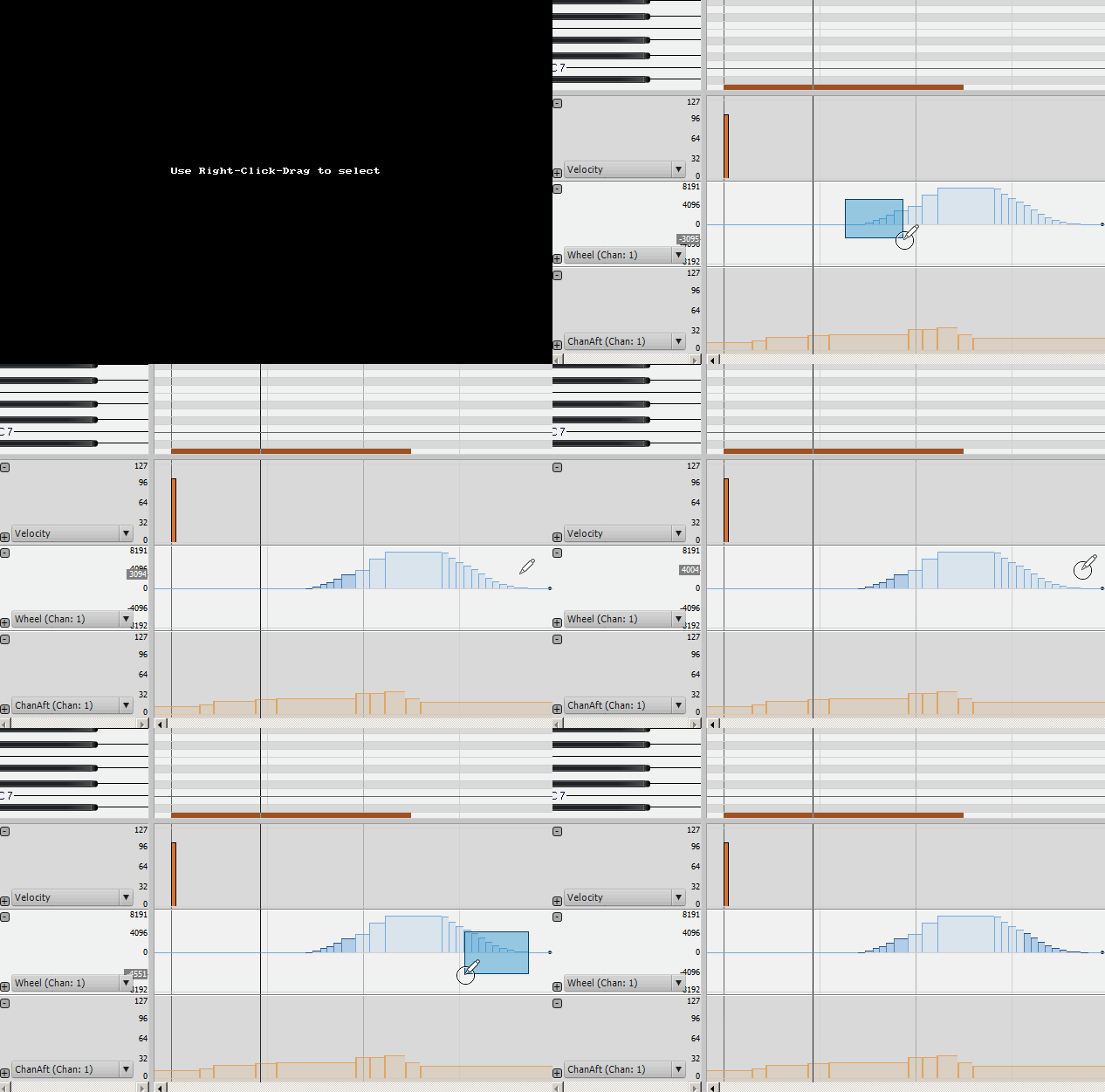


I'm not saying that's a good thing, necessarily.
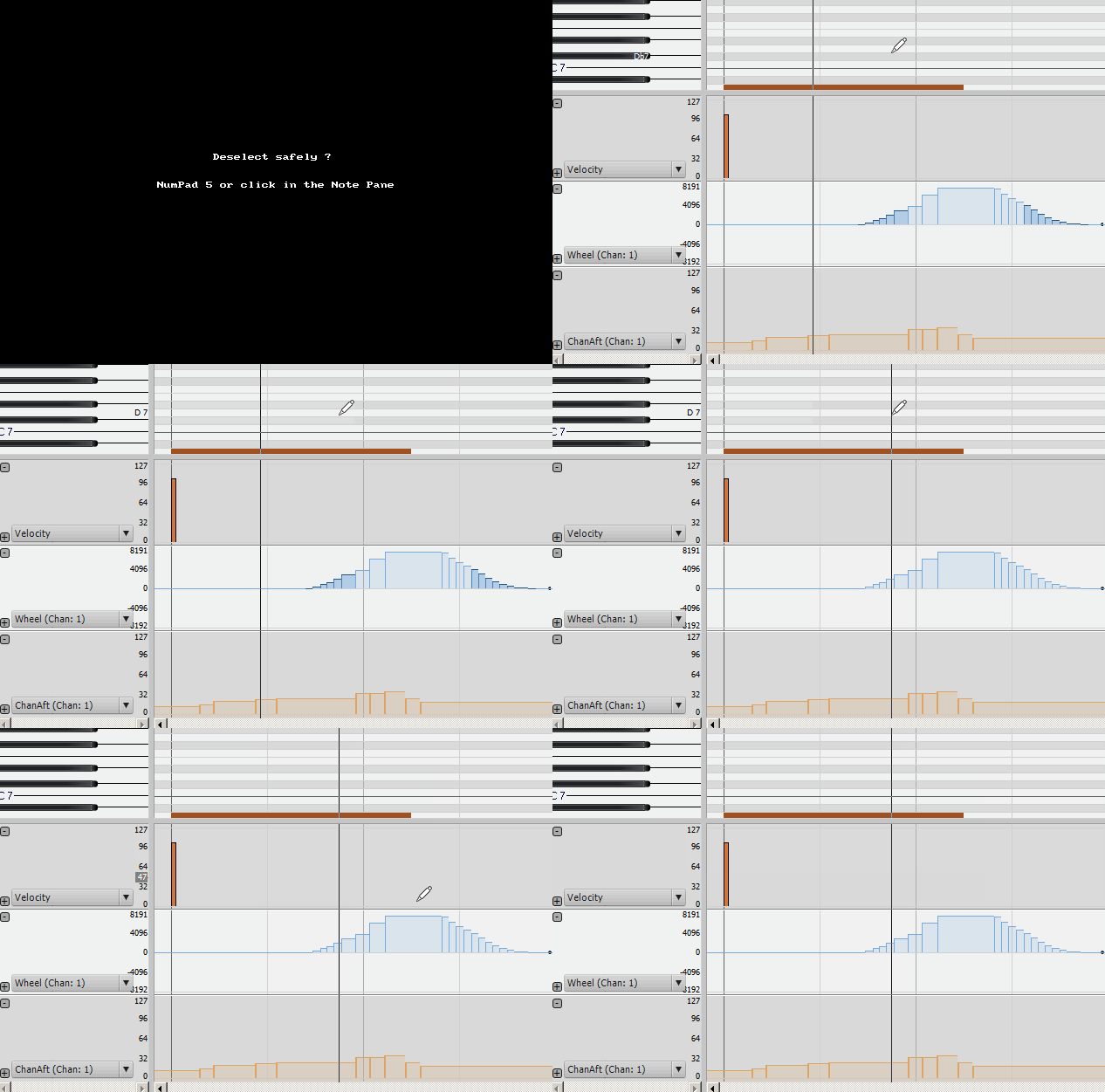
The only way I've found to de-select the events is with "Numeric Keypad 5", or by clicking the mouse in the Note Pane:


Selected events can be moved with the mouse by click+hold+move, but warning: both TIME and VALUE can change:
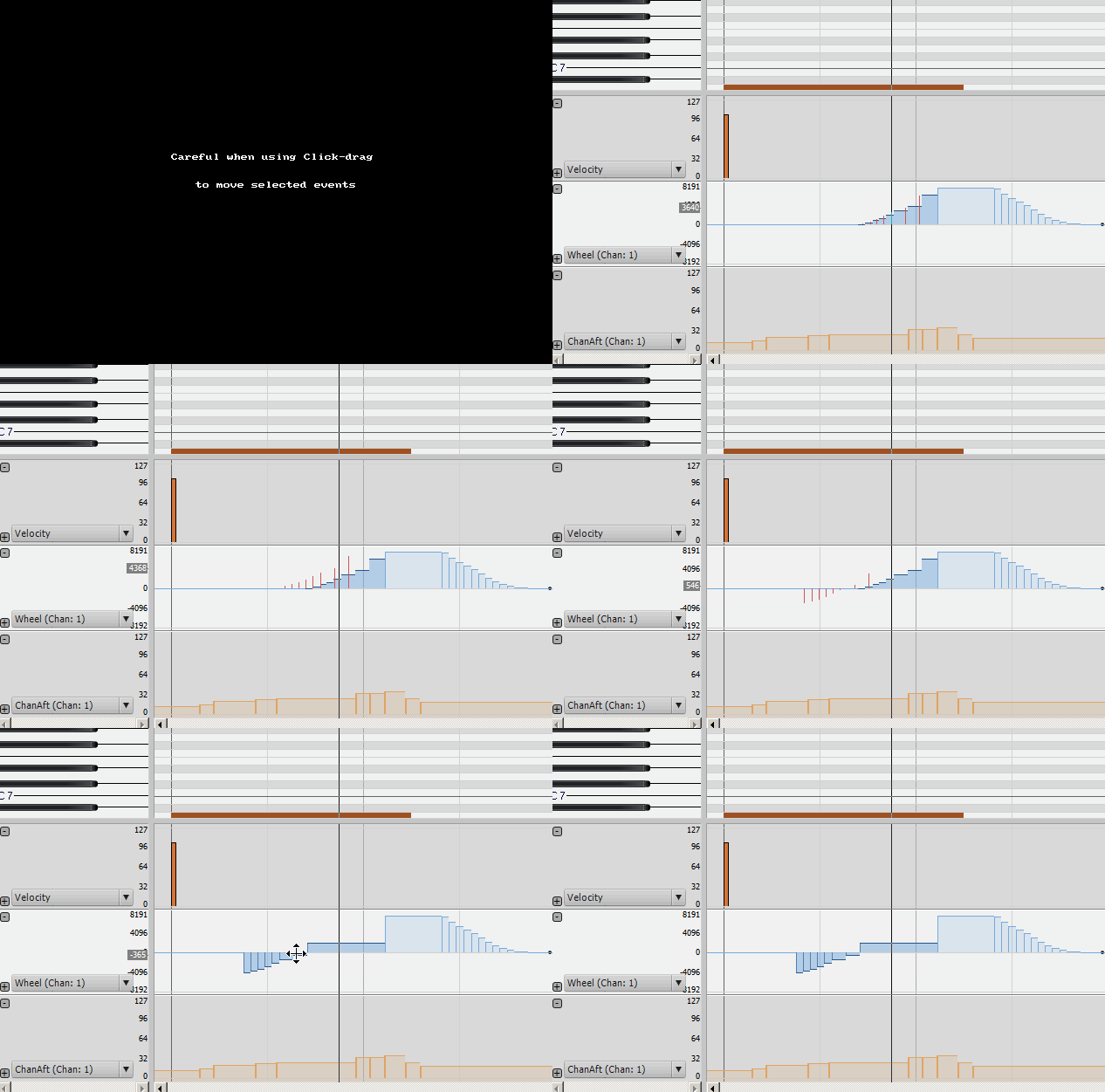


It would be nice if the VALUEs were locked when dragging. To me, that would be more useful behavior.
So, what if we hold down SHIFT or CTRL while moving the mouse? Can we SCALE the event values? *starts drooling*
Let's try SHIFT+Drag followed by CTRL+Drag:
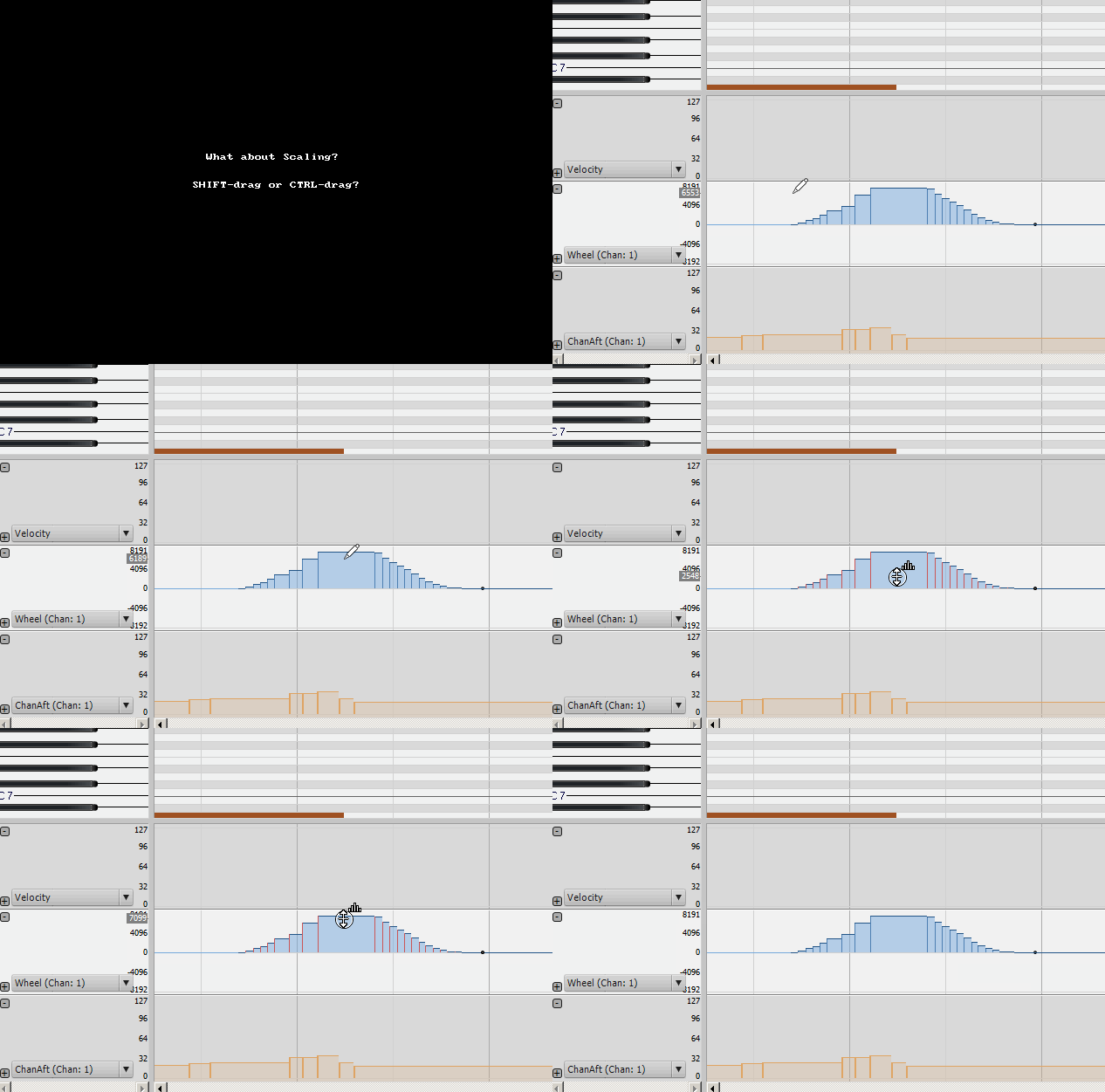


No change that I can see... Clearly something is supposed to happen, because the mouse icon changes.
I think this is a bug, or an under-implementation, so I will create a post for this in the Problem Report forum.
2015/02/24 03:18:16
John
Excellent display and thoughtful comments.  
2015/02/24 03:39:24
promidi
I am wondering if someone who has an older version of Cakewalk can write a Studioware panel combined with a CAL that can scale controller events values using a slider (among other functions).  This is one reason I would love the reintroduction of CALS and editable Studioware panels.
2015/02/25 12:03:05
stickman393
Forum member soens found the documentation link that describes these features, or most of them:
 
Piano Roll Enhancements in the New SONAR
 
2015/02/25 12:59:18
williamcopper
Nice presentation, thank you.   Looks like you still can't change the size of a controller pane?    Your images show the PRV squashed to a sixth, in any score I work with that would mean 2/3 of the notes not visible ... but still useful info.
 
2015/02/25 15:56:46
stickman393
William, the screen shots only show the bottom left corner of my SONAR window... Most of the PRV is "out of shot".
2015/02/25 16:06:54
John
Its called cropping. 
2015/02/25 20:01:26
dlesaux
Excellent post Stickman! I also appreciate the controller management improvements but your suggestions and comments are spot on. Hopefully one of the Bakers - or Craig will chime in!
2015/02/25 20:53:11
Chandler
These are nice improvements. The bakers did a good job with this. Simple but useful.
© 2026 APG vNext Commercial Version 5.1

Use My Existing Forum Account

Use My Social Media Account