• SONAR
  • Vertical Lines in Midi (Track View)
2018/01/30 20:34:08
steve@baselines.com
Hi I am trying to find out what these lines are.  I thought they might be pedal related, but I do not see them in event view.
I can delete them (some will also delete the midi note if I cannot avoid the beginning of the note in my selection.
 
[image]c:\dev\bars.png[/image]
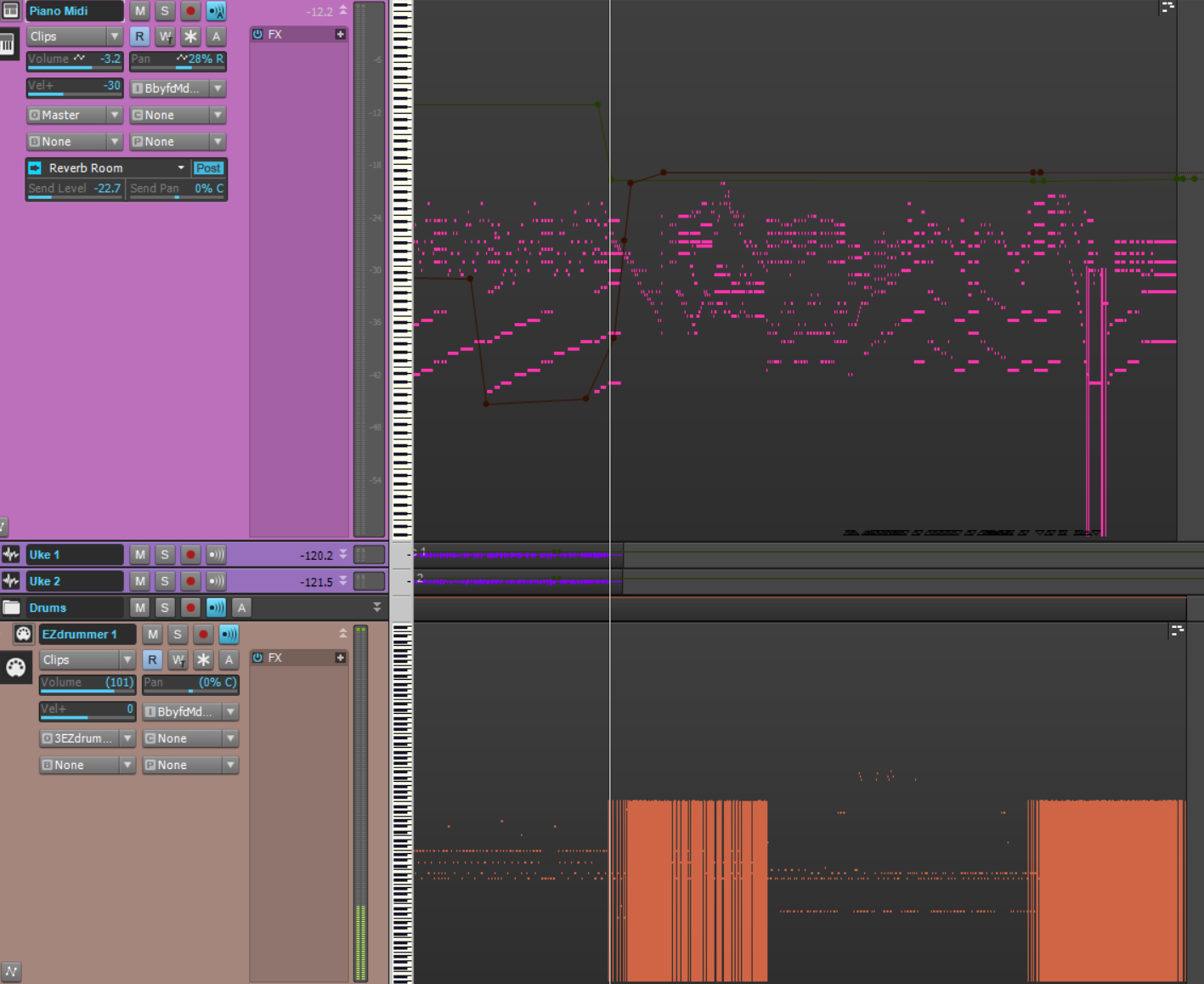
 
Sonar Platinum 64 bit on Windows 10.
 
Please help point me in the right direction if you can - I appreciate your time.  I'm trying to have them not show up in track view for midi tracks.
 
Thank you,
Steve
 
2018/01/31 23:08:42
tparker24
I wonder if it's the Snap Offset that I ran into at http://forum.cakewalk.com/FindPost/3237536
2018/01/31 23:42:12
Cactus Music

2018/02/01 15:55:07
steve@baselines.com
Thank you for the information.  Mine are all the same length.  How do I get them to not show up, or delete them in mass.
 
I can select and delete, but it will also delete any midi notes as well that are in the selection.  What did I do to make them appear?
 
Steve
 
2018/02/01 16:31:30
msmcleod
I don't think there's any way of hiding them, but are you sure you want to delete them? They're obviously something you've recorded - e.g. pitchbend, mod-wheel or sustain pedal events.
 
If you really do want to delete them, go to the piano roll view and uncheck "velocity" on the bottom pane. This will just show you the CC events. You can then select them using the select tool and delete them.
 
M.
© 2025 APG vNext Commercial Version 5.1

Use My Existing Forum Account

Use My Social Media Account