When you open a new project and select a template to start with, most/all of the templates have busses already in them. Some of them have busses labelled "Master".
You can name the busses whatever you want, like Guitar to route all your guitars to, Drums for your percussion, etc. If there is not a bus called Master, you can double-click the bus label and name it whatever you want. It's a good idea to have all of your tracks sent to busses, and all of those busses sent to a single bus, which will be the Master bus, even if it's labelled Aux 4.
If all the existing busses already have tracks sent to them (none are available to be the Master), you can right-click in the Bus Pane and insert another bus, then rename it if desired, and route all of your busses to it. That bus will be the Master, whatever it's called, and will be output to the Mains, which is your sound card/interface.
Here's a simple image of the routing of one of my songs:
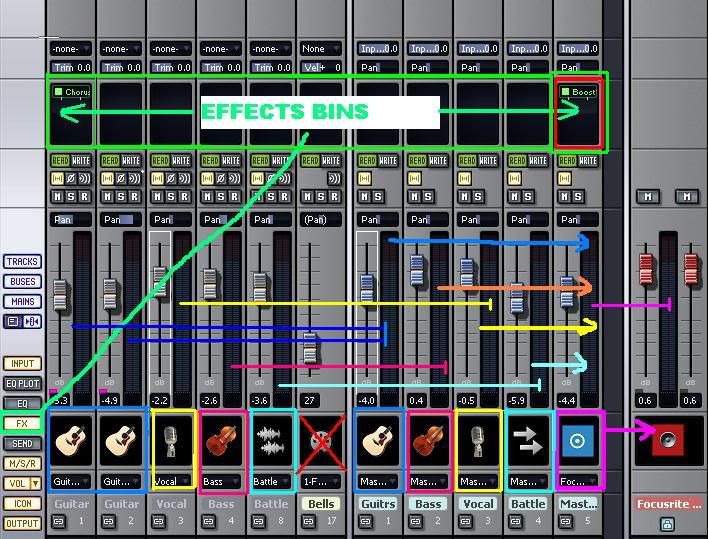
It's from an older program (SONAR Home Studio 6), but the idea is the same.