• SONAR
  • Hi ____ do you save your TTS-1 User Normal settings?
2007/12/10 14:12:54
The Maillard Reaction
I'm feeling like this may be a niave question.

This morning I tweaked a organ tone on a song I'm working on. I saved the project and when I open the project and launch at the TTS-1 console I see this:


But, as soon as I press play the settings on my TTS-1 organ patch goes straight back to the default:


am I missing something really simple?

thanks,
mike
2007/12/10 14:24:49
bmdaustin
You might try saving your organ patch as a distinct patch and change your sequence file to point to the new patch. I'm guessing it's still pointed to the default organ patch and that's why you're losing your custom settings.
2007/12/10 15:59:59
The Maillard Reaction
So,
Does anyone know how long this nasty bug has been left unattended too?

first off, thanks for the tips guys.

So I saved my user patch:
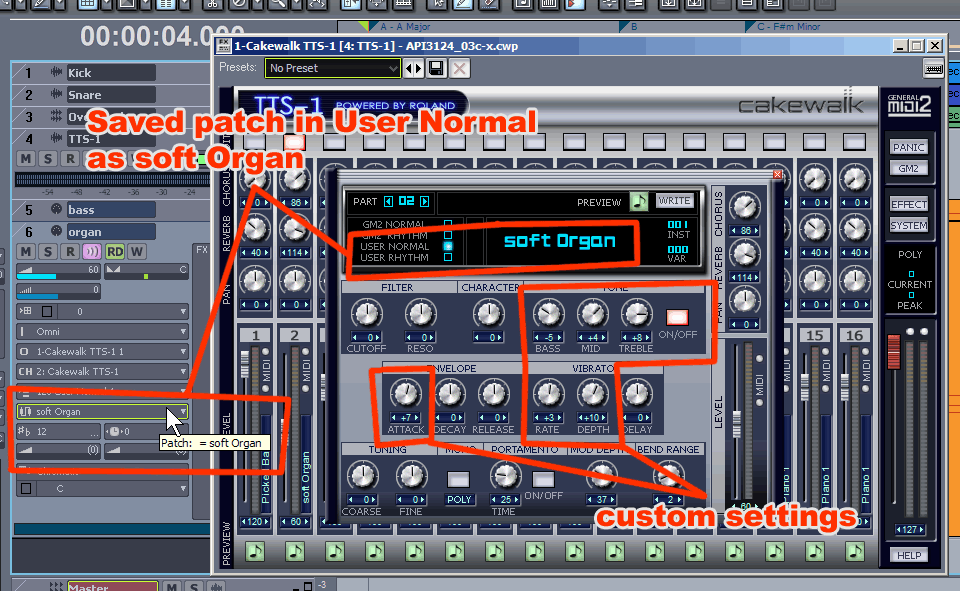


And you can see it was added to the User Normal Patch list:
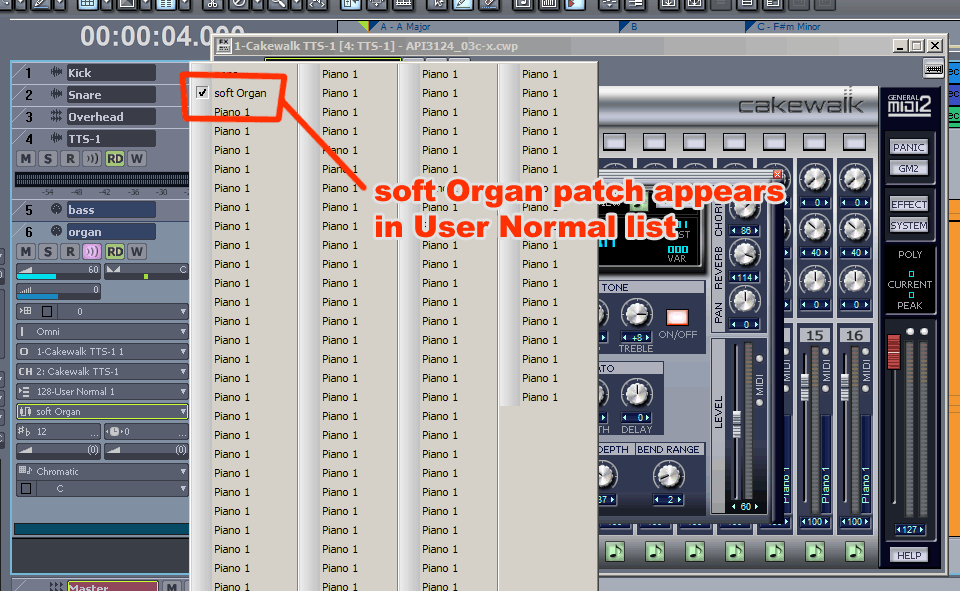


Then I save and close the project.

Then I open the project... and my user patch is gone:
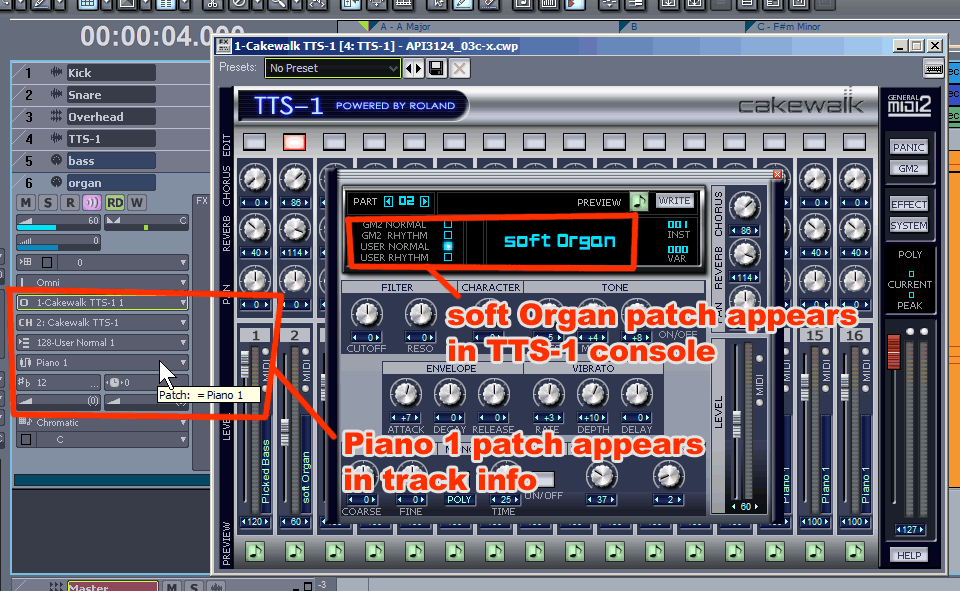


As you can see it has disapeared from the list:
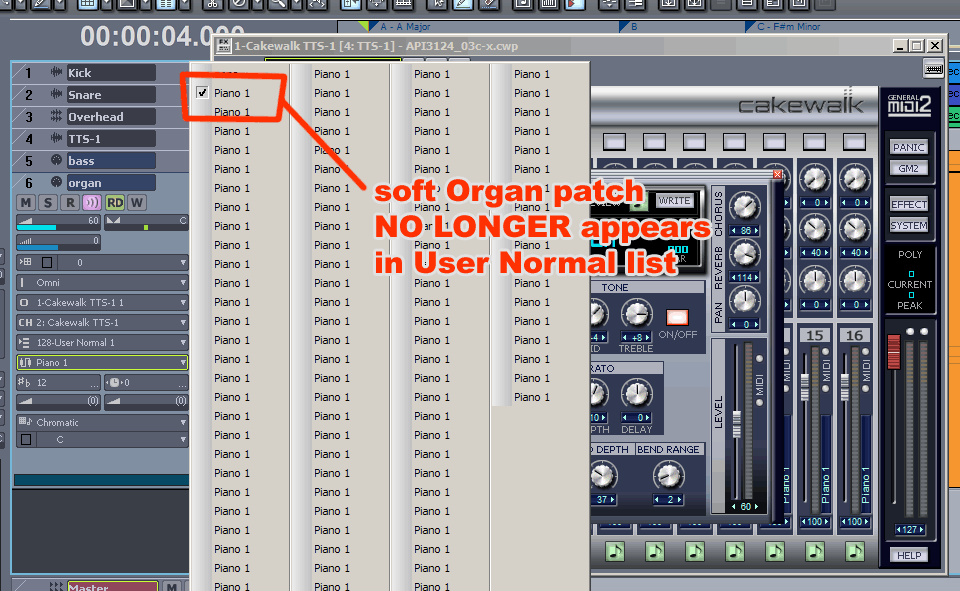


The real problem seems to be that if you hit play or go searching for your missing patch you WILL LOSE ALL THE PRESET DATA FOR THAT PATCH which really sucks... big time.

So what you have to do is immediately after you open the project... as in, BEFORE YOU HIT PLAY you need to switch your patch selection to "none". Does anyone know why this is?
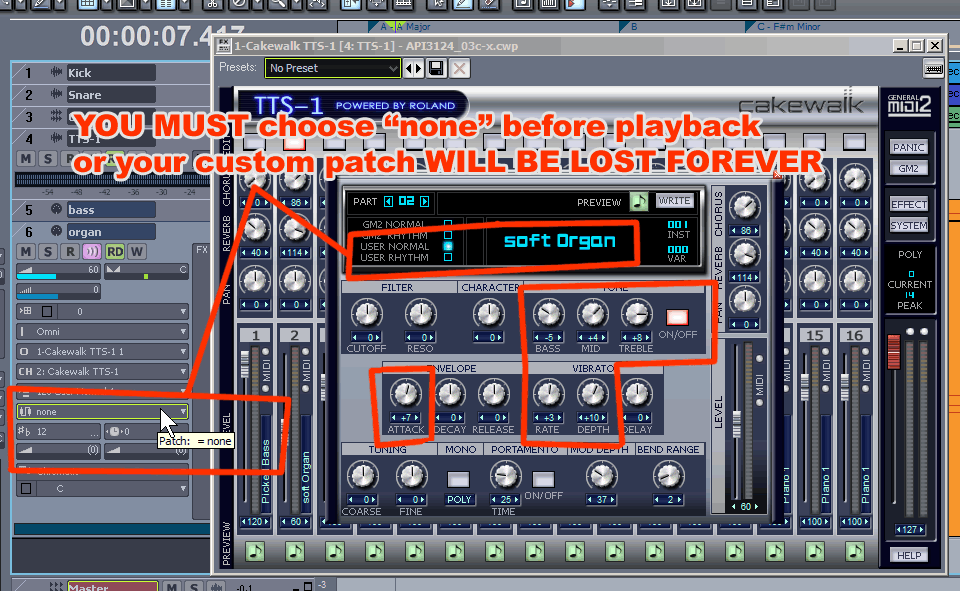


In the past I'd noticed squirrely behavior with TTS-1 patch selections.

I haven't fully explored the ramifications of this buggish behaviour. For example; what happens if you have 2 or more custom patches? Do you set them all to "none"? Another Example; what happens if you mistakenly assign the same TTS-1 channel to another track? I think that anhilates the user preset and you are screwed... I haven't tried to screw myself yet... but a quick test suggests that this is the case.

Are we all just SONAR beta testers these days? I keep trying to make music and find myself spending more and more time learning work arounds than I think should be neccesary.

Any comments or suggestions? I'd welcome them.

best regards,
mike


2007/12/10 16:21:51
vespesian
With TTS, I use a 'program change' event insertion - not from the track strip - and even if it's the first/only patch for a given track. I do this via the event list. Then everything works fine.
2007/12/10 16:34:57
robby
So Mike, you're having a problem with your soft organ?
2007/12/10 16:49:02
Bob Damiano [Cakewalk]
So what you have to do is immediately after you open the project... as in, BEFORE YOU HIT PLAY you need to switch your patch selection to "none".


I was about to reply with this but I see you figured it out. It's a known issue with TTS-1 (in fact I think I logged it myself).
2007/12/10 19:29:05
The Maillard Reaction
>vespian: thanks for the suggestion,

"With TTS, I use a 'program change' event insertion - not from the track strip - and even if it's the first/only patch for a given track. I do this via the event list. Then everything works fine. "

but I just tried this and when I saved, closed, and re-opened the project the patch was REVERTED BACK to Piano 1

I do appreciate the idea and suggestion.

>ronniebuss2: thanks for a good suggestion for a workaround. I fear that when I archive projects I will really regret using this method. But I'll try it for now.

>Bob: you're a gentleman... thanks for the candor. I hope you remind the guys about this the next time you're all at the water cooler. Can you have multiple instances of "none" and keep a project happy?

It really would be nice to know if Cakewalk has intention of fixing and tweaking these types of issues or if they intend to just continue inventing new features and bundling other not quite right add-ons hoping we'll outgrow the old ones.

best regards,
mike


2007/12/10 19:39:51
The Maillard Reaction
OK everyone... :-)

do your part.

CWBRN-642

2007/12/11 11:49:47
The Maillard Reaction
I checked this morning.

If you go through the routine descibed above each time you make a User patch and set the patch to "none" you may have multiple instances of "none" which are somehow saved within the project with the custom parameter settings that you saved. You just can't use them anywhere else.

So you cannot effectively build or utilize a useful User Normal bank unless you save them custom as decribed by ronnie.
2007/12/11 12:05:47
lightninrick

ORIGINAL: ronniebuss2

I also had this problem. I would tweak a sound, save it in a user slot and set up the track to choose that sound. When I would open the file and press play the sound would revert back to the original sound. I called CW and they told me to eliminate the track patch choice. Huh??? They told me to choose none as the patch. Sure enough that worked. I still don't understand that. Any one else out there have a guess as to why this is?
Ron


Yeah, the reason is that when you tell Cakewalk to have a plugin bring up a factory preset patch, it brings up the original patch as defined by the factory, not your modified version, unless you have replaced the factory version with your version (which I'm not even sure you can do--I think your own saved presets are stored separately from the factory banks as a rule). If you don't tell it to bring up a certain patch, it will default to whatever was set up in your plugin at the time you most recently saved the project.

One useful procedure is to create your patch and save it with a descriptive name (e.g. Song 1 v3 organ v2), then set the MIDI track patch name to "none." Your plugin setup will default to your modified patch, and you can re-use the modified patch on another song if you like.

regards, lightninrick
© 2026 APG vNext Commercial Version 5.1

Use My Existing Forum Account

Use My Social Media Account