Depending on how you choose to work in Addictive Drums you may or may not want to have what are called "multiple outs". This can be dictated by the popup dialog when you insert the synth (AD2).
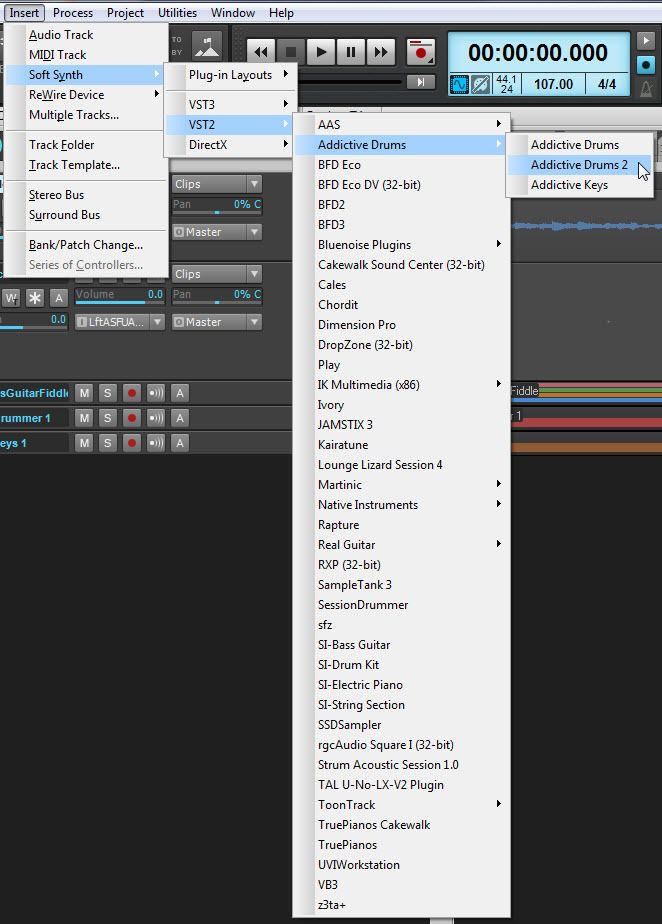
Assume you insert the AD2 like this:
You will get a dialog like this:
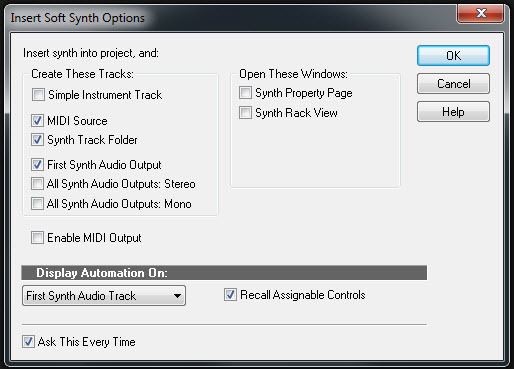
Notice the three options below the checked box for Synth Track Folder?
The option checked in the example will produce simply two tracks, one MIDI and one Audio.
If you chose that option most of your mixing of the drums would be done AD2's mixer.
Now if you select All Synths Outputs: Stereo, you will get 9 audio tracks set to Stereo. Those audio tracks can be changed to represent what ever you want. But here is an example of the default for track 1 (of the AD2 folder).
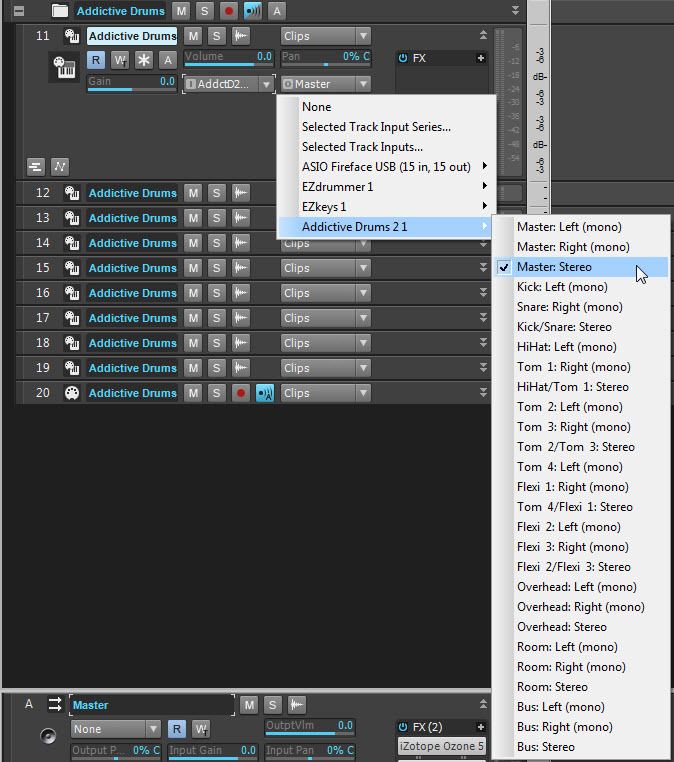
Tracks 2-9 (of the folder are set to the remaining stereo pairs).
Now, why would you want tack 12 to be the kick on the left and the snare on the right? You'd probably want the Kick and snare in the center (mono tracks). You can do that thus.
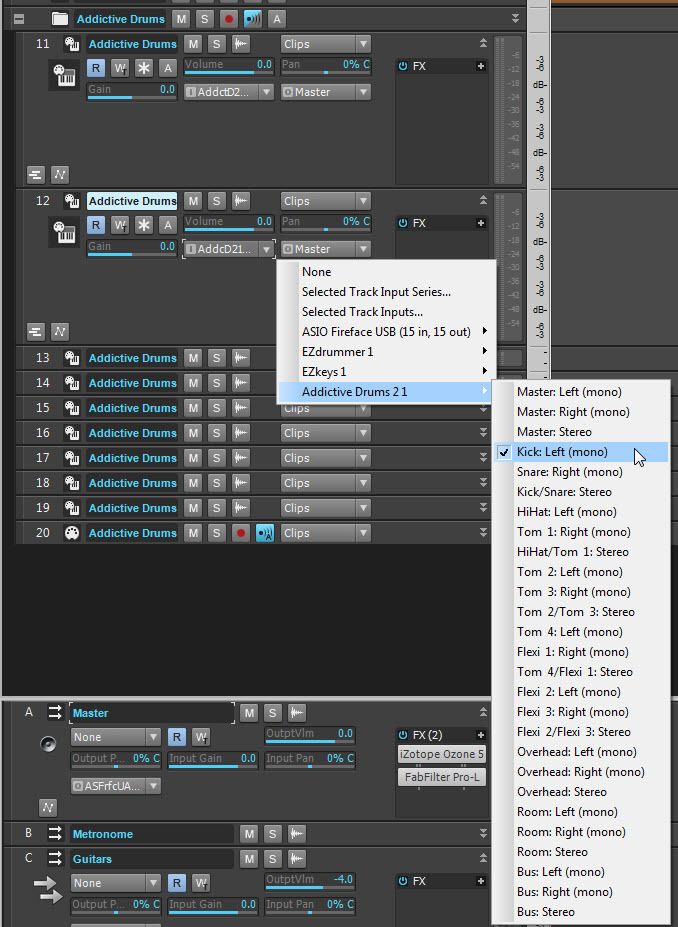
But... if you did that for tracks 12 and 13 (kick and snare) you will now have disrupted the stereo pair for the toms.
Maybe when you created your AD2 choice in SONAR you got 18 audio tracks, via All Synths Outputs: Mono. If so now you have all the kit pieces as mono but you also have your first two tracks as L and R of the Master outs in AD2.
Assuming you to control the elements of your drum kits with multiple outs, its a little convoluted for the un-initaited. What you probably want is hybrid. Some stereo and some mono. With that in mid, read up on track templates and create your favorite way to work with AD2 and in each new project you can simply insert your track template.
Next to last caveat. With multiple outs you need to tell AD2 that you want the kit pieces to be sent to the multiple oust of SONAR. You do this by clicking the lowest button on each track/bus in AD2 (the red arrows).
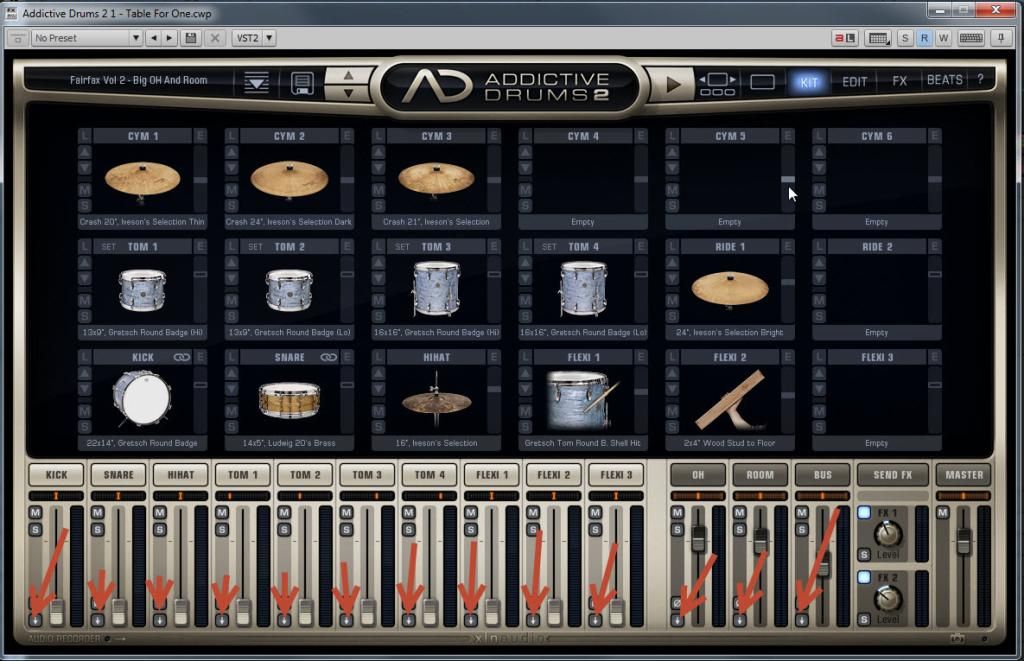
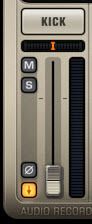
After clicking a dialog comes up with choices of where you want the routing to go. That is your choice. I happen to always choose separate outs. Once clicked the track/bus looks like this.
Now come the creative part....... you'll need to decide how you want those SONAR track to be your hybrid.
Hope this helps just a little more.