Canopus
Max Output Level: -85 dBFS

- Total Posts : 261
- Joined: 2014/12/20 14:02:38
- Status: offline

Re: Show Us Your Control Bar!
2015/05/30 17:43:12
(permalink)
☄ Helpfulby arachnaut 2015/05/30 19:46:13
Well, being a Sonar beta tester I probably shouldn't show you this. But I have in front of me the next release of Sonar and I just can't resist showing you some of its new features. I actually think it's quite impressive. 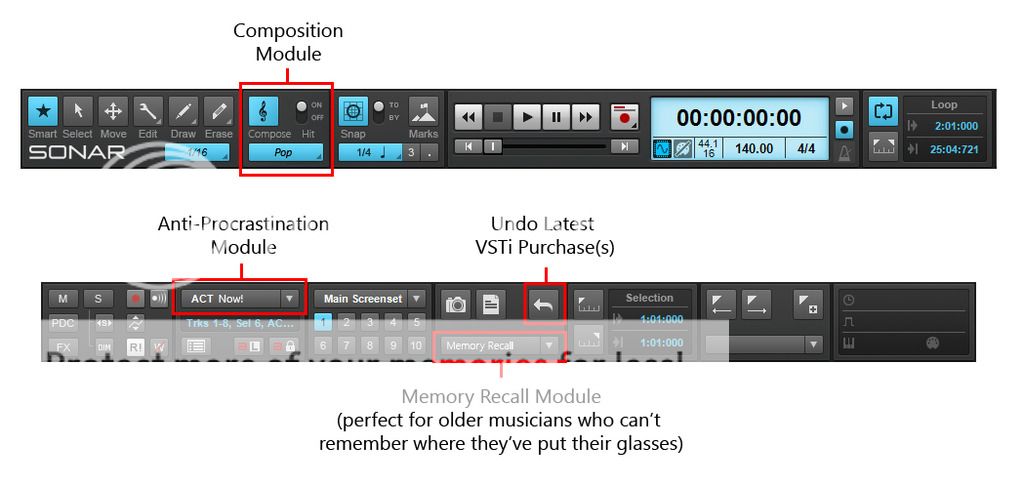 I think that the Composition AI Module (CAM) is the one that most people will embrace, but the Memory Recall Module (MRM) is definitely the one that will be most useful to me.
|
konradh
Max Output Level: -42 dBFS

- Total Posts : 3325
- Joined: 2006/01/16 16:07:06
- Status: offline
Re: Show Us Your Control Bar!
2015/05/30 17:56:03
(permalink)
How are you guys pasting the actual picture instead of the imgur link?
Konrad Current album and more: http://www.themightykonrad.com/ Sonar X1d Producer. V-Studio 700. PC: Intel i7 CPU 3.07GHz, 12 GB RAM. Win 7 64-bit. RealGuitar, RealStrat, RealLPC, Ivory II, Vienna Symphonic, Hollywood Strings, Electr6ity, Acoustic Legends, FabFour, Scarbee Rick/J-Bass/P-Bass, Kontakt 5. NI Session Guitar. Boldersounds, Noisefirm. EZ Drummer 2. EZ Mix. Melodyne Assist. Guitar Rig 4. Tyros 2, JV-1080, Kurzweil PC2R, TC Helicon VoiceWorks+. Rode NT2a, EV RE20. Presonus Eureka. Rokit 6s.
|
arachnaut
Max Output Level: -67 dBFS

- Total Posts : 1168
- Joined: 2007/05/05 17:24:33
- Location: Sunnyvale, CA USA
- Status: offline
Re: Show Us Your Control Bar!
2015/05/30 19:38:09
(permalink)
konradh
How are you guys pasting the actual picture instead of the imgur link?
I upload my images to my web site and link via image URL.
- Jim Hurley - SONAR Platinum - x64 - Windows 10 Pro ASUS P8P67 PRO Rev 3.0; Core i7-2600K@4.4GHz; 16 GB G.SKILL Ripjaws X; GeForce GT 740; Saffire Pro14 MixControl 3.7; Axiom 61 64-Bit audio, SR: 48kHz, ASIO 256 samples latency, Rec/Play I/O Buffers 512k, Total Round Trip Latency 13 ms, Pow-r 3 dither
|
RD9
Max Output Level: -87 dBFS

- Total Posts : 154
- Joined: 2015/04/04 02:51:09
- Status: offline
Re: Show Us Your Control Bar!
2015/05/31 00:25:06
(permalink)
Canopus - I am using the same Beta version. One problem I have found is that when I choose Polka in the Composition Module the "Hit switch won't turn on" ;)
It would also be great to have a "Boss Button" like they had on Flight Simulator in the 80s. I would program mine to come up with a jewellery site so it would look like I handn't forgotten our anniversary this year.
|
scook
Forum Host

- Total Posts : 24146
- Joined: 2005/07/27 13:43:57
- Location: TX
- Status: offline
Re: Show Us Your Control Bar!
2015/05/31 00:35:51
(permalink)
☄ Helpfulby Vastman 2015/05/31 01:13:12
konradh
How are you guys pasting the actual picture instead of the imgur link?
I click the BBCode option and paste this into my msg  The other way is paste the url in the Edit/Image dialog 
|
mudgel
Max Output Level: 0 dBFS

- Total Posts : 12010
- Joined: 2004/08/13 00:56:05
- Location: Linton Victoria (Near Ballarat)
- Status: offline

Re: Show Us Your Control Bar!
2015/05/31 01:25:45
(permalink)
Steve, in the top pic, where does that menu come from.
I spend much of my forum time on a mobile device so don't get access to advanced post options. Usually this means I can only post a link unless I first upload a picture to a hosting site. If it's on Onedrive only the link appears.
Mike V. (MUDGEL) STUDIO: Win 10 Pro x64, SPlat & CbB x64, PC: ASUS Z370-A, INTEL i7 8700k, 32GIG DDR4 2400, OC 4.7Ghz. Storage: 7 TB SATA III, 750GiG SSD & Samsung 500 Gig 960 EVO NVMe M.2. Monitors: Adam A7X, JBL 10” Sub. Audio I/O & DSP Server: DIGIGRID IOS & IOX. Screen: Raven MTi + 43" HD 4K TV Monitor. Keyboard Controller: Native Instruments Komplete Kontrol S88.
|
scook
Forum Host
- Total Posts : 24146
- Joined: 2005/07/27 13:43:57
- Location: TX
- Status: offline
Re: Show Us Your Control Bar!
2015/05/31 01:31:38
(permalink)
mudgel
Steve, in the top pic, where does that menu come from.
The imgur.com page in my PC Firefox after uploading an image. I do not use a mobile device on this forum.
|
Canopus
Max Output Level: -85 dBFS
- Total Posts : 261
- Joined: 2014/12/20 14:02:38
- Status: offline
Re: Show Us Your Control Bar!
2015/05/31 03:59:36
(permalink)
RD9
Canopus - I am using the same Beta version. One problem I have found is that when I choose Polka in the Composition Module the "Hit switch won't turn on" ;)
I've noticed that as well and filed a bug report. However, the Cakewalk team came back to me and said that behaviour was by design and not to be considered as a bug.
|
mudgel
Max Output Level: 0 dBFS
- Total Posts : 12010
- Joined: 2004/08/13 00:56:05
- Location: Linton Victoria (Near Ballarat)
- Status: offline
Re: Show Us Your Control Bar!
2015/05/31 04:07:21
(permalink)
test of using imgur.com on mobile device. It worked but I used someone else's control bar image so have deleted it. Nothing to see here.
post edited by mudgel - 2015/05/31 04:44:39
Mike V. (MUDGEL) STUDIO: Win 10 Pro x64, SPlat & CbB x64, PC: ASUS Z370-A, INTEL i7 8700k, 32GIG DDR4 2400, OC 4.7Ghz. Storage: 7 TB SATA III, 750GiG SSD & Samsung 500 Gig 960 EVO NVMe M.2. Monitors: Adam A7X, JBL 10” Sub. Audio I/O & DSP Server: DIGIGRID IOS & IOX. Screen: Raven MTi + 43" HD 4K TV Monitor. Keyboard Controller: Native Instruments Komplete Kontrol S88.
|
Wookiee
Rrrrugh arah-ah-woof?
- Total Posts : 13306
- Joined: 2007/01/16 06:19:43
- Location: Akahaocwora - Village Yoh Kay
- Status: offline
Re: Show Us Your Control Bar!
2015/05/31 12:03:41
(permalink)
S-Plat Control Bar at The 4077. This is spread over two 27" screens the red line indicates the split between the screens.  Here is a shortened view 
post edited by Wookiee - 2015/05/31 12:12:59
Life is not about waiting for the storm to pass, it's about learning to dance in the rain.
Karma has a way of finding its own way home.
Primary, i7 8700K 16Gigs Ram, 3x500gb SSD's 2TB Backup HHD Saffire Pro 40. Win 10 64Bit Secondary i7 4790K, 32GB Ram, 500Gb SSD OS/Prog's, 1TB Audio, 1TB Samples HHD AudioBox USB, Win 10 64Bit CbB, Adam's A7x's - Event 20/20's, Arturia V6, Korg Digital Legacy, Softube Modular, Arturia Keylab-88, USB-MidiSport 8x8
|
konradh
Max Output Level: -42 dBFS
- Total Posts : 3325
- Joined: 2006/01/16 16:07:06
- Status: offline
Re: Show Us Your Control Bar!
2015/05/31 14:52:46
(permalink)
Konrad Current album and more: http://www.themightykonrad.com/ Sonar X1d Producer. V-Studio 700. PC: Intel i7 CPU 3.07GHz, 12 GB RAM. Win 7 64-bit. RealGuitar, RealStrat, RealLPC, Ivory II, Vienna Symphonic, Hollywood Strings, Electr6ity, Acoustic Legends, FabFour, Scarbee Rick/J-Bass/P-Bass, Kontakt 5. NI Session Guitar. Boldersounds, Noisefirm. EZ Drummer 2. EZ Mix. Melodyne Assist. Guitar Rig 4. Tyros 2, JV-1080, Kurzweil PC2R, TC Helicon VoiceWorks+. Rode NT2a, EV RE20. Presonus Eureka. Rokit 6s.
|
shawn@trustmedia.tv
Max Output Level: -54 dBFS

- Total Posts : 2136
- Joined: 2008/12/06 09:41:18
- Location: Hastings, MN
- Status: offline
Re: Show Us Your Control Bar!
2015/06/02 15:56:05
(permalink)
Anderton
arachnaut
shawn@trustmedia.tv
Control Bar with custom meter mod... :)

I want that for real! -S
What is the meter showing?
Good question. Maybe the master out, or it could be context sensitive and show whichever channel was selected.
In my mind I envision it metering the 36 or so different EQ points of the Master Out, just like the Windows Media Player visualization - "Bars & waves/Bars" because I like lights and meters and bars and such!
Studio SONAR X3. Axiom 25 midi controller, DUNE 2, Producer Content, Good Times, Bandlab Mojo 
|
Anderton
Max Output Level: 0 dBFS
- Total Posts : 14070
- Joined: 2003/11/06 14:02:03
- Status: offline
Re: Show Us Your Control Bar!
2015/06/02 16:19:56
(permalink)
Spencer

Here's mine. This stuff is highly scientific. The custom module is at the left, where I would instinctively look for menu functions. The mix module is aligned with the mix functions of the track view...[etc.]
Just wanted to follow up and mention that I did in fact arrange the Control Bar this way, and I like it a lot. I haven't quite figured out what to put in the custom buttons, most of what I need is on keyboard shortcuts - however, putting a button for the Info screen has proven to be very useful. I have made a few relatively small changes, but the basic structure works well for me. Thanks!
|
konradh
Max Output Level: -42 dBFS
- Total Posts : 3325
- Joined: 2006/01/16 16:07:06
- Status: offline
Re: Show Us Your Control Bar!
2015/06/02 23:13:28
(permalink)
How do you live without the drop-down for the markers ("auto-locate")? For me, being able to jump to a verse, chorus, ending, vocal pick-up, etc. is pretty important. One weird thing I do is to put a marker called PU a bar before each marker so I have a pick-up leading into a section. (If you do Dragon Force songs, you might need more than a one-bar pick-up.  ) For a simple song, my markers might look something like this: Count Intro PU V1 PU CH1 PU Interlude PU V2 PU CH2 PU End
Konrad Current album and more: http://www.themightykonrad.com/ Sonar X1d Producer. V-Studio 700. PC: Intel i7 CPU 3.07GHz, 12 GB RAM. Win 7 64-bit. RealGuitar, RealStrat, RealLPC, Ivory II, Vienna Symphonic, Hollywood Strings, Electr6ity, Acoustic Legends, FabFour, Scarbee Rick/J-Bass/P-Bass, Kontakt 5. NI Session Guitar. Boldersounds, Noisefirm. EZ Drummer 2. EZ Mix. Melodyne Assist. Guitar Rig 4. Tyros 2, JV-1080, Kurzweil PC2R, TC Helicon VoiceWorks+. Rode NT2a, EV RE20. Presonus Eureka. Rokit 6s.
|
Anderton
Max Output Level: 0 dBFS
- Total Posts : 14070
- Joined: 2003/11/06 14:02:03
- Status: offline
Re: Show Us Your Control Bar!
2015/06/02 23:15:48
(permalink)
konradh
How do you live without the drop-down for the markers ("auto-locate")? For me, being able to jump to a verse, chorus, ending, vocal pick-up, etc. is pretty important.
I don't use all that many markers, so stepping through with keyboard shortcuts handles most of what I need to do.
|
Spencer
Max Output Level: -85 dBFS
- Total Posts : 299
- Joined: 2005/06/21 00:12:35
- Location: Montréal, QC
- Status: offline
Re: Show Us Your Control Bar!
2015/06/03 11:45:02
(permalink)
Anderton
Just wanted to follow up and mention that I did in fact arrange the Control Bar this way, and I like it a lot. I haven't quite figured out what to put in the custom buttons, most of what I need is on keyboard shortcuts - however, putting a button for the Info screen has proven to be very useful.
I have made a few relatively small changes, but the basic structure works well for me. Thanks!
Welcome sir, glad you like it. As a favor, feel free to try and convince cakewalk how a rapid implementation of my automation concepts would be beneficial to everyone. 
|
RD9
Max Output Level: -87 dBFS
- Total Posts : 154
- Joined: 2015/04/04 02:51:09
- Status: offline
Re: Show Us Your Control Bar!
2015/06/04 03:28:52
(permalink)
The post (below) reminded me that there are a number of ways to approach Sonar. Fortunately it seems to accommodate these differences quite well. I tend to be Mouse oriented so I often use Sonar with my right hand on the mouse and use my left hand mostly for single-key shortcuts like [F]. Therefore, I would much prefer a double up-arrow in the bottom right corner of the MultiDock to maximise it instead of the [CTRL]-D shortcut. WRT to the Control Bar, it may be that Mousers like me might even benefit from a second instance of the Custom Module. Anderton
konradh
How do you live without the drop-down for the markers ("auto-locate")? For me, being able to jump to a verse, chorus, ending, vocal pick-up, etc. is pretty important.
I don't use all that many markers, so stepping through with keyboard shortcuts handles most of what I need to do.
|
mudgel
Max Output Level: 0 dBFS
- Total Posts : 12010
- Joined: 2004/08/13 00:56:05
- Location: Linton Victoria (Near Ballarat)
- Status: offline
Re: Show Us Your Control Bar!
2015/06/04 04:03:30
(permalink)
RD9
The post (below) reminded me that there are a number of ways to approach Sonar. Fortunately it seems to accommodate these differences quite well. I tend to be Mouse oriented so I often use Sonar with my right hand on the mouse and use my left hand mostly for single-key shortcuts like [F]. Therefore, I would much prefer a double up-arrow in the bottom right corner of the MultiDock to maximise it instead of the [CTRL]-D shortcut. WRT to the Control Bar, it may be that Mousers like me might even benefit from a second instance of the Custom Module.Anderton
konradh
How do you live without the drop-down for the markers ("auto-locate")? For me, being able to jump to a verse, chorus, ending, vocal pick-up, etc. is pretty important.
I don't use all that many markers, so stepping through with keyboard shortcuts handles most of what I need to do.
Konradh is still on Sonar X1 I think.
Mike V. (MUDGEL) STUDIO: Win 10 Pro x64, SPlat & CbB x64, PC: ASUS Z370-A, INTEL i7 8700k, 32GIG DDR4 2400, OC 4.7Ghz. Storage: 7 TB SATA III, 750GiG SSD & Samsung 500 Gig 960 EVO NVMe M.2. Monitors: Adam A7X, JBL 10” Sub. Audio I/O & DSP Server: DIGIGRID IOS & IOX. Screen: Raven MTi + 43" HD 4K TV Monitor. Keyboard Controller: Native Instruments Komplete Kontrol S88.
|
RD9
Max Output Level: -87 dBFS
- Total Posts : 154
- Joined: 2015/04/04 02:51:09
- Status: offline
Re: Show Us Your Control Bar!
2015/06/04 04:38:11
(permalink)
Apologies Mr. Mudgel, I was actually trying (in my own clumsy way) to reference Prof. Anderton's statement about using keyboard shortcuts. I am guessing he has a later version :)
|
kevmsmith81
Max Output Level: -85 dBFS
- Total Posts : 259
- Joined: 2015/04/24 16:13:01
- Location: Winchester, UK
- Status: offline
Re: Show Us Your Control Bar!
2015/06/04 06:28:02
(permalink)
I'm really lazy. Mine's not been altered in any way, so is the default control bar you get in Sonar Professional.
|
jps
Max Output Level: -85 dBFS
- Total Posts : 280
- Joined: 2007/10/05 09:25:48
- Location: NORWAY
- Status: offline
Re: Show Us Your Control Bar!
2015/06/04 08:01:10
(permalink)
|
RD9
Max Output Level: -87 dBFS
- Total Posts : 154
- Joined: 2015/04/04 02:51:09
- Status: offline
Re: Show Us Your Control Bar!
2015/06/04 19:46:58
(permalink)
[follow up to my previous post regarding my orientation (mouse vs keyboard!)]
I can envision having two instances of the Custom Module as follows:
1) writing and recording,
2) mixing.
Is this madness?
|
RonCaird
Max Output Level: -88 dBFS

- Total Posts : 101
- Joined: 2012/10/04 21:16:41
- Location: Atlanta, GA
- Status: offline
Re: Show Us Your Control Bar!
2015/06/04 21:00:06
(permalink)
konradh
How do you live without the drop-down for the markers ("auto-locate")? For me, being able to jump to a verse, chorus, ending, vocal pick-up, etc. is pretty important.
One weird thing I do is to put a marker called PU a bar before each marker so I have a pick-up leading into a section.
The PU marker is an interesting idea. I usually just put the marker a measure before the section so the count-in is there by design. Scrolling a measure to get to the actual start for editing is not a big deal. I am using more and more keyboard shortcuts and less mouse. I also use a little Korg nanoKontrol, mostly when recording, for the transport controls and to arm, mute, solo tracks easily from several feet away.
|
Re: Show Us Your Control Bar!
2015/06/05 18:44:52
(permalink)
I vote for control bar presets.
|
DRanck
Max Output Level: -78 dBFS

- Total Posts : 608
- Joined: 2013/05/31 18:35:32
- Location: Sarasota, FL USA
- Status: offline
Re: Show Us Your Control Bar!
2015/06/06 12:06:58
(permalink)
My Sound CloudWebsiteYoutube ChannelThe way that I've always gone about making music, the rule of thumb, has just been to make what I love. Amy Lee Sonar Pro 64 (Newburyport), Akai Pro MPK 88, i7-4770K, ASUS Z87-PRO V, 32GB SDRAM 1866, SAMSUNG 840 EVO 500GB SSD, 2 - WD BLACK 2TB, Samsung USB 3.0 SSD, Win 10 Pro 64, Radeon R9 270 Video 2GB, Dell P2314T 23" Touchscreen, Gateway 23" monitor, Presonus USB Audio Interface, Surface Pro 2 w/ Xotopad as a control surface
|
joel77
Max Output Level: -81 dBFS

- Total Posts : 489
- Joined: 2004/01/14 11:47:08
- Status: offline
Re: Show Us Your Control Bar!
2015/06/07 11:25:50
(permalink)
konradh
One weird thing I do is to put a marker called PU a bar before each marker so I have a pick-up leading into a section. (If you do Dragon Force songs, you might need more than a one-bar pick-up. ) For a simple song, my markers might look something like this:
This is great idea, Conrad. I'm going to incorporate this in more complex arrangements. Thanks!!
Joel Glaser Studio 52 God Bless America ----------------------------------------------------------------------------- Sonar x64, Win 7 Pro, Gigabyte GA-X58A-UD3R, Intel i7-930 2.86GHz dual quad core, 12GB Corsair DDL3, Asus ATI Radion HD 4350, WD 500 GB SATA, Dual WD 1TB SATA HDs, ME RayDAT, Alesis HD24XR - A/D-D/A https://www.facebook.com/...dio-52/811309178917929www.thebrothersglaser.com
|
joel77
Max Output Level: -81 dBFS
- Total Posts : 489
- Joined: 2004/01/14 11:47:08
- Status: offline
Re: Show Us Your Control Bar!
2015/06/07 11:28:20
(permalink)
RD9
......... it may be that Mousers like me might even benefit from a second instance of the Custom Module. ......
THIS would make my life (on Sonar) MUCH nicer!! Feature request, mayhaps??
Joel Glaser Studio 52 God Bless America ----------------------------------------------------------------------------- Sonar x64, Win 7 Pro, Gigabyte GA-X58A-UD3R, Intel i7-930 2.86GHz dual quad core, 12GB Corsair DDL3, Asus ATI Radion HD 4350, WD 500 GB SATA, Dual WD 1TB SATA HDs, ME RayDAT, Alesis HD24XR - A/D-D/A https://www.facebook.com/...dio-52/811309178917929www.thebrothersglaser.com
|