Step sequencer - Addictive Drums 2 / Sonar X3 Producer
Hi Everyone
I'm having some trouble with using Addictive Drums 2 in step sequencer mode. A friend of mine created the 'template' or pattern below for me just so that I could refer to actual drum names rather than notes when entering data into the step sequencer (Figure 1):
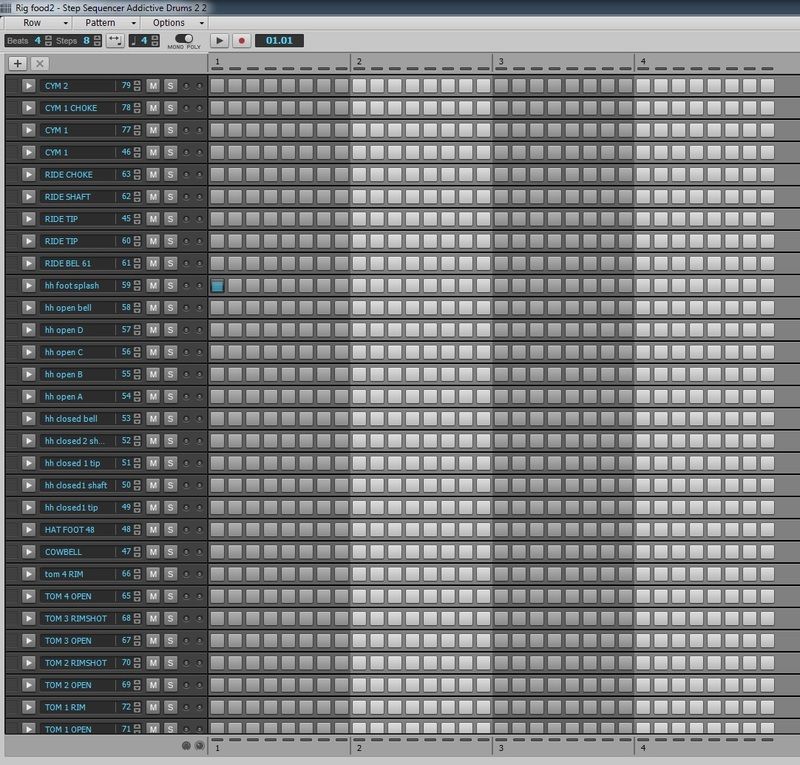
This works very well when inputting sequences manually. However, when I input data using a midi keyboard (Yamaha XS8) and then select that data to edit in the step sequencer, then it automatically loads this template (Figure 2):

If I then try and load my pattern (Figure 1) then the midi data disappears.
Obviously I would prefer for all data in the step sequencer to be loaded into my pattern (Figure 1) by that becoming the default. I had a look through the forum topics and tried one of the suggestions which was to go into Edit/Preferences/File/Folder locations/Step sequences then select the folder containing your preferred template, but unfortunately that has not worked.
Can anyone help out?
Many thanks
Darran