• Computers
  • BSODs and cannot do a chkdsk c: /F [Partially SOLVED; see post 11]
2012/12/18 16:54:24
bapu
I have been seeing BSODs every morning (I leave the computer on 24/7) since either Friday (14 Dec) or Saturday (15 Dec) morning. The event viewer simply ends with no error messages, usually around 1 to 3 AM.


So I decided that maybe a chkdsk c: /F would not hurt. Well, that's a no go:
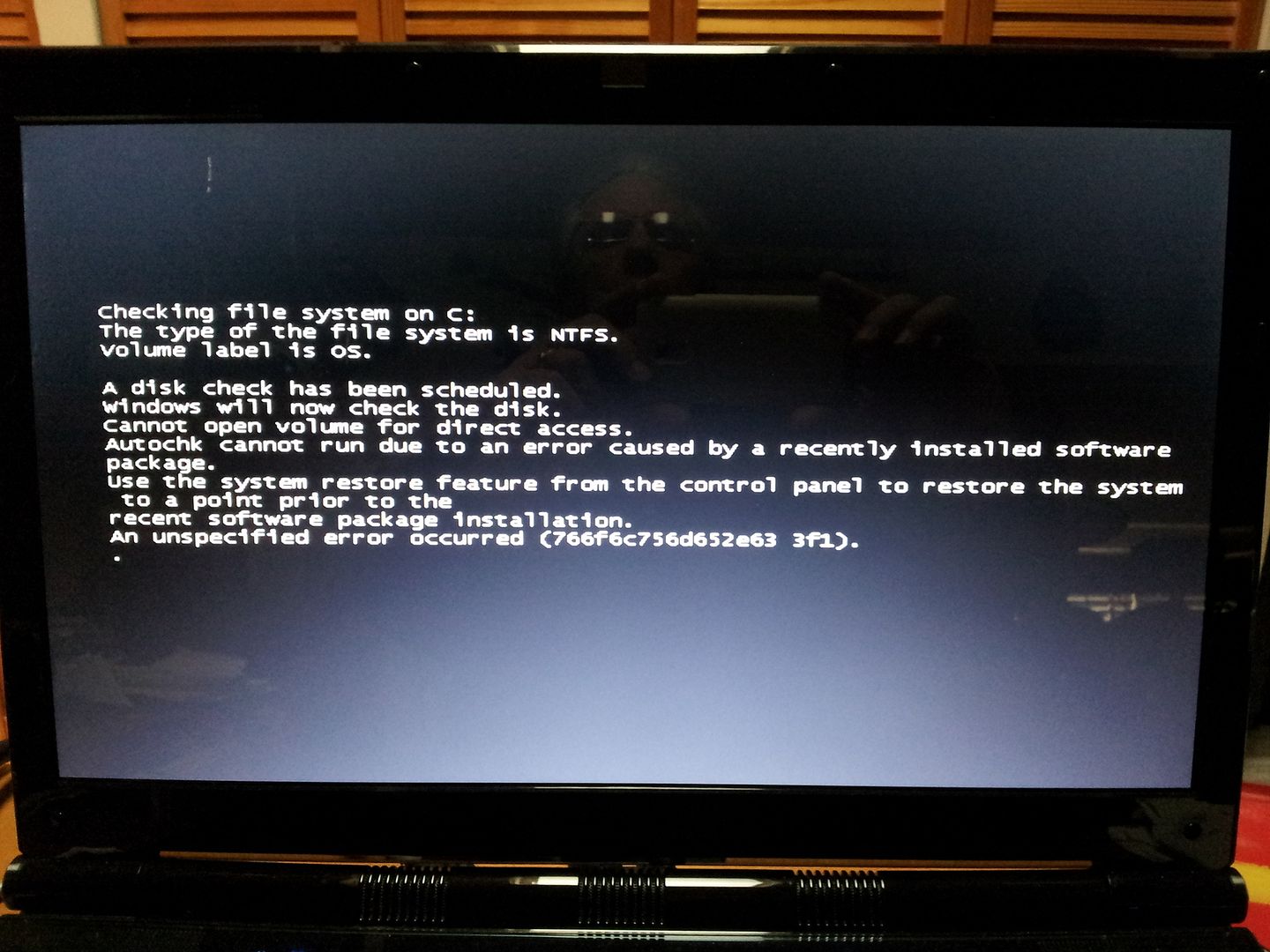


So, I go look into my installed programs for the 12th and 13th.


It appears that on the 13th my auto MS updates put up SP3 for my Office 2003 suite (I must use this suite for paid work I am doing, I ***CANNOT*** upgrade or change to Open Office). I have since turned off updates.


Well, I cannot delete that SP3 thru Control Panel Uninstall. The process start but once the "Gathering..." dialog appears it simply goes away and nothing happens.


The only other installed stuff on the 12th or 13th was XLN Online Installer did an update. This was done on both this lappy and the DAW on the same day. The DAW does not fail (it too simply runs 24/7).


Also, I tried to go back to restore point on the 10th (or 11th) but that fails with the same message about an installed program "got in the way"

So now I'm off to find out how to manually (and completely) remove SP3 of Office 2003. If I have to remove the whole suite I can re-install unless anyone has any other suggestions. 

Sadly my last OS drive image was 23 August so if I have to go back to that I have about elevety-jillion installs. Man I am so lame for being a "computer professional"


2012/12/18 17:00:10
John6528
Have you tried working in safe mode? Open with as few things loaded as possible. Then try chkdsk. 
John
2012/12/18 17:02:21
bapu
John6528


Have you tried working in safe mode? Open with as few things loaded as possible. Then try chkdsk. 
John

Yes, I tried that. 

That fails too.
2012/12/18 17:20:04
digi2ns
Have you read this thread Ed

http://social.technet.mic...4499-948d-072c0d8930c4

BTW-Nice shades  LOL
2012/12/18 17:55:16
bapu
Mike,

I have a 32GB separate partition on my OS drive but as that thread implies, I should assign a drive letter? I cannot do that. I only have the option to delete that partition. Seems like I may not want to do that? I think that is a recovery partition provided by ADK Computers who built my laptop DAW (which is not to be confused with my primary DAW).


2012/12/18 20:24:47
noldar12
Have you done a search to get more information on what 0x00009086 might mean?

A quick search yielded a couple possibilities, but not much by way of really helpful adivce.  At least, you are not the only one who has ever had that problem (not that that is any comfort).

Another option, worst case, would be to call ADK.  Their technical help is generally very good (know from personal experience).
2012/12/18 20:55:04
haydn12
Check System log in Event Viewer for errors.  That is usually one of the first troubleshooting steps I do.   

One thing that is odd is the physical memory error when the OS tries to write to the crash dump file.

Jim
2012/12/19 01:22:33
Old55
Check the application log too.  

Did you try uninstalling SP3 in safe mode?  

Good luck.  
2012/12/19 08:02:11
The Maillard Reaction
The last time I had something that severe I ran a memtest bootable disc and found out my mem wasn't remembering stuff correctly.


It's just a wild shot in the dark... but the recent updates may just be a coincidence.


Good luck.


best regards,
mike
2012/12/19 09:39:02
jcschild
Bapu,
give our support a call. (should always be the first thing you do)
remember lifetime support?

12
© 2025 APG vNext Commercial Version 5.1

Use My Existing Forum Account

Use My Social Media Account