• SONAR
  • Generating Audio Transients
2015/12/29 11:17:36
DeeringAmps
I've been getting this when loading a few projects lately.
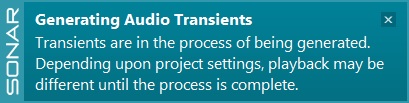
These are projects that should not have audio snap active in them.
Once upon a time "A" made a complete mess of things, but I disabled that long before the shortcut was removed.
I don't want to blame this on Lexington, but it seems to have popped up after the Lex update.
How do I find the tracks that are affected?
I know we covered this long ago, but I can't find the thread...
TIA,
Tom
2015/12/29 11:53:40
Beepster
Check your Track "Edit Filters" to see if any of them are set to "Transients" instead of "Clips".
 
Cheers.
2015/12/29 12:18:30
Bristol_Jonesey
Select all your clips and Bounce to Clip.
 
This will/should get rid of the problem
2015/12/29 17:21:03
bluzdog
I get that every once in awhile. I simply ignore it and move along with no issues.
 
Rocky
2018/06/26 18:52:00
YeshaMoor
I'm having this same problem. How do I check track "Edit Filters"? 
2018/06/26 20:03:40
jpetersen
Happens here occasionally, too.
I assumed it was building up the waveform pictures and telling me it's taking long about it.
© 2026 APG vNext Commercial Version 5.1

Use My Existing Forum Account

Use My Social Media Account