scook
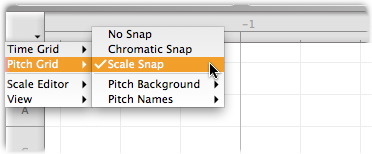
The pitch grid settings in the context menu on the pitch ruler? From http://helpcenter.celemony.com/editor2/en/singletrack_tour_42_1.html
Thanks Scook. Here's what I think happened:
I had recently changed the contrast and brightness settings of my monitors and I think it made the horizontal lines and shading harder to see. In my search for a solution, I inadvertently changed the "Pitch Grid | Pitch Background" settings away from the "Keyboard" option so everything looked different.
Christo over at the Melodyne forums suggested I check the "Look" option under the Preferences. As many times as I've looked at that menu, somehow I missed that option. By setting the "Look" selection to "Darker" and re-selecting the "Keyboard" option, I'm back in business.
Thanks again!
Paul
