• SONAR
  • What did I do to my display? (solved)
2014/07/25 18:09:52
g_randybrown
Hi,
One of my display monitors had to go into the shop and I'm on one screen temporarily.
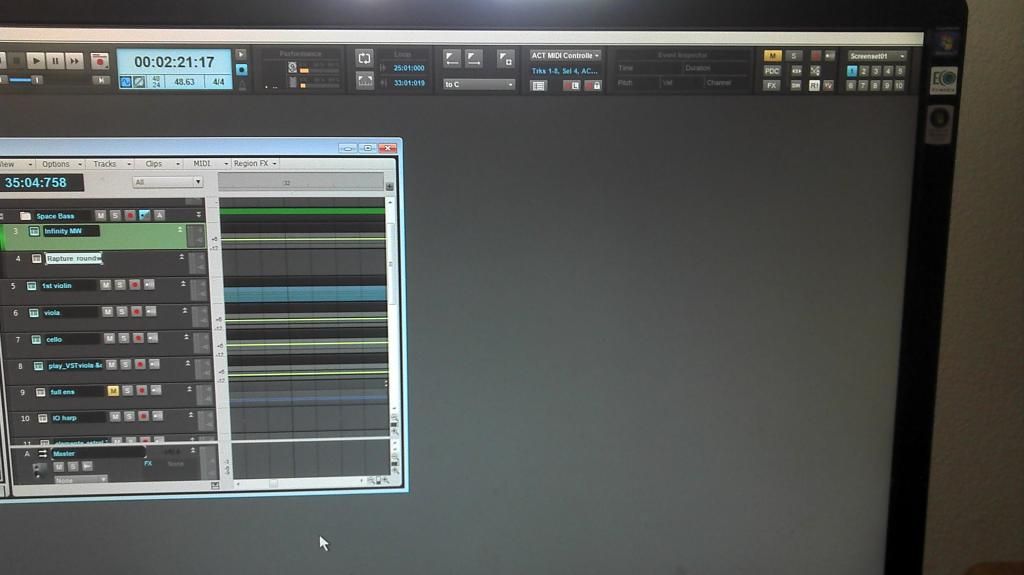
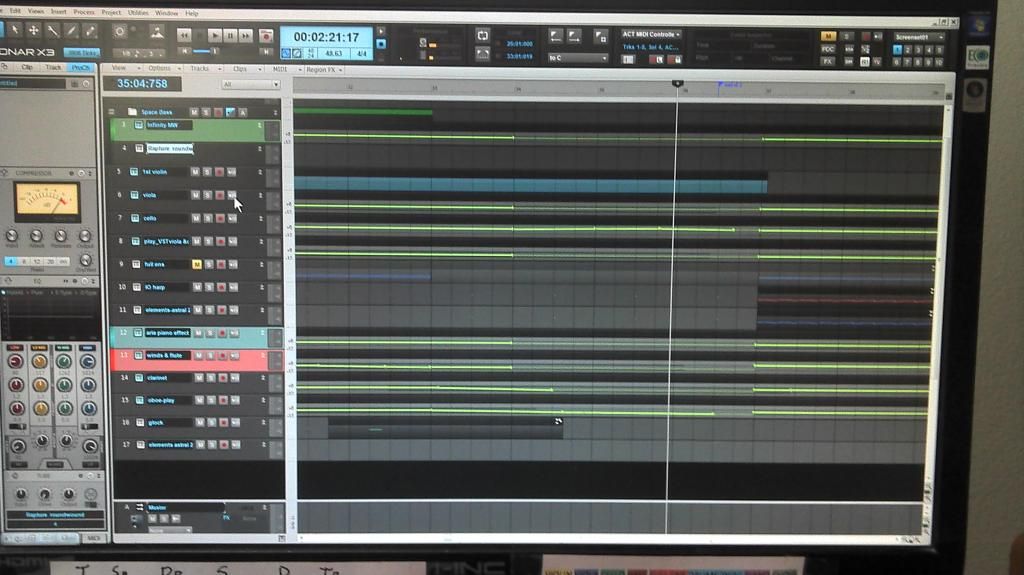
On a couple of projects I've worked on since I get no min/restore/close buttons in the upper right corner as indicated in the first pic (the 2nd pic shows before clicking the restore button).
I have my settings to auto-hide taskbar in settings (hides unless I hovering over the bottom of the screen) but it won't show either (hence the reason I had to use my phone camera to capture the screen). 
If I open an older project that I haven't worked on since using one monitor it acts as expected.
Any clues as to what I might have done?
Thanks very much,
Randy
2014/07/25 18:17:10
scook
It looks like SONAR is running in full screen mode in both pictures. The difference is the project in the first picture is not maximized. When the project is maximized, the controls for the project window will go in the upper right-hand corner like the second picture. These controls are different than the application Window controls which are not visible in either picture because both show SONAR running in full screen mode (F11 toggles full screen mode).
2014/07/25 18:21:07
g_randybrown
scook to the rescue again...thank you sir, I never use full screen mode and I must have hit F11 by mistake.
Thanks again bud,
Randy
© 2026 APG vNext Commercial Version 5.1

Use My Existing Forum Account

Use My Social Media Account