robert_e_bone
Randy - please list the missing subroutines from your running of Dependency Walker. I would like to take a look at them.
Thanks,
Bob Bone
OK - Thank you very much, Bob. After the DW report, there's something else very important about these problems:
Dependency Walker report - When having the program analyze "02_Sonar_X3_Studio.part1.exe"
These are listed in the bottom half of the program, and all have the message "Error opening file. The system cannot find the file specified (2)."
API-MS-WIN-CORE-COM-L1-1-0.DLL
API-MS-WIN-CORE-WINRT-ERROR-L1-1-0.DLL
API-MS-WIN-CORE-WINRT-L1-1-0.DLL
API-MS-WIN-CORE-WINRT-ROBUFFER-L1-1-0.DLL
API-MS-WIN-CORE-WINRT-STRING-L1-1-0.DLL
API-MS-WIN-SHCORE-SCALING-L1-1-0.DLL
DCOMP.DLL
IESHIMS.DLL
PB3DLL.DLL
PBCORE.DLL
BUT these same missing files are listed (except for the last 2) when, as an experiment, I had DW analyze "Sonar 8.5 exe" in the "Sonar 8.5 Setup files" folder that has that exe and 4 bins. I guess that means that if I decided to re-install Sonar 8.5 (which is still working fine) - it wouldn't work, because these things are now missing, but they weren't when I initially installed the program some years ago?
INTERESTING observation about the X3 installation files. When hovering over the various parts:
pt. 1 it says "Sonar X2 part1" (instead of X3)
pt. 2 is fine
pt. 3 says "Sonar X3 part1"
pt. 4 is fine
Maybe that's all correct, and those mismatching descriptions are part of the files - Like when they put together the install package for X3, they just used the same part 1 as for X2. Maybe pt.3 somehow managed to be mislabeled, but it was too late to change the error later? I dunno - But that's how the parts are labeled.
ANOTHER NOTE:
I've been using Sonar 8.5.3 in 32 bit mode, and it works fine. BUT the 64 bit version stopped working when I re-installed X1 in 2012. I just shrugged, because I've just stayed stuck in 32 bit anyway, even though I have a 64 bit machine.
I uninstalled X1, but 8.5 64 bit still doesn't open. I get the exact same Runtime Error about Visual C++ as when I tried to open the new X3 installation yesterday.
BAD COMBINATION OF UNINSTALLED WINDOWS UPDATES:
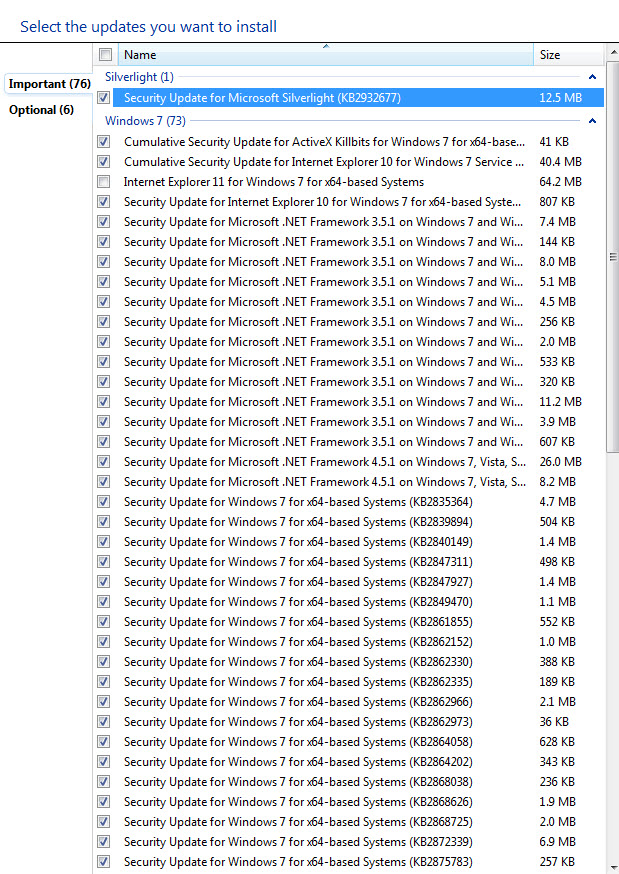
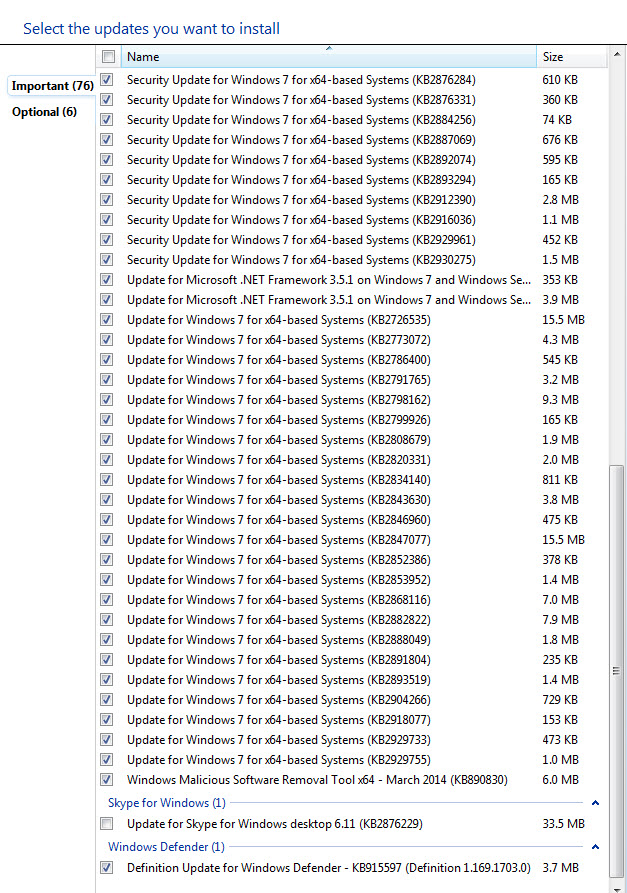
At the Garritan Forum, someone suggested, and I'm suspecting he's right, that all these problems are caused by a weird combination of Windows Updates. Long story short - I went for a year with automatic updates turned off (bad advice from a computer tech). Then, in the wake of my problem with the X3 demo, I started going through the HUGE list of Windows updates that had piled up. But I wasn't sure what I was doing. I was trying to install 5 a day until it was done - but I gave up in frustration and have just not wanted to think about it!
It's very likely that I installed some things out of order (they're not organized by date - pretty hard to see what to install when initially there were almost 100 listed!) - and some updates are probably half baked.
In case it's useful, here are 2 screenshots showing the updates still waiting:
I'm a verrrrrry bad computer owner. Someone should put me on a Time Out.
Randy