A bigger monitor only gives you more workspace if:
1. It supports higher resolution than a smaller monitor.
2. The video card supports the higher resolution, and...
3. The software supports the higher resolution.
If not, bigger is just bigger, and...IMO...beyond "big enough to see" lies "wasted real estate".
A lot depends on viewing distance. The further away, the bigger it needs to be to work fine detail.
Therefore, from where I stand, most of the time, in smaller rooms especially, more monitors are better than bigger monitors, because I can see both, but only one gives me advantage, and that advantage is the additional workspace I get from more monitors.
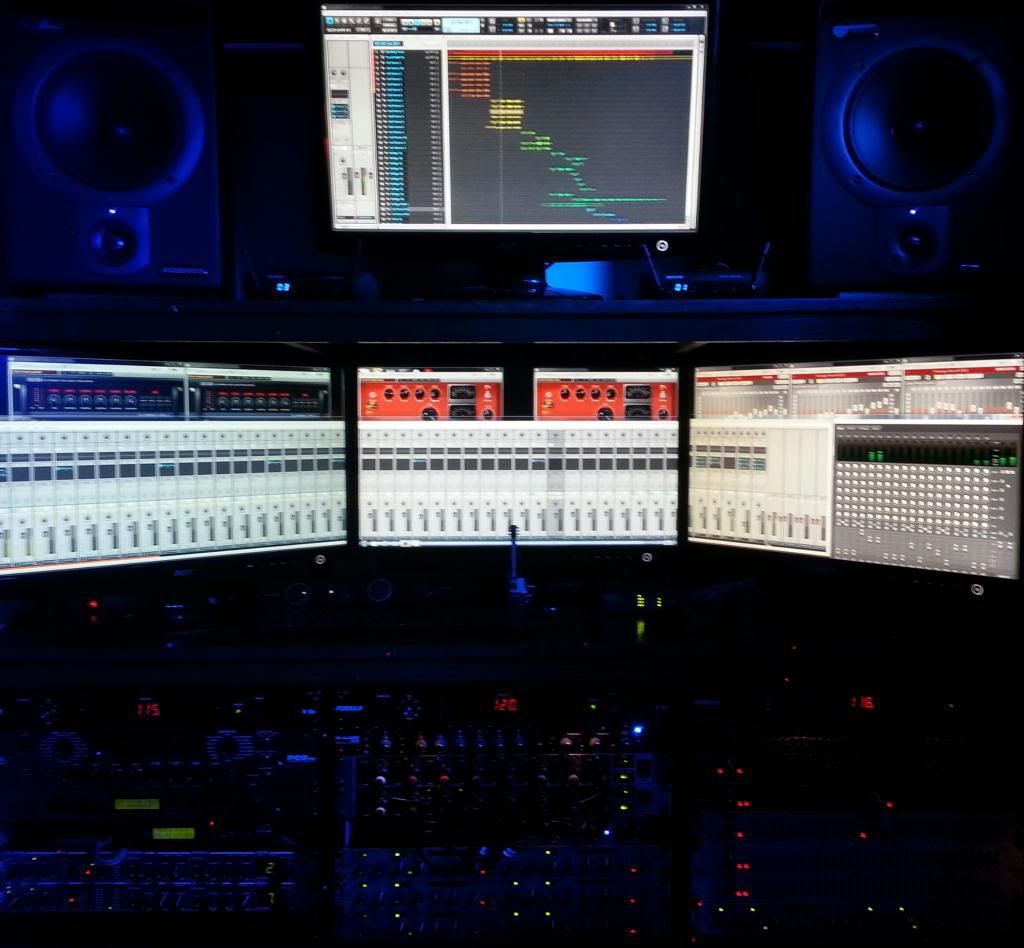
These are Acer 24" VGA monitors, (though one is connected using the HDMI output on the card). More ways to input a signal can be a real advantage as you add monitors.
On the other hand, as viewing distance increases, bigger IS better.

This is a 60" Sony, with enough HDMI inputs to allow me to switch back and forth between two DAWs, in addition to normal TV inputs.
When it comes to Sonar, my workflow could ALWAYS use more space, so I draw the line at the point where more monitors (actually more graphics card outputs) reaches the knuckle in the price curve and goes vertical into ridiculous territory.
One tip, once you go multiple, do everything you can to make your mouse pointer more visible, trails, larger, etc, unless you enjoy wasting time hunting for it every time you click.
Tip two, adding monitors to the GPU workload, increases heat, especially in laptops. You can take steps to dissipate that heat safely, or you can learn this the hard (expensive) way.
I was half lucky and got off with a stern warning!
:-)