Creating Nessus pt 2 Now for the mixing and mastering stage...
I'm far from being a "pro" mixing engineer, obviously, and I'm totally self taught, with help from a lot of offline and online media, including this great forum.
As a result, my workflow isn't the best, but it's all I know.
I tend to mix as I'm going along, tweaking levels as I add new elements. At some point I sometimes drop all the faders down to zero and start from scratch, and this is what I did here. I first brought up the percussion as high as it would go and then everything else was brought in around that. I believe that sometimes percussion can get lost in the mix so I try to give it some priority. Doesn't always work though...
Regarding effects... I wanted to use all of the effects within Hive, and for things like reverb, delay, chorus and distortion I did. But I found the EQ and compression effects to be not that great... More to do with my limitations I guess, as I have now become to love my FalbFilter effects. Ease of use and great user interface are the main reasons. And I like the spectrum analyser, which is essential for me because I mix on headphones and I need to know what is happening at below 50Hz.
I did try to stick with just one instance of Pro-Q on the master bus only, but after a while I started adding Pro-Q into the effects bins of individual tracks too.
It was then that I noticed that there was some low end stuff hanging around in some of the presets. This is Pro-Q showing the spectrum for the main sequence:-
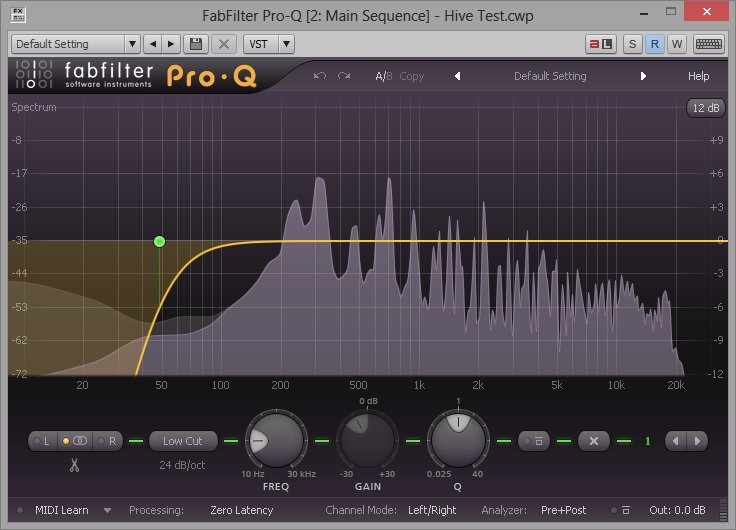
Notice the slight increase in low end fequencies below 50Hz. I know they are only at around -45dB but I always worry that this will all add up to problems later. So, as you can see, I added a "low cut" at 50Hz in this case. Same again for one of my pad presets:-

And here's the snare, although this time I decided to cut at just over 100Hz:-
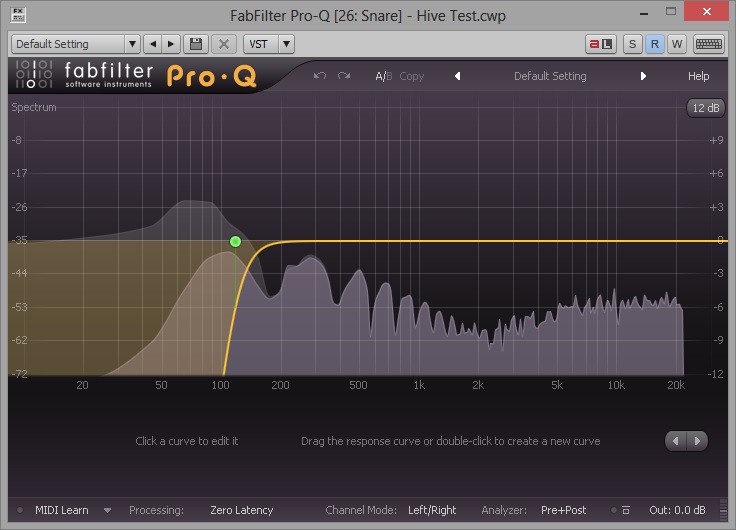
I therefore went through all of my tracks to check this out. Not all the tracks suffered... But those that did received some serious bass cut.
On the master bus the Pro-Q instance has some more low cut. But here is my problem, I think, which is mentioned above. Notice how much low frequency stuff is still there:-
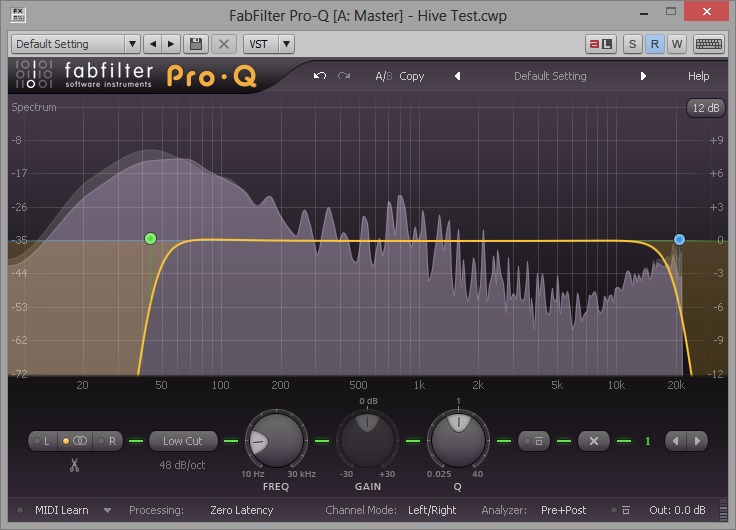
A clear illustration that I still have a lot to learn yet... But the lack of any real EQ adjustment on the master bus was more of a "keeping processing to a minimum" sort of thing. But now that it has been mentioned I need to ad some more curve that that EQ, perhaps something like this:-
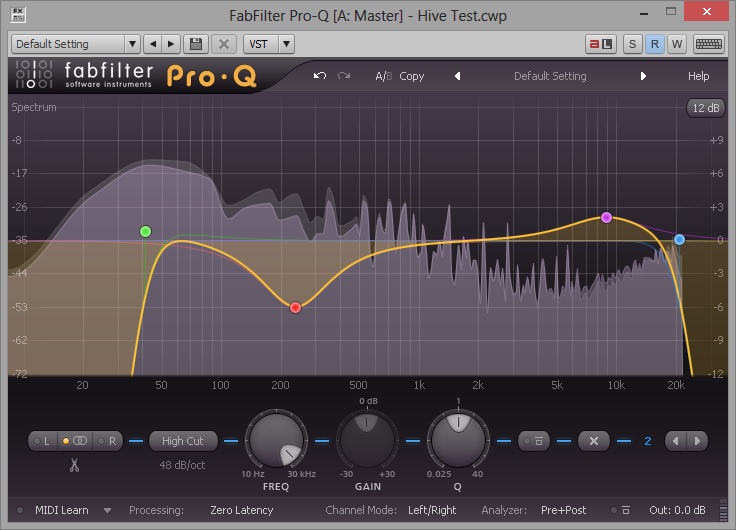
I must admit, that even in my headphones, it sounds less "boomier" already, so this must be a step in the right direction. Comments invited as usual

Okay, now for the limiter...
I created a topic about this subject in the Techniques forum and there is plenty of help in that. But I am still opting to go down the limiter route rather than killing the peaks before they get to the master bus.
The main reason for this is, I do not freeze my synths, because my laptop has the power for most of my work, and I therefore have no waveforms to go by. And, as I find with the synths I use, once you start tweaking filter resonance and cutoff you can get unexpected peaks here and there. I deal with most of them by altering the fader level, and once upon a time I even added some fader automation to dip a level momentarily. So I'm finding the limiter method a tad easier to deal with those rogue peaks, that are more a product of adding all the tracks together than clipping levels on individual tracks.
Here's a Pro-L screenshot:-
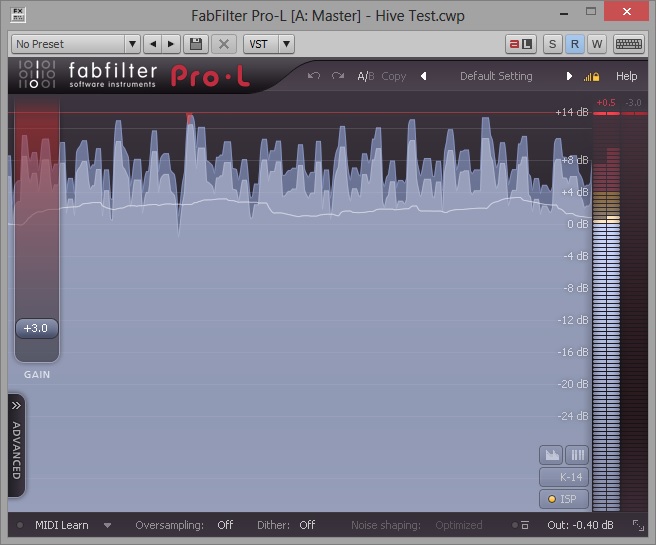
As you can see, there's not much going into the red there...
Notice I had Inter Sample Processing turned on. However, I still had problems with the final export. At first I made the output level -0.2dB and the resulting wave file was fine. But upon converting the file to MP3, it clipped. Not by much, but a clip is a clip. I eventually had to drop the output to -0.4dB to remedy this.
Finally, here's my waveform for the entire tune:-

Even though the wave is quite busy, there is still some dynamics in there, and I am reasonably pleased with the final result, other than the low end problems mentioned. I am still using Sound Forge 10 for manipulating my final wave file and converting it to a 320kbps MP3 file. Lately, "manipulating" consists of trimming the track to length, if needed, and inserting a bit of silence at the beginning and end. I would normally have compressed the wave too, but in this instance I was happy with the levels that I exported from X2, as a result of using Pro-L on the master bus... Something I have not done until recently.
Okay, I think I've waffled on for long enough about this now.
If you made it this far, thanks for reading
cheers
andy