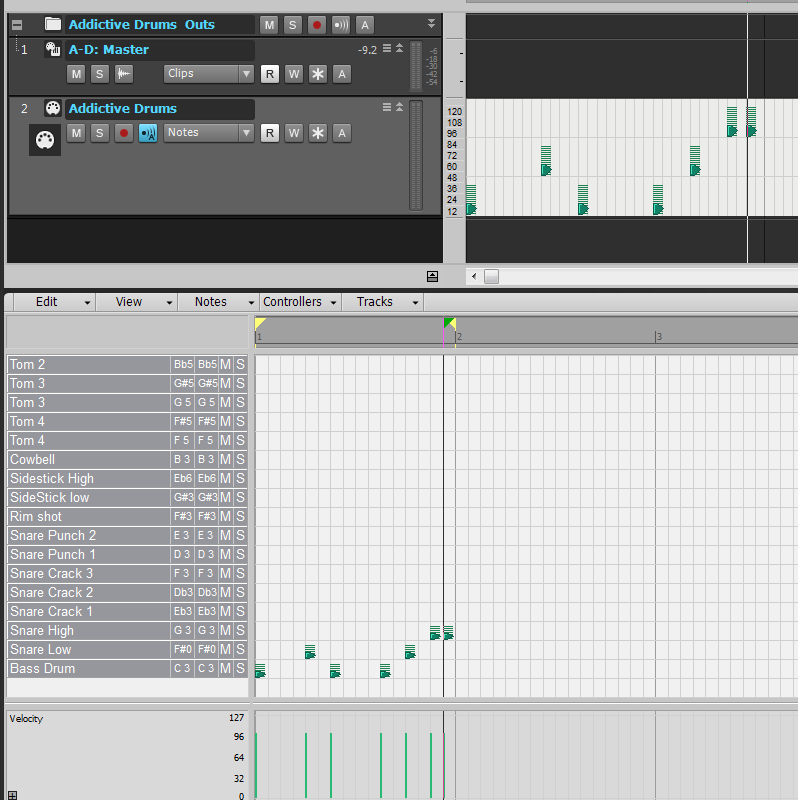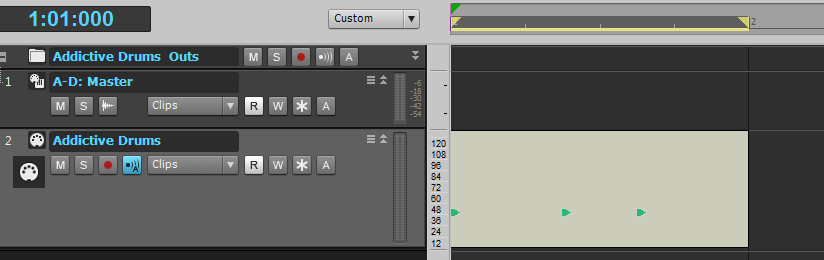
"
How to setup drum maps the easy way 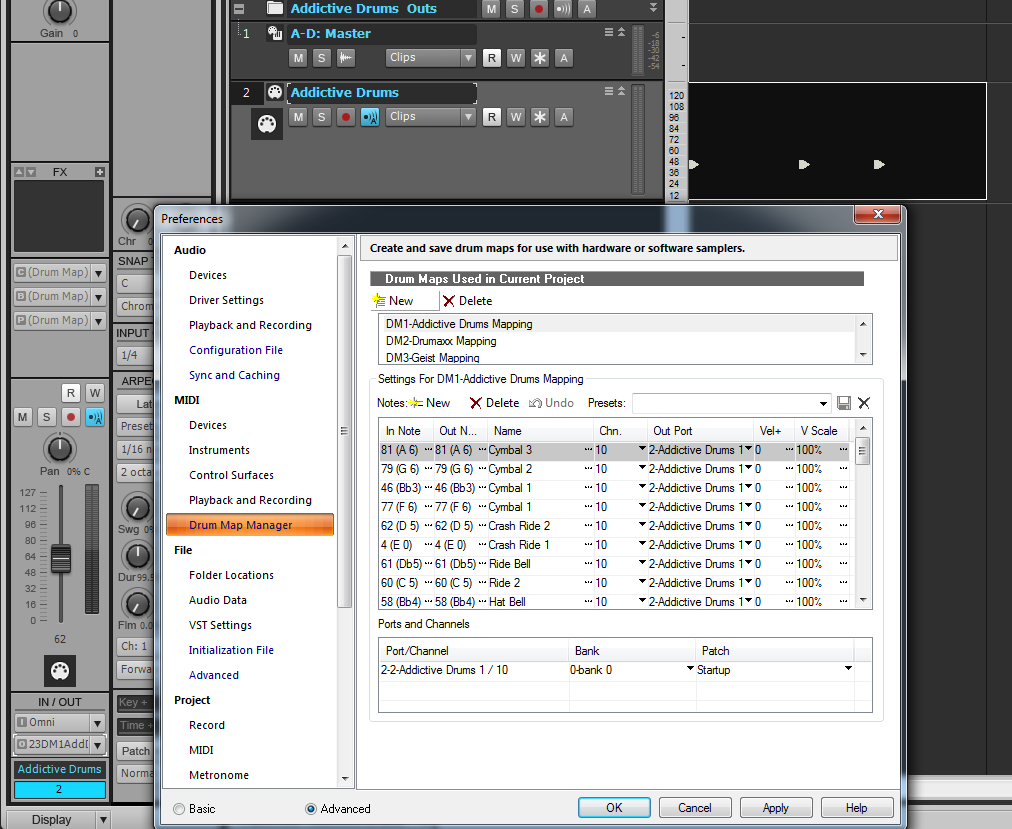
1) Add your vst intrument, But do not use intrument track option, see the picture at top,
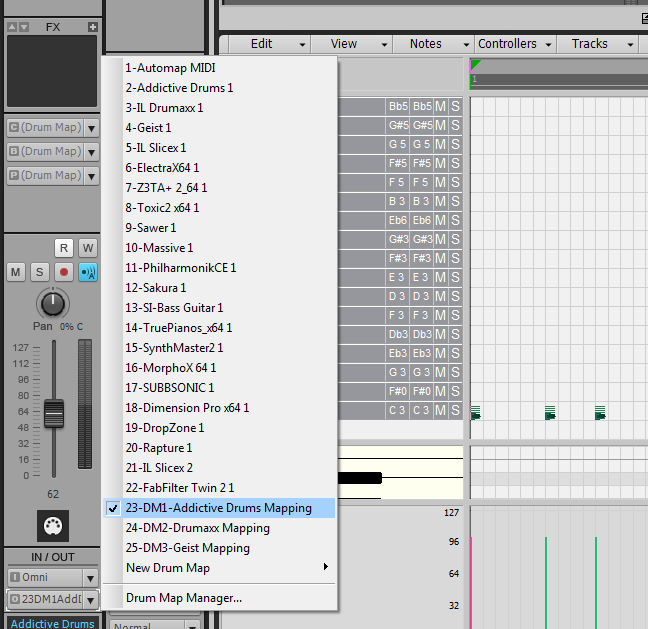
2)Go to In/out in the strip for that vst and drop down the out menu om the second drop down menu and select drum map manger
3)The drum map manger is now displayed in pic 2, Step A) Go to the first top option to create New highlited in yellow_Create new, then you will see as listed here in pic 2, if its your first drum map it will show DM1 and so on for each map you wish to add, make sure this Dm1 or your next vst to map DM2 and so on is selected Step B) I prefer to name and save this first and add to later,so i go to the preset option just above the list in the drum map manager in this case i named it Addictive Drum Mapping, this name has now appeared beside the DM1-, so i can now open and close and i know i wont lose my preset so far, just look for it in the Preset list drop down where you saved the name too, (tip you may wish to search out the folder for saved drum maps and delete any you know you will never use, as the list is very long, but be careful if you are unsure with moving any file, i always save to a back up folder on my desktop until i know for cetain i wish to get rid forever) Step C) This is where you can loose it , but it aint so bad if you remember to go back to the formention: Out/ o, drop down menu where you first found the drum map manager, and make sure the newly named Addictive drums mapping in my case is selected or which ever Drum vst you have just setup is selected also see pic 3 below, making sure before hand that your drum vst is selected, see pic 2 and my second track line (Always midi in this case). notice the 2 with the black selection paint box, you do not want to mess up and other previouse drum map setups for other tracks, be careful, always double check this.
4)I re-open the drum map manger, select Dm1 addictive drums mapping for this tutorial and then i will move on to the pitch list again shown in Pic2 and their you can see the long list of pitch Notes and the names. Step A) you want this area blank to start, so use the delete option above these, thast the second big red x you will see in the whole of this dialog box, once clear, Go to the ajacent Note=New, and best way is to just keep adding new until it stops so you have allthe note pitches for the whole pianoroll/drummap added, this will make it easy to find the working notes and then delete the empty sounding notes/pitches their after, which i will explain later. Step B) Look at the Chn-which represents the midi Channel, most drum vst use channel 10, but some may differ for extra functions , please refer to your vst manual. Step C) now go to the long list of name, here is where you make sure the correct VST is selected, ddrop down the menu on one of these names and select your Vst, to select all together on the PC hold down shift and ctrl together then select and all the names wil now be the same. Step D) Bring up your VST interface and all you now have to do is Click on each pitch in what was the paino roll should now be the Drum names see pic 4 second Pic below, you may have to still drag down the piano roll to reveal these, see pic below
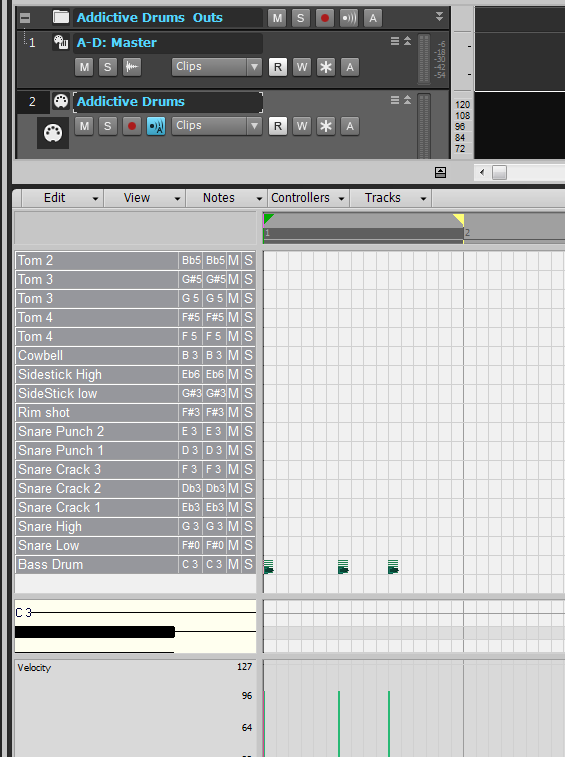
5) Its just a systematicle aproach as i already mentioned to elimated unused notes/pitches, Click on eack drum name if it sounds double click that name to get another dialog box
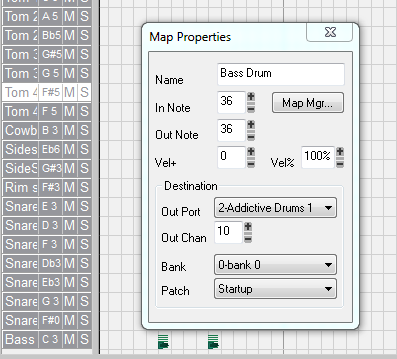
and you can name it accordingly for your needs or to correspond with what drum sounds on your vst, by looking at the vst and seeing what happens, of course you can in some case foll ow your vst manual note list, but in prefer to do it this way, saves having to go back and do this step again, if it has not worked, i found that not every Daw and vst notes match up, silly and odd, but true , Image line drumaxx for sure, is about 2 Ocatves out,so its trial and error, baffling!! .
6)You are more or less ther now, just make sure you go back to your preset list and rename/go over the existing first save you did and save again with all these new settings and ajustments, i like to save and repeat this Process a few times as i go, just incase the unthinkable Happens with a sonar crash or i make a mistake that i cant locate.
You should soon fly through this Proscess it is not as bad as it looks, but you must get everything in the correct order, their after you will soon realise you can delete those pitches that dont sound via the second Big Red x=delete see pic 2, and then also Drag the Pitch /note lanes in the order you like, Hopefully Cakewalk will improve this system soon to help the Newbie.
Hope this helps,It was along hard road for me, and i hope i have this all down correct, prcatice has made perfect i think.
Here it is, also notice these show up in the inline piano roll, by selecting the Notes option in the track filter which is basically that Drop down you see in this pic from clips to notes/Inline to automation list found here too.
Just like to say the best feature of sonar is the inline, you can have as many as you want open for editing and comparing absolutley wicked and i can not do without it, Tip for inline Right click where you see the mini piano roll in this case is the 7bit value showing the numbering 120-12, then select fit content and you will see !!!!!!!!!!!!!!!!!!!!!!!! its alittel hit and miss and needs improving, but never the less useful.