Tempo Change not working
Search
To Bottom
SONAR
Tempo Change not working
2013/06/26 14:48:53
Marc2109
I'm inserting a **** using the draw line tool in the tempo view. The new values display in the Tempo List pane, but the transport does not reflect the tempo change, nor does the tempo display. Am I missing something here?
2013/06/26 14:54:32
Marc2109
not sure why**** is in my post. I typed ritard for ritardando.
2013/06/26 15:14:05
Bristol_Jonesey
Probably because it's a banned word?
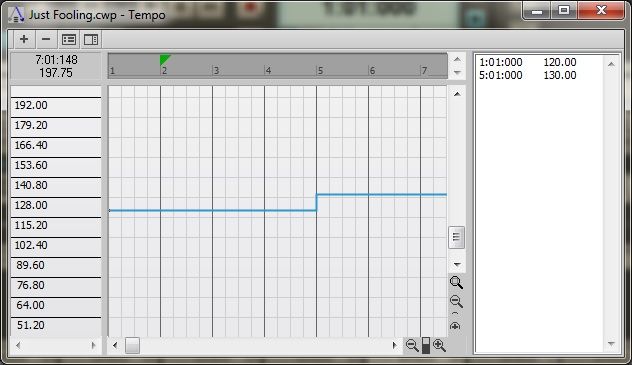
Do you mean you entering a new tempo here:
but the change isn't reflected in the music, or any visual display?
2013/06/26 15:20:50
Marc2109
Problem solved...for some reason, although I used the draw tool to insert the rit. starting at m19 and stopping at meas 20, it started in 19 and jumped to m38. I hadn't noticed this on the tempo list. I have no clue why it did that, but i deleted and started over with success. THanks for the responses.
2013/06/26 15:36:24
Bristol_Jonesey
No problem. Thanks for letting me know.
Edit the title of your thread and add the word *** SOLVED ***
2013/06/26 15:45:17
Skyline_UK
Does this forum software really mistake ritard for the similar word that has an 'e' as its second letter?
Edit: No I see. The OP must have accidentally typed ****.
2013/06/26 15:52:10
Kev999
Bristol_Jonesey
Edit the title of your thread and add the word *** SOLVED ***
No need to do that any more. The new forum flags answered threads if you click on ""Best Answer" for one of the posts within the thread.
2013/06/26 16:21:16
Bristol_Jonesey
Ah. I've not come across that yet.
Send to Recycle Bin
Delete Permanently
© 2026
APG vNext
Commercial Version 5.1
Latest
Active
Sign up
Log in
Full Ver.
back
Use My Existing Forum Account
Username:
Password:
Verification:
Log in
Use My Social Media Account