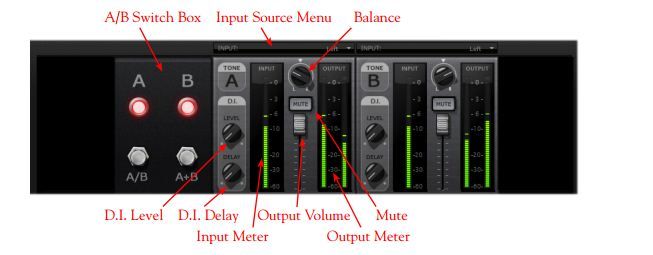
You might need to fire up PodFarm in stand-alone mode (outside of Sonar) and then open up the mixer. In there you can set the output levels including a +10 dB button (or maybe it's +18 dB).
I'll see if I can find some screenshots and add them to this response.
And welcome to the wonderful world of recording. It has its challenges but it can be addictive and fun.... and aggravating, but then fun again. ;-)
{edit} Oooops, I blew right past APC3's comments. Do that. (I'll post pictures in a minute.)
Okay, this is near and dear to my heart because I've done this too many times: "Why isn't my mic working? Oh year, I forgot to change the input on the UX."
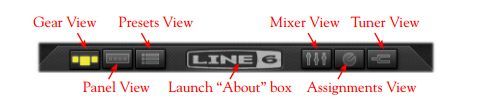
Click on "Mixer View"
Then click on Input Source and select Mic. From there you should be able to set volume as needed.
You can also set if you want to record the dry output or processed through PodFarm. Personally I prefer Dry so I can modify it later. For both guitar and vocals. Not sure if that's best practice but it works for me.