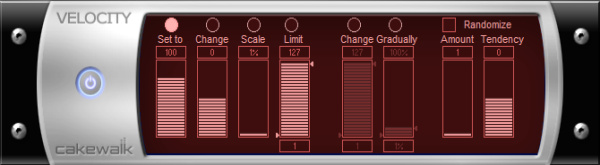
Try this one - because a) you already have it and b) it
might do what you want. Even if it doesn't do the trick, it's a handy plugin to become familiar with.
However, I suspect that its scaling and limiting features probably aren't exactly what you want. If you want something analogous to a compressor, that implies gradually reducing velocity past a given threshold. The Velocity plugin can't do that.
Best approach is to take a look at your drum (or keyboard) controller's features. It may provide a scaling option, in which case that's a better solution because it solves the problem at the source. Some virtual instruments also provide controls for velocity curves, which would be the second-best solution if available.
If neither of those are an option, use Kamikaze's method. This trick is to hold the SHIFT key down while making your adjustment. Then use the Velocity offset control to provide "makeup gain".