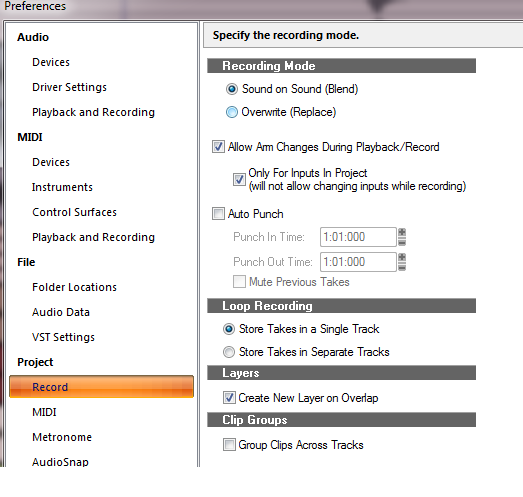
I would like to record multiple takes using this method:
1. hit record
2. rewind
3. hit record, have the new track be a new layer, but NOT hear the previous take and NOT overwrite the previous take.
In the Record Options menu there is a choice of "Sound on Sound" This appears to play all recorded layers at the same time. Don't want this.
The other setting "Overwrite", overwrites the previous layer (I realize I can bring it back but don't want this hassle).
It looks like I can mute each layer after I record and this may be the best option? On my previous machine, I would just select a new layer('take') for each take, then this was the only layer that would play/record.
Hitting mute wouldn't be a big deal, but I'm recording myself in different locations in the room on different instruments and have a hard time seeing the mute/solo buttons next to the layers. I don't really want to buy a big screen TV either.