Jeff, for the purpose of this discussion, Export and Bounce function the same.
Export has additional options for sample rate and bit depth, but the menus are otherwise identical.
From what I can see, these menus are the same for X1 as they are for earlier versions.
Martin, see if this helps:
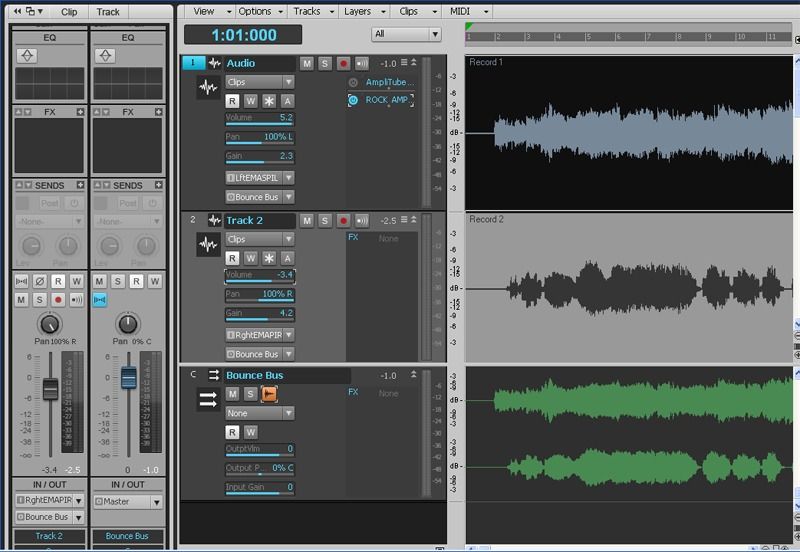
Here, I have created a bus, and named it Bounce Bus. Its sole purpose is to act as a source for bouncing multiple tracks to a single stereo track. It has nothing to do with the rest of the project, and is just a tool.
I have enabled Wave Preview to see the waveform, but that is not essential.
You can select any combination of tracks, by temporarily setting their outputs to this bus, for your bounce.
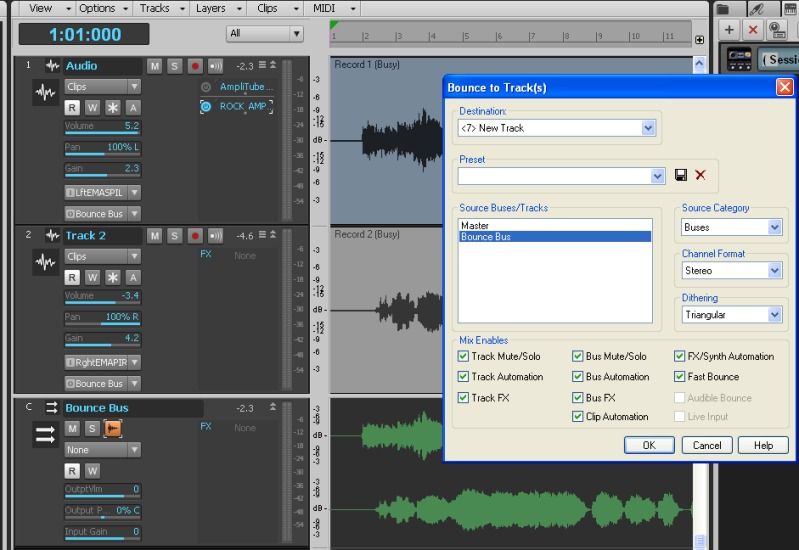
Here we see the Bounce menu, with the Bounce Bus selected as the source.
This is the key to getting a single stereo track.
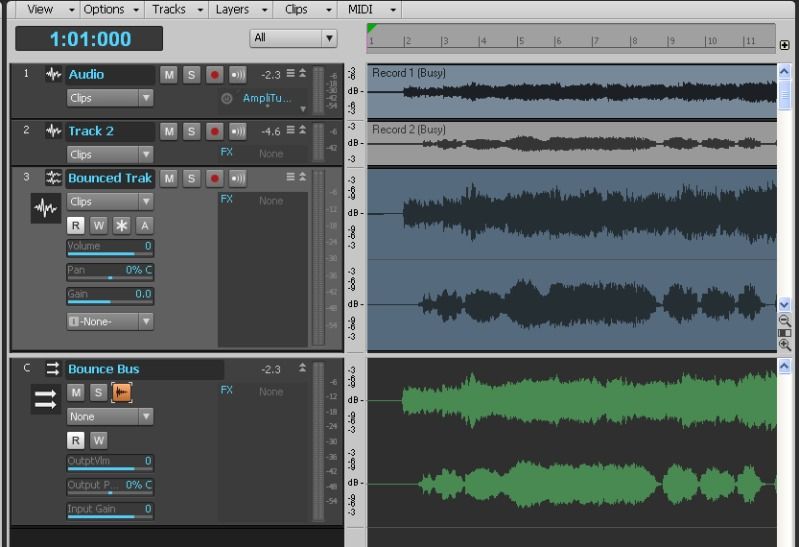
Here, we see the two original mono tracks, the new bounced stereo track, and the bounce bus.
The tracks have been resized to fit the screen, but the signal has been unaltered.
At this point, you would want to archive your original tracks, so they don't continue to play(you may already know this). It looks more complicated than it really is. In real life, it's just a few mouse clicks.
Hope that makes sense and is of some help.