While Sonar is in view, Tap the Letter "P" on your Keyboard to bring up Preferences.
*Under Midi, click Control Surfaces
*Click the yellow star and add your Controller.
*For Controller, select Mackie Control
*For your input Port, select the Behringer X touch In
*For your Out Put, select the Behringer X touch out
*Click OK
*Now you should see your Behringer X touch there, make sure it set for Mackie Control. Select the color for WAI (Make it
something you will see) when you click the drop-down arrow.
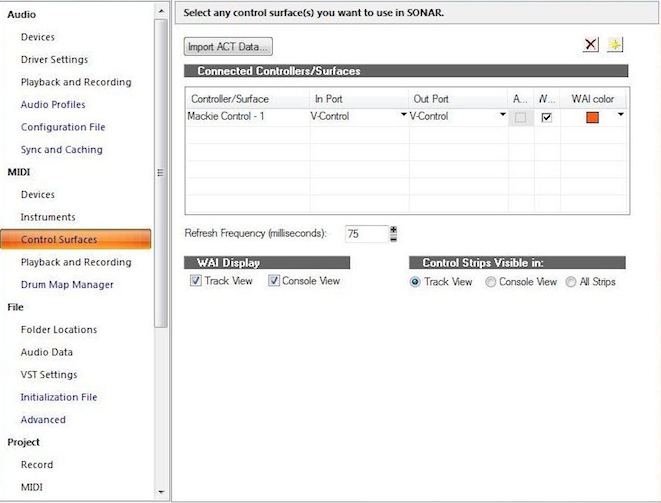 (Sorry the photo is for the V Control)
 *At the bottom of the page, click track view, Console view, and all strips. Then click apply.
*Now, on the Xtouch select the button for AUX or BUS, then tap the Fader Bank Button and you should see the WAI color move when you bank for the AUX or BUS when selected.
This is how it works for the Mackie Control Universal.