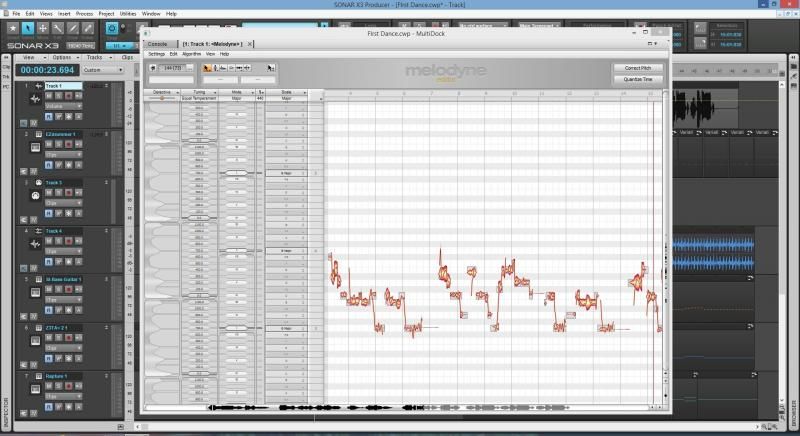
I've looked and looked... How do I control/remove the *chart* that dominates the left side of my Melodyne screen? I can click the arrow on the right side (up in the upper left corner), but when I select a *tool*, that chart just pops back in. I'm finding the user manual to be almost impossible to figure out and the YouTube vids have never addressed this. After mucking around with Melodyne, I seemed to have selected a *wrong* preference and I can't control this! Where's the best place or way to learn this program??