2013/07/20 10:40:01
KenB123
How do you add an image to a posting so it appears right in with the message text? When I do it, it shows it as an attachment. It is not as clean looking as others appear to do it.
2013/07/20 11:44:50
spacey
I just click the little icon (insert/edit image) while my cursor is still in text field.
 
2013/07/20 14:36:45
KenB123
I tried selecting the 'insert/edit/image' icon as you specify. It shows a popup window that indicates 'Image URL'. If the picture is on my local drive (e.g., C:), what do I put in this field?
2013/07/20 14:40:21
yorolpal
Upload your image to something like Photobucket, then link to that URL.
( I think )


2013/07/20 14:59:23
spacealf
There are other photo upload places too, but you never get your picture back or can delete it I think.
 
http://en.directupload.net/
http://tinypic.com/
http://photobucket.com/
 
Flickr whatever too that is. But most have a size limit also.
Probably more places doing a search.


2013/07/20 14:59:48
KenB123
Test (Photobucket)...

Seems to work. Thanks Gents!
2013/07/25 22:10:49
soens
Only here in the CHF can you upload pics.
 
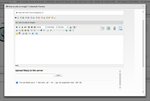
Right below the text entry window is the place to do it:


Once you upload it, click on the Insert Image Icon and select the Uploaded Attachments tab and select the pic.
You pic is now in the message. If you don't do the 2nd step it will only show up as an attachment, which to me seems rather odd.
 
Steve


Attached Image(s)
2013/07/28 09:34:02
tbosco
But how do you guys get more than ONE pic into a post???  The CW thing allows only ONE per post....and for me, it only shows up as a rather small icon.  I'm a little confused too.
2013/07/28 16:44:14
craigb
We're special?
 
Actually, you simply have to have your pictures hosted on the internet somewhere then you link to them.  I have my own domains and therefore my own hosting, but there are a bunch of places out there that will host your pictures - and I believe many of them are free.  Like Photobucket for example.  Hopefully someone else will come along and name some of the others, I don't remember them since I don't need to use 'em!


2014/03/08 09:19:50
auto_da_fe
Oops

Attached Image(s)

12
© 2026 APG vNext Commercial Version 5.1

Use My Existing Forum Account

Use My Social Media Account