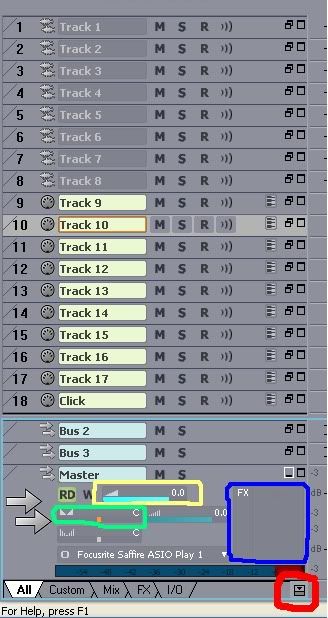
You may need to expand the MIDI track and there may be tabs at the bottom to select 'All, Custom, Mix, I/O, and FX, as in this image (ignore the highlighted boxes) Click "All" to see all the available parameters for the tracks.
If you have your MIDI controller connected via USB and are using the drivers for that keyboard, you should have a listing for '(name of keyboard) USB In' or something like that.
If you're using the computer's MIDI drivers, it might be listed as 'USB Device'.
Once the MIDI track is expanded, you should see something like this:
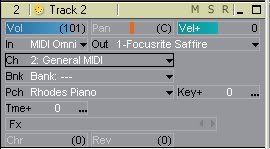
Where it reads "Out 1-Focusrite Saffire" you would select the software synthesizer you want to hear.
Depending on what soft synth you're using, you may have to set the Channel, Bank and Patch here, too, but some soft synths require you to set the patch in the soft synth's GUI.