
Re:Including Images In Post???
2013/08/01 18:51:37
(permalink)
Trying to upload a picture from my computer and it seemed to work just fine. Here is what I did. I first typed part of this message in the quick post, then I selected the full version and a select image section was available and I clicked select, it brought up my computer in a new dialog box and I went to my picture and selected this .jpg photo and clicked open and it went right to this page. That's all there is to it, just make sure you already have the picture on your computer in one of the approved formats and it seems to work fine. So now I'm going to click submit post and see if the picture is in the post. If it is then it all works good.
Peace and Blessings, John
Well, it does work, so post all the pictures you want from your computer, you can get a lot of photos off the internet for free, and some you have to pay for, so beware of this fact.
John
post edited by theguitarplayer - 2013/08/01 18:56:49
Attached Image(s)
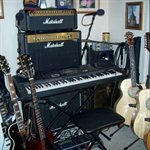
Sonar X3 Studio, Acid Pro 7, Sound Forge Pro 9, Sonicfire Pro 5, Kinetic 2, Cinescore, HP Pavilion dv7, CORE i7, Q-740, 8gb Ram, Windows 7- 64 bit, 4 tb mem , Audiobox USB, Digitech GNX4, Gibson SG1 & SG3, Martin J65M, Washburn Custom Cumberland, 3 Marshall Amps, Casio 365 Keyboard, M-Audio Axiom AIR Mini 32, Behringer Truth Monitors, Garritan Aria, EWQLCC, Alloy 2, Ozone 6, Melodyne
http://www.soundclick.com/JohnRKennedy